8 files added
24 files modified
| New file |
| | |
|---|
| | | 资源库中,如果右键未安装的游戏,则出现两个选择:安装游戏、从资源库移除。 |
|---|
| | | == |
|---|
| | | 在管理后台的密钥管理中,要可以生成永久卡。 |
|---|
| | | 操作栏中,要可以冻结密码。冻结以后,就不可以使用了。 |
|---|
| | | 密钥管理中要可以根据手机号搜索密钥。 |
|---|
| | | == |
|---|
| | | 管理后台的工具管理模块。 |
|---|
| | | |
|---|
| | |
|---|
| | | |
|---|
| | | <br /> |
|---|
| | | |
|---|
| | | 1. 打开客户端到登录页面以后,要在账号密码输入框中自动填充之前输入过的账号和密码。 |
|---|
| | | 2. 在找回密码中提交申请以后,弹出提示,联系管理员来重置密码。管理后台要有同意用户找回密码的功能。 |
|---|
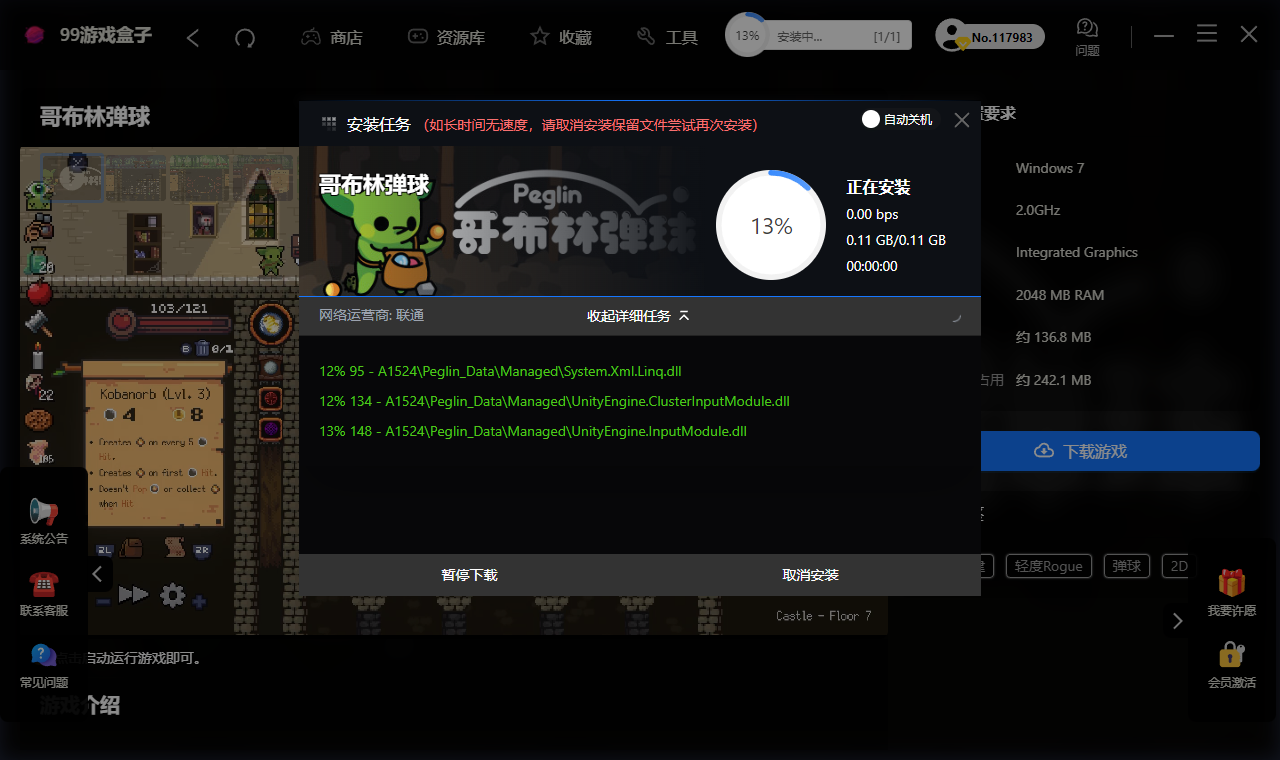
| | | 3. 用户安装游戏的时候,要自动根据这个游戏的磁盘占用中设置磁盘大小与用户选择的保存的文件夹所在磁盘的剩余大小做对比。太大则弹出提示,让用户选择其他磁盘,并且不能下载。磁盘占用和游戏大小的单位统一设置为GB。只输入数字即可。不要再输入单位了。要做校验。 |
|---|
| | | |
|---|
| | | <br /> |
|---|
| | | |
|---|
| | | <br /> |
|---|
| | | |
|---|
| | | <br /> |
|---|
| | | |
|---|
| | | <br /> |
|---|
| | | |
|---|
| | | <br /> |
|---|
| | | |
|---|
| | | <br /> |
|---|
| | | |
|---|
| | | <br /> |
|---|
| | | |
|---|
| | | <br /> |
|---|
| | | |
|---|
| | | <br /> |
|---|
| | | |
|---|
| | | <br /> |
|---|
| | | |
|---|
| | |
|---|
| | | import 'dart:convert'; |
|---|
| | | import 'package:fluttergamebox/api/api_client.dart'; |
|---|
| | | import 'package:fluttergamebox/utils/util.dart' show parseGb; |
|---|
| | | |
|---|
| | | class Game { |
|---|
| | | final int id; |
|---|
| | |
|---|
| | | } |
|---|
| | | |
|---|
| | | String get platformLabel => platform == 'switch' ? 'Switch资源' : 'PC资源'; |
|---|
| | | |
|---|
| | | /// 下载所需磁盘空间(GB):优先"磁盘占用",未设置时回退"游戏大小" |
|---|
| | | double get requiredDiskGb { |
|---|
| | | final install = parseGb(installSize); |
|---|
| | | if (install > 0) return install; |
|---|
| | | return parseGb(size); |
|---|
| | | } |
|---|
| | | } |
|---|
| | | |
|---|
| | | class GameFile { |
|---|
| | |
|---|
| | | final String cover; |
|---|
| | | final String description; |
|---|
| | | final String fileUrl; |
|---|
| | | final String launchExe; |
|---|
| | | Tool({ |
|---|
| | | required this.id, |
|---|
| | | required this.name, |
|---|
| | |
|---|
| | | required this.cover, |
|---|
| | | required this.description, |
|---|
| | | required this.fileUrl, |
|---|
| | | this.launchExe = '', |
|---|
| | | }); |
|---|
| | | factory Tool.fromJson(Map<String, dynamic> j) => Tool( |
|---|
| | | id: j['id'], |
|---|
| | |
|---|
| | | cover: j['cover'] ?? '', |
|---|
| | | description: j['description'] ?? '', |
|---|
| | | fileUrl: j['file_url'] ?? '', |
|---|
| | | launchExe: j['launch_exe'] ?? '', |
|---|
| | | ); |
|---|
| | | } |
|---|
| | | |
|---|
| | |
|---|
| | | return (res['data'] as List).map((e) => Tool.fromJson(e)).toList(); |
|---|
| | | } |
|---|
| | | |
|---|
| | | static Future<Map<String, dynamic>> toolDownloadInfo(int toolId) async => |
|---|
| | | await ApiClient.get('/api/tools/$toolId/download'); |
|---|
| | | |
|---|
| | | static Future<String> announcements() async { |
|---|
| | | final res = await ApiClient.get('/api/announcements'); |
|---|
| | | if (res['code'] != 0) return ''; |
|---|
| | |
|---|
| | | import 'dart:async'; |
|---|
| | | |
|---|
| | | import 'package:file_picker/file_picker.dart'; |
|---|
| | | import 'package:flutter/material.dart'; |
|---|
| | | import 'package:fluttergamebox/api/api_client.dart'; |
|---|
| | | import 'package:fluttergamebox/api/api_service.dart'; |
|---|
| | |
|---|
| | | Game? game; |
|---|
| | | bool isFavorite = false; |
|---|
| | | bool inLibrary = false; |
|---|
| | | bool _installed = false; // 游戏是否已安装到本机 |
|---|
| | | bool _loading = true; |
|---|
| | | int _mediaIndex = 0; |
|---|
| | | Timer? _slideTimer; |
|---|
| | |
|---|
| | | curve: Curves.easeInOut); |
|---|
| | | } |
|---|
| | | }); |
|---|
| | | // 检测游戏是否已安装到本机 |
|---|
| | | _installed = await isGameInstalled(game!.title, game!.launchExe); |
|---|
| | | if (mounted) setState(() {}); |
|---|
| | | } else { |
|---|
| | | setState(() => _loading = false); |
|---|
| | | } |
|---|
| | |
|---|
| | | final res = await ApiService.toggleFavorite(widget.gameId); |
|---|
| | | if (res['code'] == 0 && mounted) { |
|---|
| | | setState(() => isFavorite = !isFavorite); |
|---|
| | | // 通知收藏页实时刷新 |
|---|
| | | AppState.instance.bumpFavorites(); |
|---|
| | | _toast(res['msg'] ?? '操作成功'); |
|---|
| | | } |
|---|
| | | } |
|---|
| | |
|---|
| | | final res = await ApiService.addToLibrary(widget.gameId); |
|---|
| | | if (res['code'] == 0 && mounted) { |
|---|
| | | setState(() => inLibrary = true); |
|---|
| | | // 通知资源库页实时刷新 |
|---|
| | | AppState.instance.bumpLibrary(); |
|---|
| | | _showConfirmDialog( |
|---|
| | | '兑换成功!', '游戏已加入资源库,请在资源库页面查看。'); |
|---|
| | | } else if (mounted) { |
|---|
| | |
|---|
| | | } |
|---|
| | | } |
|---|
| | | |
|---|
| | | /// 下载前选择下载安装路径 |
|---|
| | | /// 启动已安装的游戏 |
|---|
| | | Future<void> _launch() async { |
|---|
| | | if (game == null) return; |
|---|
| | | final ok = await launchInstalledGame(game!.title, game!.launchExe); |
|---|
| | | if (!ok && mounted) { |
|---|
| | | _toast('未找到游戏文件,请先下载游戏', error: true); |
|---|
| | | } |
|---|
| | | } |
|---|
| | | |
|---|
| | | /// 下载前选择下载安装路径(并校验磁盘剩余空间) |
|---|
| | | Future<bool> _askDownloadPath() async { |
|---|
| | | final result = await showDialog<bool>( |
|---|
| | | context: context, |
|---|
| | | builder: (context) => _DownloadPathDialog(gameTitle: game!.title), |
|---|
| | | builder: (context) => DownloadPathDialog( |
|---|
| | | gameTitle: game!.title, |
|---|
| | | requiredGb: game!.requiredDiskGb, |
|---|
| | | ), |
|---|
| | | ); |
|---|
| | | return result == true; |
|---|
| | | } |
|---|
| | |
|---|
| | | ], |
|---|
| | | ), |
|---|
| | | const SizedBox(height: 18), |
|---|
| | | _infoRow('游戏大小', game!.size), |
|---|
| | | _infoRow('磁盘占用', game!.installSize), |
|---|
| | | _infoRow('游戏大小', sizeWithGb(game!.size)), |
|---|
| | | _infoRow('磁盘占用', sizeWithGb(game!.installSize)), |
|---|
| | | const Divider(color: AppColors.bgLighter, height: 28), |
|---|
| | | _infoRow('操作系统', game!.osReq), |
|---|
| | | _infoRow('CPU', game!.cpuReq), |
|---|
| | |
|---|
| | | ), |
|---|
| | | ), |
|---|
| | | const SizedBox(height: 12), |
|---|
| | | // 下载游戏 |
|---|
| | | SizedBox( |
|---|
| | | width: double.infinity, |
|---|
| | | height: 44, |
|---|
| | | child: ElevatedButton( |
|---|
| | | onPressed: _download, |
|---|
| | | style: ElevatedButton.styleFrom( |
|---|
| | | backgroundColor: AppColors.accent, |
|---|
| | | foregroundColor: Colors.white, |
|---|
| | | shape: RoundedRectangleBorder( |
|---|
| | | borderRadius: BorderRadius.circular(4)), |
|---|
| | | ), |
|---|
| | | child: const Row( |
|---|
| | | mainAxisAlignment: MainAxisAlignment.center, |
|---|
| | | children: [ |
|---|
| | | Icon(Icons.download, size: 18), |
|---|
| | | SizedBox(width: 8), |
|---|
| | | Text('下载游戏', style: TextStyle(fontSize: 14)), |
|---|
| | | ], |
|---|
| | | ), |
|---|
| | | ), |
|---|
| | | // 下载游戏 / 启动游戏(已安装则切换为启动) |
|---|
| | | ListenableBuilder( |
|---|
| | | listenable: DownloadManager.instance, |
|---|
| | | builder: (context, _) { |
|---|
| | | // 本机已安装,或该游戏下载任务已完成(含解压)则显示启动按钮 |
|---|
| | | final t = DownloadManager.instance.activeTask; |
|---|
| | | final installed = _installed || |
|---|
| | | (t != null && |
|---|
| | | t.gameId == game!.id && |
|---|
| | | !t.isTool && |
|---|
| | | t.finished && |
|---|
| | | !t.extractFailed); |
|---|
| | | return SizedBox( |
|---|
| | | width: double.infinity, |
|---|
| | | height: 44, |
|---|
| | | child: ElevatedButton( |
|---|
| | | onPressed: installed ? _launch : _download, |
|---|
| | | style: ElevatedButton.styleFrom( |
|---|
| | | backgroundColor: AppColors.accent, |
|---|
| | | foregroundColor: Colors.white, |
|---|
| | | shape: RoundedRectangleBorder( |
|---|
| | | borderRadius: BorderRadius.circular(4)), |
|---|
| | | ), |
|---|
| | | child: Row( |
|---|
| | | mainAxisAlignment: MainAxisAlignment.center, |
|---|
| | | children: [ |
|---|
| | | Icon(installed ? Icons.play_arrow : Icons.download, |
|---|
| | | size: 18), |
|---|
| | | const SizedBox(width: 8), |
|---|
| | | Text(installed ? '启动游戏' : '下载游戏', |
|---|
| | | style: const TextStyle(fontSize: 14)), |
|---|
| | | ], |
|---|
| | | ), |
|---|
| | | ), |
|---|
| | | ); |
|---|
| | | }, |
|---|
| | | ), |
|---|
| | | ], |
|---|
| | | ), |
|---|
| | |
|---|
| | | ); |
|---|
| | | } |
|---|
| | | } |
|---|
| | | |
|---|
| | | /// 下载路径选择弹窗 |
|---|
| | | class _DownloadPathDialog extends StatefulWidget { |
|---|
| | | final String gameTitle; |
|---|
| | | const _DownloadPathDialog({required this.gameTitle}); |
|---|
| | | @override |
|---|
| | | State<_DownloadPathDialog> createState() => _DownloadPathDialogState(); |
|---|
| | | } |
|---|
| | | |
|---|
| | | class _DownloadPathDialogState extends State<_DownloadPathDialog> { |
|---|
| | | final _dlCtrl = TextEditingController(); |
|---|
| | | final _insCtrl = TextEditingController(); |
|---|
| | | |
|---|
| | | @override |
|---|
| | | void initState() { |
|---|
| | | super.initState(); |
|---|
| | | _load(); |
|---|
| | | } |
|---|
| | | |
|---|
| | | Future<void> _load() async { |
|---|
| | | final dl = await AppPrefs.getDownloadPath(); |
|---|
| | | final ins = await AppPrefs.getInstallPath(); |
|---|
| | | setState(() { |
|---|
| | | _dlCtrl.text = dl.isEmpty ? 'C:\\99GameBox\\99GameD' : dl; |
|---|
| | | _insCtrl.text = ins.isEmpty ? 'C:\\99GameBox\\99GameI' : ins; |
|---|
| | | }); |
|---|
| | | } |
|---|
| | | |
|---|
| | | @override |
|---|
| | | Widget build(BuildContext context) { |
|---|
| | | return Dialog( |
|---|
| | | backgroundColor: const Color(0xFF1E2130), |
|---|
| | | shape: RoundedRectangleBorder(borderRadius: BorderRadius.circular(6)), |
|---|
| | | child: Container( |
|---|
| | | width: 500, |
|---|
| | | padding: const EdgeInsets.all(24), |
|---|
| | | child: Column( |
|---|
| | | mainAxisSize: MainAxisSize.min, |
|---|
| | | crossAxisAlignment: CrossAxisAlignment.start, |
|---|
| | | children: [ |
|---|
| | | Row( |
|---|
| | | children: [ |
|---|
| | | const Icon(Icons.folder, |
|---|
| | | size: 16, color: AppColors.textGray), |
|---|
| | | const SizedBox(width: 8), |
|---|
| | | const Text('请选择下载安装路径', |
|---|
| | | style: TextStyle( |
|---|
| | | color: Colors.white, |
|---|
| | | fontSize: 14, |
|---|
| | | fontWeight: FontWeight.w500)), |
|---|
| | | const Spacer(), |
|---|
| | | GestureDetector( |
|---|
| | | onTap: () => Navigator.pop(context, false), |
|---|
| | | child: const Icon(Icons.close, |
|---|
| | | size: 16, color: AppColors.textGray), |
|---|
| | | ), |
|---|
| | | ], |
|---|
| | | ), |
|---|
| | | const SizedBox(height: 18), |
|---|
| | | _pathRow('下载路径', _dlCtrl), |
|---|
| | | const SizedBox(height: 12), |
|---|
| | | _pathRow('安装路径', _insCtrl), |
|---|
| | | const SizedBox(height: 20), |
|---|
| | | Row( |
|---|
| | | mainAxisAlignment: MainAxisAlignment.end, |
|---|
| | | children: [ |
|---|
| | | OutlinedButton( |
|---|
| | | onPressed: () => Navigator.pop(context, false), |
|---|
| | | style: OutlinedButton.styleFrom( |
|---|
| | | foregroundColor: AppColors.textGray, |
|---|
| | | side: const BorderSide(color: AppColors.bgLighter), |
|---|
| | | padding: const EdgeInsets.symmetric( |
|---|
| | | horizontal: 22, vertical: 10), |
|---|
| | | ), |
|---|
| | | child: const Text('取消'), |
|---|
| | | ), |
|---|
| | | const SizedBox(width: 12), |
|---|
| | | ElevatedButton( |
|---|
| | | onPressed: () async { |
|---|
| | | await AppPrefs.setPaths(_dlCtrl.text, _insCtrl.text); |
|---|
| | | if (context.mounted) Navigator.pop(context, true); |
|---|
| | | }, |
|---|
| | | style: ElevatedButton.styleFrom( |
|---|
| | | backgroundColor: AppColors.accent, |
|---|
| | | foregroundColor: Colors.white, |
|---|
| | | padding: const EdgeInsets.symmetric( |
|---|
| | | horizontal: 22, vertical: 10), |
|---|
| | | ), |
|---|
| | | child: const Text('确认'), |
|---|
| | | ), |
|---|
| | | ], |
|---|
| | | ), |
|---|
| | | ], |
|---|
| | | ), |
|---|
| | | ), |
|---|
| | | ); |
|---|
| | | } |
|---|
| | | |
|---|
| | | Widget _pathRow(String label, TextEditingController ctrl) { |
|---|
| | | return Column( |
|---|
| | | crossAxisAlignment: CrossAxisAlignment.start, |
|---|
| | | children: [ |
|---|
| | | Text(label, |
|---|
| | | style: const TextStyle(color: AppColors.textGray, fontSize: 12)), |
|---|
| | | const SizedBox(height: 6), |
|---|
| | | Row( |
|---|
| | | children: [ |
|---|
| | | Expanded( |
|---|
| | | child: TextField( |
|---|
| | | controller: ctrl, |
|---|
| | | style: const TextStyle(color: Colors.black, fontSize: 13), |
|---|
| | | decoration: InputDecoration( |
|---|
| | | filled: true, |
|---|
| | | fillColor: Colors.white, |
|---|
| | | contentPadding: const EdgeInsets.symmetric( |
|---|
| | | horizontal: 10, vertical: 10), |
|---|
| | | border: OutlineInputBorder( |
|---|
| | | borderRadius: BorderRadius.circular(4), |
|---|
| | | borderSide: BorderSide.none), |
|---|
| | | ), |
|---|
| | | ), |
|---|
| | | ), |
|---|
| | | const SizedBox(width: 8), |
|---|
| | | ElevatedButton( |
|---|
| | | onPressed: () async { |
|---|
| | | final dir = await FilePicker.platform.getDirectoryPath(); |
|---|
| | | if (dir != null) setState(() => ctrl.text = dir); |
|---|
| | | }, |
|---|
| | | style: ElevatedButton.styleFrom( |
|---|
| | | backgroundColor: AppColors.accent, |
|---|
| | | foregroundColor: Colors.white, |
|---|
| | | padding: const EdgeInsets.symmetric( |
|---|
| | | horizontal: 14, vertical: 11), |
|---|
| | | ), |
|---|
| | | child: const Text('选择目录', style: TextStyle(fontSize: 12)), |
|---|
| | | ), |
|---|
| | | ], |
|---|
| | | ), |
|---|
| | | ], |
|---|
| | | ); |
|---|
| | | } |
|---|
| | | } |
|---|
| | |
|---|
| | | import 'package:flutter/material.dart'; |
|---|
| | | import 'package:fluttergamebox/api/api_client.dart'; |
|---|
| | | import 'package:fluttergamebox/api/api_service.dart'; |
|---|
| | | import 'package:fluttergamebox/common/theme.dart'; |
|---|
| | | import 'package:fluttergamebox/store/app_state.dart'; |
|---|
| | | import 'package:fluttergamebox/widgets/game_card.dart'; |
|---|
| | | |
|---|
| | | class FavoritesPage extends StatefulWidget { |
|---|
| | |
|---|
| | | with AutomaticKeepAliveClientMixin { |
|---|
| | | List<Game> games = []; |
|---|
| | | bool _loading = true; |
|---|
| | | int _lastFavVersion = -1; |
|---|
| | | |
|---|
| | | @override |
|---|
| | | bool get wantKeepAlive => true; |
|---|
| | |
|---|
| | | @override |
|---|
| | | void initState() { |
|---|
| | | super.initState(); |
|---|
| | | _lastFavVersion = AppState.instance.favoritesVersion; |
|---|
| | | // 详情页收藏/取消收藏时实时刷新 |
|---|
| | | AppState.instance.addListener(_onAppStateChange); |
|---|
| | | _load(); |
|---|
| | | } |
|---|
| | | |
|---|
| | | @override |
|---|
| | | void dispose() { |
|---|
| | | AppState.instance.removeListener(_onAppStateChange); |
|---|
| | | super.dispose(); |
|---|
| | | } |
|---|
| | | |
|---|
| | | void _onAppStateChange() { |
|---|
| | | if (AppState.instance.favoritesVersion != _lastFavVersion) { |
|---|
| | | _lastFavVersion = AppState.instance.favoritesVersion; |
|---|
| | | _load(); |
|---|
| | | } |
|---|
| | | } |
|---|
| | | |
|---|
| | | Future<void> _load() async { |
|---|
| | | final g = await ApiService.favorites(); |
|---|
| | | if (!mounted) return; |
|---|
| | |
|---|
| | | import 'package:fluttergamebox/common/theme.dart'; |
|---|
| | | import 'package:fluttergamebox/store/app_state.dart'; |
|---|
| | | import 'package:fluttergamebox/utils/util.dart'; |
|---|
| | | import 'package:fluttergamebox/widgets/download_manager.dart'; |
|---|
| | | import 'package:path/path.dart' as p; |
|---|
| | | |
|---|
| | | class LibraryPage extends StatefulWidget { |
|---|
| | |
|---|
| | | final cardWidth = |
|---|
| | | (constraints.maxWidth - crossAxisSpacing * 4) / 5; |
|---|
| | | final coverHeight = cardWidth / 1.42; |
|---|
| | | const infoHeight = 92.0; |
|---|
| | | const infoHeight = 96.0; |
|---|
| | | return GridView.builder( |
|---|
| | | padding: const EdgeInsets.only(bottom: 40), |
|---|
| | | gridDelegate: |
|---|
| | |
|---|
| | | ), |
|---|
| | | itemCount: filtered.length, |
|---|
| | | itemBuilder: (context, i) => |
|---|
| | | _LibraryCard(game: filtered[i], onRemove: _load), |
|---|
| | | _LibraryCard(game: filtered[i], onRemoved: _load), |
|---|
| | | ); |
|---|
| | | }), |
|---|
| | | ), |
|---|
| | |
|---|
| | | } |
|---|
| | | |
|---|
| | | /// 资源库游戏卡片(右键菜单) |
|---|
| | | class _LibraryCard extends StatelessWidget { |
|---|
| | | class _LibraryCard extends StatefulWidget { |
|---|
| | | final Game game; |
|---|
| | | final VoidCallback onRemove; |
|---|
| | | const _LibraryCard({required this.game, required this.onRemove}); |
|---|
| | | final VoidCallback? onRemoved; // 从资源库移除后刷新列表 |
|---|
| | | const _LibraryCard({required this.game, this.onRemoved}); |
|---|
| | | @override |
|---|
| | | State<_LibraryCard> createState() => _LibraryCardState(); |
|---|
| | | } |
|---|
| | | |
|---|
| | | Future<String> _installDir() async { |
|---|
| | | final ins = await AppPrefs.getInstallPath(); |
|---|
| | | final base = ins.isEmpty ? 'C:\\99GameBox\\99GameI' : ins; |
|---|
| | | return '$base\\${game.title.replaceAll(RegExp(r'[\\/:*?"<>|]'), '_')}'; |
|---|
| | | class _LibraryCardState extends State<_LibraryCard> { |
|---|
| | | bool _installed = false; // 游戏是否已安装到本机 |
|---|
| | | bool _uninstalling = false; // 正在卸载(删除游戏目录) |
|---|
| | | |
|---|
| | | @override |
|---|
| | | void initState() { |
|---|
| | | super.initState(); |
|---|
| | | _checkInstalled(); |
|---|
| | | } |
|---|
| | | |
|---|
| | | Future<void> _launch(BuildContext context) async { |
|---|
| | | final dir = await _installDir(); |
|---|
| | | final d = Directory(dir); |
|---|
| | | if (await d.exists()) { |
|---|
| | | // 优先启动管理端设置的启动程序 |
|---|
| | | if (game.launchExe.isNotEmpty) { |
|---|
| | | final exe = File(p.join(dir, game.launchExe)); |
|---|
| | | if (await exe.exists()) { |
|---|
| | | Process.run(exe.path, [], |
|---|
| | | workingDirectory: p.dirname(exe.path)); |
|---|
| | | return; |
|---|
| | | } |
|---|
| | | } |
|---|
| | | // 未设置或找不到时,尝试查找目录中的exe并启动(启动已下载的游戏不需要会员) |
|---|
| | | final exes = d |
|---|
| | | .listSync(recursive: false) |
|---|
| | | .whereType<File>() |
|---|
| | | .where((f) => f.path.toLowerCase().endsWith('.exe')) |
|---|
| | | .toList(); |
|---|
| | | if (exes.isNotEmpty) { |
|---|
| | | Process.run(exes.first.path, [], workingDirectory: dir); |
|---|
| | | return; |
|---|
| | | } |
|---|
| | | Future<void> _checkInstalled() async { |
|---|
| | | final ok = await isGameInstalled(widget.game.title, widget.game.launchExe); |
|---|
| | | if (mounted) setState(() => _installed = ok); |
|---|
| | | } |
|---|
| | | |
|---|
| | | /// 当前是否已安装(本机已装,或该游戏的下载任务刚完成) |
|---|
| | | bool _effectiveInstalled() { |
|---|
| | | final t = DownloadManager.instance.activeTask; |
|---|
| | | return _installed || |
|---|
| | | (t != null && |
|---|
| | | t.gameId == widget.game.id && |
|---|
| | | !t.isTool && |
|---|
| | | t.finished && |
|---|
| | | !t.extractFailed); |
|---|
| | | } |
|---|
| | | |
|---|
| | | Future<String> _installDir() async => gameInstallDir(widget.game.title); |
|---|
| | | |
|---|
| | | /// 启动游戏(启动已下载的游戏不需要会员) |
|---|
| | | Future<void> _launch() async { |
|---|
| | | final ok = |
|---|
| | | await launchInstalledGame(widget.game.title, widget.game.launchExe); |
|---|
| | | if (!ok && mounted) { |
|---|
| | | _showToast('未找到游戏文件,请先下载游戏'); |
|---|
| | | } |
|---|
| | | // 未找到可执行文件 |
|---|
| | | } |
|---|
| | | |
|---|
| | | /// 安装(未安装时):选择路径后下载并安装 |
|---|
| | | Future<void> _install() async { |
|---|
| | | // 选择下载安装路径(并校验磁盘剩余空间) |
|---|
| | | final ok = await showDialog<bool>( |
|---|
| | | context: context, |
|---|
| | | builder: (context) => DownloadPathDialog( |
|---|
| | | gameTitle: widget.game.title, |
|---|
| | | requiredGb: widget.game.requiredDiskGb, |
|---|
| | | ), |
|---|
| | | ); |
|---|
| | | if (ok != true) return; |
|---|
| | | try { |
|---|
| | | await DownloadManager.instance.startDownload(widget.game); |
|---|
| | | if (mounted) showDownloadDialog(context); |
|---|
| | | } catch (e) { |
|---|
| | | _showToast(e.toString()); |
|---|
| | | } |
|---|
| | | } |
|---|
| | | |
|---|
| | | void _showToast(String msg) { |
|---|
| | | final overlay = Overlay.of(context); |
|---|
| | | final entry = OverlayEntry( |
|---|
| | | builder: (context) => Positioned( |
|---|
| | |
|---|
| | | color: Colors.transparent, |
|---|
| | | child: Container( |
|---|
| | | width: 280, |
|---|
| | | padding: const EdgeInsets.symmetric( |
|---|
| | | horizontal: 16, vertical: 12), |
|---|
| | | padding: const EdgeInsets.symmetric(horizontal: 16, vertical: 12), |
|---|
| | | decoration: BoxDecoration( |
|---|
| | | color: AppColors.red, |
|---|
| | | borderRadius: BorderRadius.circular(6), |
|---|
| | | ), |
|---|
| | | child: const Row( |
|---|
| | | child: Row( |
|---|
| | | children: [ |
|---|
| | | Icon(Icons.error_outline, color: Colors.white, size: 18), |
|---|
| | | SizedBox(width: 8), |
|---|
| | | const Icon(Icons.error_outline, color: Colors.white, size: 18), |
|---|
| | | const SizedBox(width: 8), |
|---|
| | | Expanded( |
|---|
| | | child: Text('未找到游戏文件,请先下载游戏', |
|---|
| | | style: |
|---|
| | | TextStyle(color: Colors.white, fontSize: 13)), |
|---|
| | | child: Text(msg, |
|---|
| | | style: const TextStyle( |
|---|
| | | color: Colors.white, fontSize: 13)), |
|---|
| | | ), |
|---|
| | | ], |
|---|
| | | ), |
|---|
| | |
|---|
| | | // 通过PowerShell创建桌面快捷方式(指向游戏目录) |
|---|
| | | final dir = await _installDir(); |
|---|
| | | final script = |
|---|
| | | '\$s=(New-Object -COM WScript.Shell).CreateShellLink(\"\$env:USERPROFILE\\Desktop\\${game.title}.lnk\");' |
|---|
| | | '\$s=(New-Object -COM WScript.Shell).CreateShellLink(\"\$env:USERPROFILE\\Desktop\\${widget.game.title}.lnk\");' |
|---|
| | | '\$s.TargetPath=\"$dir\"; \$s.Save()'; |
|---|
| | | Process.run('powershell', ['-command', script]); |
|---|
| | | } |
|---|
| | | |
|---|
| | | /// 卸载:确认后仅删除本机游戏目录(游戏保留在资源库中) |
|---|
| | | Future<void> _uninstall(BuildContext context) async { |
|---|
| | | final res = await ApiService.removeFromLibrary(game.id); |
|---|
| | | if (res['code'] == 0) { |
|---|
| | | onRemove(); |
|---|
| | | if (_uninstalling) return; // 已在卸载中 |
|---|
| | | final confirmed = await showDialog<bool>( |
|---|
| | | context: context, |
|---|
| | | builder: (context) => Dialog( |
|---|
| | | backgroundColor: const Color(0xFF1E2130), |
|---|
| | | shape: RoundedRectangleBorder(borderRadius: BorderRadius.circular(8)), |
|---|
| | | child: Container( |
|---|
| | | width: 360, |
|---|
| | | padding: const EdgeInsets.all(24), |
|---|
| | | child: Column( |
|---|
| | | mainAxisSize: MainAxisSize.min, |
|---|
| | | children: [ |
|---|
| | | const Icon(Icons.warning_amber_rounded, |
|---|
| | | color: AppColors.yellow, size: 48), |
|---|
| | | const SizedBox(height: 16), |
|---|
| | | const Text('确认卸载游戏', |
|---|
| | | style: TextStyle( |
|---|
| | | color: Colors.white, |
|---|
| | | fontSize: 16, |
|---|
| | | fontWeight: FontWeight.bold)), |
|---|
| | | const SizedBox(height: 8), |
|---|
| | | Text( |
|---|
| | | '将删除本机的「${widget.game.title}」游戏目录,游戏仍保留在资源库中,卸载后可在详情页重新下载。', |
|---|
| | | textAlign: TextAlign.center, |
|---|
| | | style: const TextStyle(color: AppColors.textGray, fontSize: 13), |
|---|
| | | ), |
|---|
| | | const SizedBox(height: 20), |
|---|
| | | Row( |
|---|
| | | mainAxisAlignment: MainAxisAlignment.end, |
|---|
| | | children: [ |
|---|
| | | OutlinedButton( |
|---|
| | | onPressed: () => Navigator.pop(context, false), |
|---|
| | | style: OutlinedButton.styleFrom( |
|---|
| | | foregroundColor: AppColors.textGray, |
|---|
| | | side: const BorderSide(color: AppColors.bgLighter), |
|---|
| | | padding: const EdgeInsets.symmetric( |
|---|
| | | horizontal: 22, vertical: 10), |
|---|
| | | ), |
|---|
| | | child: const Text('取消'), |
|---|
| | | ), |
|---|
| | | const SizedBox(width: 12), |
|---|
| | | ElevatedButton( |
|---|
| | | onPressed: () => Navigator.pop(context, true), |
|---|
| | | style: ElevatedButton.styleFrom( |
|---|
| | | backgroundColor: AppColors.red, |
|---|
| | | foregroundColor: Colors.white, |
|---|
| | | padding: const EdgeInsets.symmetric( |
|---|
| | | horizontal: 22, vertical: 10), |
|---|
| | | ), |
|---|
| | | child: const Text('卸载'), |
|---|
| | | ), |
|---|
| | | ], |
|---|
| | | ), |
|---|
| | | ], |
|---|
| | | ), |
|---|
| | | ), |
|---|
| | | ), |
|---|
| | | ); |
|---|
| | | if (confirmed != true) return; |
|---|
| | | |
|---|
| | | // 仅删除游戏安装目录,不从资源库移出 |
|---|
| | | setState(() => _uninstalling = true); |
|---|
| | | try { |
|---|
| | | final dir = Directory(await _installDir()); |
|---|
| | | if (await dir.exists()) { |
|---|
| | | await dir.delete(recursive: true); |
|---|
| | | } |
|---|
| | | } catch (_) { |
|---|
| | | debugLog('uninstall delete dir failed: ${widget.game.title}'); |
|---|
| | | } |
|---|
| | | if (mounted) { |
|---|
| | | // 卸载完成后按钮由"卸载中"切换为"安装" |
|---|
| | | setState(() { |
|---|
| | | _uninstalling = false; |
|---|
| | | _installed = false; |
|---|
| | | }); |
|---|
| | | } |
|---|
| | | // 清除残留的已完成下载任务记录,避免仍被判定为已安装 |
|---|
| | | DownloadManager.instance.clearFinishedTask(widget.game.id); |
|---|
| | | } |
|---|
| | | |
|---|
| | | /// 从资源库移除(仅移除记录,不影响本机游戏文件) |
|---|
| | | Future<void> _removeFromLibrary(BuildContext context) async { |
|---|
| | | final confirmed = await showDialog<bool>( |
|---|
| | | context: context, |
|---|
| | | builder: (context) => Dialog( |
|---|
| | | backgroundColor: const Color(0xFF1E2130), |
|---|
| | | shape: RoundedRectangleBorder(borderRadius: BorderRadius.circular(8)), |
|---|
| | | child: Container( |
|---|
| | | width: 360, |
|---|
| | | padding: const EdgeInsets.all(24), |
|---|
| | | child: Column( |
|---|
| | | mainAxisSize: MainAxisSize.min, |
|---|
| | | children: [ |
|---|
| | | const Icon(Icons.list_alt, |
|---|
| | | color: AppColors.yellow, size: 48), |
|---|
| | | const SizedBox(height: 16), |
|---|
| | | const Text('从资源库移除', |
|---|
| | | style: TextStyle( |
|---|
| | | color: Colors.white, |
|---|
| | | fontSize: 16, |
|---|
| | | fontWeight: FontWeight.bold)), |
|---|
| | | const SizedBox(height: 8), |
|---|
| | | Text( |
|---|
| | | '将「${widget.game.title}」从资源库列表中移除,不影响本机已下载的游戏文件。', |
|---|
| | | textAlign: TextAlign.center, |
|---|
| | | style: const TextStyle(color: AppColors.textGray, fontSize: 13), |
|---|
| | | ), |
|---|
| | | const SizedBox(height: 20), |
|---|
| | | Row( |
|---|
| | | mainAxisAlignment: MainAxisAlignment.end, |
|---|
| | | children: [ |
|---|
| | | OutlinedButton( |
|---|
| | | onPressed: () => Navigator.pop(context, false), |
|---|
| | | style: OutlinedButton.styleFrom( |
|---|
| | | foregroundColor: AppColors.textGray, |
|---|
| | | side: const BorderSide(color: AppColors.bgLighter), |
|---|
| | | padding: const EdgeInsets.symmetric( |
|---|
| | | horizontal: 22, vertical: 10), |
|---|
| | | ), |
|---|
| | | child: const Text('取消'), |
|---|
| | | ), |
|---|
| | | const SizedBox(width: 12), |
|---|
| | | ElevatedButton( |
|---|
| | | onPressed: () => Navigator.pop(context, true), |
|---|
| | | style: ElevatedButton.styleFrom( |
|---|
| | | backgroundColor: AppColors.red, |
|---|
| | | foregroundColor: Colors.white, |
|---|
| | | padding: const EdgeInsets.symmetric( |
|---|
| | | horizontal: 22, vertical: 10), |
|---|
| | | ), |
|---|
| | | child: const Text('移除'), |
|---|
| | | ), |
|---|
| | | ], |
|---|
| | | ), |
|---|
| | | ], |
|---|
| | | ), |
|---|
| | | ), |
|---|
| | | ), |
|---|
| | | ); |
|---|
| | | if (confirmed != true) return; |
|---|
| | | |
|---|
| | | try { |
|---|
| | | final res = await ApiClient.delete('/api/library/${widget.game.id}'); |
|---|
| | | if (res['code'] == 0) { |
|---|
| | | AppState.instance.bumpLibrary(); |
|---|
| | | widget.onRemoved?.call(); // 刷新资源库列表 |
|---|
| | | } |
|---|
| | | } catch (_) { |
|---|
| | | debugLog('remove from library failed: ${widget.game.title}'); |
|---|
| | | } |
|---|
| | | } |
|---|
| | | |
|---|
| | |
|---|
| | | ), |
|---|
| | | child: Column( |
|---|
| | | mainAxisSize: MainAxisSize.min, |
|---|
| | | children: [ |
|---|
| | | _menuItem(context, Icons.play_arrow, '启动游戏', |
|---|
| | | () => _launch(context)), |
|---|
| | | _menuItem(context, Icons.link, '创建快捷方式', |
|---|
| | | _createShortcut), |
|---|
| | | _menuItem(context, Icons.folder_open, '打开游戏目录', |
|---|
| | | _openDir), |
|---|
| | | _menuItem(context, Icons.delete_outline, '卸载游戏', |
|---|
| | | () => _uninstall(context)), |
|---|
| | | ], |
|---|
| | | children: _effectiveInstalled() |
|---|
| | | ? [ |
|---|
| | | // 已安装:启动/快捷方式/打开目录/卸载 |
|---|
| | | _menuItem(context, Icons.play_arrow, '启动游戏', |
|---|
| | | _launch), |
|---|
| | | _menuItem(context, Icons.link, '创建快捷方式', |
|---|
| | | _createShortcut), |
|---|
| | | _menuItem(context, Icons.folder_open, '打开游戏目录', |
|---|
| | | _openDir), |
|---|
| | | _menuItem(context, Icons.delete_outline, '卸载游戏', |
|---|
| | | () => _uninstall(context)), |
|---|
| | | ] |
|---|
| | | : [ |
|---|
| | | // 未安装:安装/从资源库移除 |
|---|
| | | _menuItem(context, Icons.download, '安装游戏', |
|---|
| | | _install), |
|---|
| | | _menuItem(context, Icons.list_alt, '从资源库移除', |
|---|
| | | () => _removeFromLibrary(context)), |
|---|
| | | ], |
|---|
| | | ), |
|---|
| | | ), |
|---|
| | | ), |
|---|
| | |
|---|
| | | @override |
|---|
| | | Widget build(BuildContext context) { |
|---|
| | | return GestureDetector( |
|---|
| | | onTap: () => _launch(context), |
|---|
| | | onTap: () { |
|---|
| | | if (_uninstalling) return; // 卸载中不响应点击 |
|---|
| | | _effectiveInstalled() ? _launch() : _install(); |
|---|
| | | }, |
|---|
| | | onSecondaryTapDown: (details) => |
|---|
| | | _showContextMenu(context, details.globalPosition), |
|---|
| | | child: MouseRegion( |
|---|
| | |
|---|
| | | borderRadius: const BorderRadius.vertical( |
|---|
| | | top: Radius.circular(6)), |
|---|
| | | child: Image.network( |
|---|
| | | ApiClient.baseUrl + game.cover, |
|---|
| | | ApiClient.baseUrl + widget.game.cover, |
|---|
| | | fit: BoxFit.cover, |
|---|
| | | errorBuilder: (_, __, ___) => Container( |
|---|
| | | color: const Color(0xFF2A2E45), |
|---|
| | | child: Center( |
|---|
| | | child: Text( |
|---|
| | | game.title.characters.first, |
|---|
| | | widget.game.title.characters.first, |
|---|
| | | style: const TextStyle( |
|---|
| | | color: AppColors.textDim, |
|---|
| | | fontSize: 32)), |
|---|
| | |
|---|
| | | borderRadius: |
|---|
| | | BorderRadius.horizontal(right: Radius.circular(3)), |
|---|
| | | ), |
|---|
| | | child: Text(game.platformLabel, |
|---|
| | | child: Text(widget.game.platformLabel, |
|---|
| | | style: const TextStyle( |
|---|
| | | color: Colors.white, fontSize: 11)), |
|---|
| | | ), |
|---|
| | |
|---|
| | | color: Colors.black.withOpacity(0.6), |
|---|
| | | borderRadius: BorderRadius.circular(3), |
|---|
| | | ), |
|---|
| | | child: Text(game.size, |
|---|
| | | child: Text(sizeWithGb(widget.game.size), |
|---|
| | | style: const TextStyle( |
|---|
| | | color: Colors.white, fontSize: 11)), |
|---|
| | | ), |
|---|
| | |
|---|
| | | child: Column( |
|---|
| | | crossAxisAlignment: CrossAxisAlignment.start, |
|---|
| | | children: [ |
|---|
| | | if (game.versionNote.isNotEmpty) |
|---|
| | | if (widget.game.versionNote.isNotEmpty) |
|---|
| | | Padding( |
|---|
| | | padding: const EdgeInsets.only(bottom: 2), |
|---|
| | | child: Text( |
|---|
| | | game.versionNote, |
|---|
| | | widget.game.versionNote, |
|---|
| | | maxLines: 1, |
|---|
| | | overflow: TextOverflow.ellipsis, |
|---|
| | | style: const TextStyle( |
|---|
| | | color: AppColors.textDim, fontSize: 11), |
|---|
| | | ), |
|---|
| | | ), |
|---|
| | | Text(game.title, |
|---|
| | | Text(widget.game.title, |
|---|
| | | maxLines: 2, |
|---|
| | | overflow: TextOverflow.ellipsis, |
|---|
| | | style: const TextStyle( |
|---|
| | |
|---|
| | | children: [ |
|---|
| | | Expanded( |
|---|
| | | child: Text( |
|---|
| | | game.tags.split(',').first, |
|---|
| | | widget.game.tags.split(',').first, |
|---|
| | | maxLines: 1, |
|---|
| | | overflow: TextOverflow.ellipsis, |
|---|
| | | style: const TextStyle( |
|---|
| | | color: AppColors.textDim, fontSize: 11), |
|---|
| | | ), |
|---|
| | | ), |
|---|
| | | // 启动按钮(对标:标签行右侧紧凑按钮) |
|---|
| | | GestureDetector( |
|---|
| | | onTap: () => _launch(context), |
|---|
| | | child: Container( |
|---|
| | | padding: const EdgeInsets.symmetric( |
|---|
| | | horizontal: 14, vertical: 4), |
|---|
| | | decoration: BoxDecoration( |
|---|
| | | color: AppColors.accent, |
|---|
| | | borderRadius: BorderRadius.circular(3), |
|---|
| | | ), |
|---|
| | | child: const Text('启动', |
|---|
| | | style: TextStyle( |
|---|
| | | color: Colors.white, fontSize: 11)), |
|---|
| | | ), |
|---|
| | | // 启动/安装/卸载中按钮(随安装状态切换) |
|---|
| | | ListenableBuilder( |
|---|
| | | listenable: DownloadManager.instance, |
|---|
| | | builder: (context, _) { |
|---|
| | | final installed = _effectiveInstalled(); |
|---|
| | | final label = _uninstalling |
|---|
| | | ? '卸载中' |
|---|
| | | : installed |
|---|
| | | ? '启动' |
|---|
| | | : '安装'; |
|---|
| | | return GestureDetector( |
|---|
| | | // 卸载中禁用点击 |
|---|
| | | onTap: _uninstalling |
|---|
| | | ? null |
|---|
| | | : () => |
|---|
| | | installed ? _launch() : _install(), |
|---|
| | | child: Container( |
|---|
| | | padding: const EdgeInsets.symmetric( |
|---|
| | | horizontal: 14, vertical: 4), |
|---|
| | | decoration: BoxDecoration( |
|---|
| | | color: _uninstalling |
|---|
| | | ? AppColors.bgLighter |
|---|
| | | : installed |
|---|
| | | ? AppColors.accent |
|---|
| | | : AppColors.green, |
|---|
| | | borderRadius: BorderRadius.circular(3), |
|---|
| | | ), |
|---|
| | | child: Text(label, |
|---|
| | | style: const TextStyle( |
|---|
| | | color: Colors.white, fontSize: 11)), |
|---|
| | | ), |
|---|
| | | ); |
|---|
| | | }, |
|---|
| | | ), |
|---|
| | | ], |
|---|
| | | ), |
|---|
| | |
|---|
| | | import 'dart:convert'; |
|---|
| | | |
|---|
| | | import 'package:flutter/material.dart'; |
|---|
| | | import 'package:flutter/material.dart'; |
|---|
| | | import 'package:fluttergamebox/api/api_client.dart'; |
|---|
| | | import 'package:fluttergamebox/api/api_service.dart'; |
|---|
| | | import 'package:fluttergamebox/common/theme.dart'; |
|---|
| | | import 'package:fluttergamebox/store/app_state.dart'; |
|---|
| | | import 'package:fluttergamebox/utils/util.dart'; |
|---|
| | | import 'package:fluttergamebox/widgets/auth_dialogs.dart'; |
|---|
| | | import 'package:fluttergamebox/widgets/window_controls.dart'; |
|---|
| | | import 'package:shared_preferences/shared_preferences.dart'; |
|---|
| | | |
|---|
| | | class LoginPage extends StatefulWidget { |
|---|
| | | const LoginPage({super.key}); |
|---|
| | |
|---|
| | | bool _loading = false; |
|---|
| | | String? _error; |
|---|
| | | |
|---|
| | | @override |
|---|
| | | void initState() { |
|---|
| | | super.initState(); |
|---|
| | | _fillSavedCredentials(); |
|---|
| | | } |
|---|
| | | |
|---|
| | | /// 自动填充上次登录成功的账号密码 |
|---|
| | | Future<void> _fillSavedCredentials() async { |
|---|
| | | final (phone, pwd) = await AppPrefs.getLoginCredentials(); |
|---|
| | | if (!mounted || phone.isEmpty) return; |
|---|
| | | setState(() { |
|---|
| | | _phoneCtrl.text = phone; |
|---|
| | | _pwdCtrl.text = pwd; |
|---|
| | | }); |
|---|
| | | } |
|---|
| | | |
|---|
| | | // 检查更新提示 |
|---|
| | | void _checkUpdate() { |
|---|
| | | showToast(context, '当前已是最新版本!'); |
|---|
| | |
|---|
| | | if (!mounted) return; |
|---|
| | | if (res['code'] == 0) { |
|---|
| | | await ApiClient.saveToken(res['data']['token']); |
|---|
| | | // 登录成功后记住账号密码,下次打开自动填充 |
|---|
| | | await AppPrefs.saveLoginCredentials(phone, pwd); |
|---|
| | | await AppState.instance.refreshUserInfo(); |
|---|
| | | if (mounted) { |
|---|
| | | // 登录成功后弹出公告 |
|---|
| | | final ann = await ApiService.announcements(); |
|---|
| | | if (mounted && ann.isNotEmpty) { |
|---|
| | | showAnnouncementDialog(context, ann); |
|---|
| | | } |
|---|
| | | } |
|---|
| | | // 公告改为进入首页时统一弹出(见 main_shell) |
|---|
| | | } else { |
|---|
| | | setState(() => _error = res['msg'] ?? '登录失败'); |
|---|
| | | } |
|---|
| | |
|---|
| | | Future.delayed(const Duration(seconds: 2), () => entry.remove()); |
|---|
| | | } |
|---|
| | | |
|---|
| | | /// 登录成功后的公告弹窗 |
|---|
| | | void showAnnouncementDialog(BuildContext context, String content) { |
|---|
| | | showDialog( |
|---|
| | | context: context, |
|---|
| | | builder: (context) => Dialog( |
|---|
| | | backgroundColor: Colors.white, |
|---|
| | | shape: RoundedRectangleBorder(borderRadius: BorderRadius.circular(8)), |
|---|
| | | child: Container( |
|---|
| | | width: 420, |
|---|
| | | padding: const EdgeInsets.all(24), |
|---|
| | | child: Column( |
|---|
| | | mainAxisSize: MainAxisSize.min, |
|---|
| | | crossAxisAlignment: CrossAxisAlignment.start, |
|---|
| | | children: [ |
|---|
| | | Row( |
|---|
| | | children: [ |
|---|
| | | const Icon(Icons.campaign, |
|---|
| | | color: Color(0xFF2B7FFF), size: 22), |
|---|
| | | const SizedBox(width: 8), |
|---|
| | | const Text('系统公告', |
|---|
| | | style: TextStyle( |
|---|
| | | color: Colors.black, |
|---|
| | | fontSize: 16, |
|---|
| | | fontWeight: FontWeight.bold)), |
|---|
| | | const Spacer(), |
|---|
| | | GestureDetector( |
|---|
| | | onTap: () => Navigator.pop(context), |
|---|
| | | child: const Icon(Icons.close, |
|---|
| | | color: Colors.grey, size: 20), |
|---|
| | | ), |
|---|
| | | ], |
|---|
| | | ), |
|---|
| | | const SizedBox(height: 16), |
|---|
| | | ConstrainedBox( |
|---|
| | | constraints: const BoxConstraints(maxHeight: 320), |
|---|
| | | child: SingleChildScrollView( |
|---|
| | | child: Text( |
|---|
| | | content, |
|---|
| | | style: const TextStyle( |
|---|
| | | color: Color(0xFFE74C3C), |
|---|
| | | fontSize: 13, |
|---|
| | | height: 1.9), |
|---|
| | | ), |
|---|
| | | ), |
|---|
| | | ), |
|---|
| | | const SizedBox(height: 16), |
|---|
| | | Align( |
|---|
| | | alignment: Alignment.centerRight, |
|---|
| | | child: ElevatedButton( |
|---|
| | | onPressed: () => Navigator.pop(context), |
|---|
| | | style: ElevatedButton.styleFrom( |
|---|
| | | backgroundColor: const Color(0xFF2B7FFF), |
|---|
| | | foregroundColor: Colors.white, |
|---|
| | | shape: RoundedRectangleBorder( |
|---|
| | | borderRadius: BorderRadius.circular(4)), |
|---|
| | | ), |
|---|
| | | child: const Text('知道了'), |
|---|
| | | ), |
|---|
| | | ), |
|---|
| | | ], |
|---|
| | | ), |
|---|
| | | ), |
|---|
| | | ), |
|---|
| | | ); |
|---|
| | | } |
|---|
| | |
|---|
| | | ShellNav.instance.openDetail = |
|---|
| | | (id) => setState(() => _detailGameId = id); |
|---|
| | | ShellNav.instance.goBack = _closeDetail; |
|---|
| | | // 打开首页时自动弹出系统公告(内容在管理后台设置) |
|---|
| | | WidgetsBinding.instance.addPostFrameCallback((_) { |
|---|
| | | if (mounted) _showHomeAnnouncement(); |
|---|
| | | }); |
|---|
| | | } |
|---|
| | | |
|---|
| | | /// 打开首页自动弹出公告(无公告内容则不弹出) |
|---|
| | | void _showHomeAnnouncement() async { |
|---|
| | | final res = await ApiClient.get('/api/announcements'); |
|---|
| | | if (!mounted || res['code'] != 0) return; |
|---|
| | | final data = res['data'] as List; |
|---|
| | | if (data.isEmpty) return; |
|---|
| | | final content = (data[0]['content'] ?? '').toString().trim(); |
|---|
| | | if (content.isEmpty) return; |
|---|
| | | if (!mounted) return; |
|---|
| | | _showAnnouncementDialog(context, content); |
|---|
| | | } |
|---|
| | | |
|---|
| | | @override |
|---|
| | |
|---|
| | | height: 3, |
|---|
| | | color: AppColors.bgLight, |
|---|
| | | child: LinearProgressIndicator( |
|---|
| | | value: task.progress, |
|---|
| | | // 下载阶段显示下载进度,安装(解压)阶段显示解压进度 |
|---|
| | | value: task.extracting ? task.extractProgress : task.progress, |
|---|
| | | backgroundColor: Colors.transparent, |
|---|
| | | color: AppColors.accent, |
|---|
| | | ), |
|---|
| | |
|---|
| | | case '游戏恢复': |
|---|
| | | _showToast('游戏恢复功能:重新下载可恢复游戏文件'); |
|---|
| | | case '重启应用': |
|---|
| | | _showToast('应用重启中...'); |
|---|
| | | _restartApp(); |
|---|
| | | case '检查更新': |
|---|
| | | _showToast('当前已是最新版本!'); |
|---|
| | | case '退出应用': |
|---|
| | |
|---|
| | | } |
|---|
| | | } |
|---|
| | | |
|---|
| | | /// 重启应用:启动新的应用进程后退出当前进程 |
|---|
| | | Future<void> _restartApp() async { |
|---|
| | | try { |
|---|
| | | // 以分离模式启动当前应用的 exe(带原有启动参数) |
|---|
| | | await Process.start( |
|---|
| | | Platform.resolvedExecutable, |
|---|
| | | Platform.executableArguments, |
|---|
| | | mode: ProcessStartMode.detached, |
|---|
| | | ); |
|---|
| | | } catch (_) { |
|---|
| | | // 启动失败时仍尝试退出(下次手动打开) |
|---|
| | | } |
|---|
| | | exit(0); |
|---|
| | | } |
|---|
| | | |
|---|
| | | void _showToast(String msg) { |
|---|
| | | final ctx = context; |
|---|
| | | // 使用全局 overlay 显示 |
|---|
| | |
|---|
| | | } |
|---|
| | | } |
|---|
| | | |
|---|
| | | /// 公告弹窗(标题+内容+关闭),首页打开与左侧栏共用 |
|---|
| | | void _showAnnouncementDialog(BuildContext context, String content) { |
|---|
| | | showDialog( |
|---|
| | | context: context, |
|---|
| | | builder: (context) => Dialog( |
|---|
| | | backgroundColor: Colors.white, |
|---|
| | | shape: RoundedRectangleBorder(borderRadius: BorderRadius.circular(8)), |
|---|
| | | child: Container( |
|---|
| | | width: 420, |
|---|
| | | padding: const EdgeInsets.all(24), |
|---|
| | | child: Column( |
|---|
| | | mainAxisSize: MainAxisSize.min, |
|---|
| | | crossAxisAlignment: CrossAxisAlignment.start, |
|---|
| | | children: [ |
|---|
| | | Row( |
|---|
| | | children: [ |
|---|
| | | const Icon(Icons.campaign, |
|---|
| | | color: Color(0xFF2B7FFF), size: 22), |
|---|
| | | const SizedBox(width: 8), |
|---|
| | | const Text('系统公告', |
|---|
| | | style: TextStyle( |
|---|
| | | color: Colors.black, |
|---|
| | | fontSize: 16, |
|---|
| | | fontWeight: FontWeight.bold)), |
|---|
| | | const Spacer(), |
|---|
| | | GestureDetector( |
|---|
| | | onTap: () => Navigator.pop(context), |
|---|
| | | child: const Icon(Icons.close, |
|---|
| | | color: Colors.grey, size: 20), |
|---|
| | | ), |
|---|
| | | ], |
|---|
| | | ), |
|---|
| | | const SizedBox(height: 16), |
|---|
| | | ConstrainedBox( |
|---|
| | | constraints: const BoxConstraints(maxHeight: 320), |
|---|
| | | child: SingleChildScrollView( |
|---|
| | | child: Text( |
|---|
| | | content, |
|---|
| | | style: const TextStyle( |
|---|
| | | color: Color(0xFFE74C3C), |
|---|
| | | fontSize: 13, |
|---|
| | | height: 1.9), |
|---|
| | | ), |
|---|
| | | ), |
|---|
| | | ), |
|---|
| | | const SizedBox(height: 16), |
|---|
| | | Align( |
|---|
| | | alignment: Alignment.centerRight, |
|---|
| | | child: ElevatedButton( |
|---|
| | | onPressed: () => Navigator.pop(context), |
|---|
| | | style: ElevatedButton.styleFrom( |
|---|
| | | backgroundColor: const Color(0xFF2B7FFF), |
|---|
| | | foregroundColor: Colors.white, |
|---|
| | | shape: RoundedRectangleBorder( |
|---|
| | | borderRadius: BorderRadius.circular(4)), |
|---|
| | | ), |
|---|
| | | child: const Text('知道了'), |
|---|
| | | ), |
|---|
| | | ), |
|---|
| | | ], |
|---|
| | | ), |
|---|
| | | ), |
|---|
| | | ), |
|---|
| | | ); |
|---|
| | | } |
|---|
| | | |
|---|
| | | /// 左侧浮动栏:系统公告/联系客服/常见问题 |
|---|
| | | class _LeftSidebar extends StatelessWidget { |
|---|
| | | const _LeftSidebar(); |
|---|
| | |
|---|
| | | (res['data'] as List).isNotEmpty |
|---|
| | | ? res['data'][0]['content'] |
|---|
| | | : '暂无公告'; |
|---|
| | | showDialog( |
|---|
| | | context: context, |
|---|
| | | builder: (context) => AlertDialog( |
|---|
| | | backgroundColor: Colors.white, |
|---|
| | | title: const Text('系统公告', |
|---|
| | | style: TextStyle(color: Colors.black, fontSize: 16)), |
|---|
| | | content: SizedBox( |
|---|
| | | width: 380, |
|---|
| | | child: Text('$content', |
|---|
| | | style: |
|---|
| | | const TextStyle(color: Color(0xFFE74C3C), fontSize: 13, height: 1.9)), |
|---|
| | | ), |
|---|
| | | actions: [ |
|---|
| | | TextButton( |
|---|
| | | onPressed: () => Navigator.pop(context), |
|---|
| | | child: const Text('知道了', style: TextStyle(color: Color(0xFF2B7FFF))), |
|---|
| | | ), |
|---|
| | | ], |
|---|
| | | ), |
|---|
| | | ); |
|---|
| | | _showAnnouncementDialog(context, '$content'); |
|---|
| | | } |
|---|
| | | |
|---|
| | | void _showToast2(BuildContext context, String msg) { |
|---|
| | |
|---|
| | | import 'package:fluttergamebox/api/api_service.dart'; |
|---|
| | | import 'package:fluttergamebox/common/theme.dart'; |
|---|
| | | import 'package:fluttergamebox/pages/main_shell.dart'; |
|---|
| | | import 'package:fluttergamebox/utils/util.dart'; |
|---|
| | | import 'package:fluttergamebox/widgets/game_card.dart'; |
|---|
| | | |
|---|
| | | class StorePage extends StatefulWidget { |
|---|
| | |
|---|
| | | children: [ |
|---|
| | | _bannerTag(game.platformLabel), |
|---|
| | | const SizedBox(width: 8), |
|---|
| | | _bannerTag(game.size), |
|---|
| | | _bannerTag(sizeWithGb(game.size)), |
|---|
| | | ], |
|---|
| | | ), |
|---|
| | | ], |
|---|
| | |
|---|
| | | import 'package:flutter/material.dart'; |
|---|
| | | import 'dart:io'; |
|---|
| | | |
|---|
| | | import 'package:flutter/material.dart'; |
|---|
| | | import 'package:fluttergamebox/api/api_client.dart'; |
|---|
| | | import 'package:fluttergamebox/api/api_service.dart'; |
|---|
| | | import 'package:fluttergamebox/common/theme.dart'; |
|---|
| | |
|---|
| | | class _ToolsPageState extends State<ToolsPage> |
|---|
| | | with AutomaticKeepAliveClientMixin { |
|---|
| | | List<Tool> tools = []; |
|---|
| | | final Set<int> _installed = {}; |
|---|
| | | bool _loading = true; |
|---|
| | | |
|---|
| | | @override |
|---|
| | |
|---|
| | | }); |
|---|
| | | } |
|---|
| | | |
|---|
| | | Future<void> _install(Tool tool) async { |
|---|
| | | if (_installed.contains(tool.id)) return; |
|---|
| | | // 模拟安装 |
|---|
| | | setState(() => _installed.add(tool.id)); |
|---|
| | | _toast('${tool.name} 安装完成'); |
|---|
| | | } |
|---|
| | | |
|---|
| | | void _toast(String msg) { |
|---|
| | | void _toast(String msg, {bool error = false}) { |
|---|
| | | final overlay = Overlay.of(context); |
|---|
| | | final entry = OverlayEntry( |
|---|
| | | builder: (context) => Positioned( |
|---|
| | |
|---|
| | | padding: |
|---|
| | | const EdgeInsets.symmetric(horizontal: 16, vertical: 12), |
|---|
| | | decoration: BoxDecoration( |
|---|
| | | color: AppColors.green, |
|---|
| | | color: error ? AppColors.red : AppColors.green, |
|---|
| | | borderRadius: BorderRadius.circular(6), |
|---|
| | | ), |
|---|
| | | child: Row( |
|---|
| | | children: [ |
|---|
| | | const Icon(Icons.check_circle, |
|---|
| | | Icon(error ? Icons.error_outline : Icons.check_circle, |
|---|
| | | color: Colors.white, size: 18), |
|---|
| | | const SizedBox(width: 8), |
|---|
| | | Expanded( |
|---|
| | |
|---|
| | | fontWeight: FontWeight.w500)), |
|---|
| | | const SizedBox(width: 12), |
|---|
| | | const Text('游戏必备运行库和实用工具', |
|---|
| | | style: TextStyle( |
|---|
| | | color: AppColors.textGray, fontSize: 13)), |
|---|
| | | style: |
|---|
| | | TextStyle(color: AppColors.textGray, fontSize: 13)), |
|---|
| | | ], |
|---|
| | | ), |
|---|
| | | const SizedBox(height: 16), |
|---|
| | |
|---|
| | | ), |
|---|
| | | itemCount: tools.length, |
|---|
| | | itemBuilder: (context, i) => |
|---|
| | | _ToolCard(tool: tools[i], installed: _installed.contains(tools[i].id), onInstall: () => _install(tools[i])), |
|---|
| | | _ToolCard(tool: tools[i], onError: _toast), |
|---|
| | | ), |
|---|
| | | ), |
|---|
| | | ], |
|---|
| | |
|---|
| | | } |
|---|
| | | } |
|---|
| | | |
|---|
| | | class _ToolCard extends StatelessWidget { |
|---|
| | | class _ToolCard extends StatefulWidget { |
|---|
| | | final Tool tool; |
|---|
| | | final bool installed; |
|---|
| | | final VoidCallback onInstall; |
|---|
| | | const _ToolCard({ |
|---|
| | | required this.tool, |
|---|
| | | required this.installed, |
|---|
| | | required this.onInstall, |
|---|
| | | }); |
|---|
| | | final void Function(String msg, {bool error}) onError; |
|---|
| | | const _ToolCard({required this.tool, required this.onError}); |
|---|
| | | @override |
|---|
| | | State<_ToolCard> createState() => _ToolCardState(); |
|---|
| | | } |
|---|
| | | |
|---|
| | | class _ToolCardState extends State<_ToolCard> { |
|---|
| | | bool _installed = false; |
|---|
| | | bool _uninstalling = false; |
|---|
| | | |
|---|
| | | @override |
|---|
| | | void initState() { |
|---|
| | | super.initState(); |
|---|
| | | _checkInstalled(); |
|---|
| | | } |
|---|
| | | |
|---|
| | | Future<void> _checkInstalled() async { |
|---|
| | | final ok = await isGameInstalled(widget.tool.name, widget.tool.launchExe); |
|---|
| | | if (mounted) setState(() => _installed = ok); |
|---|
| | | } |
|---|
| | | |
|---|
| | | /// 启动已安装的工具 |
|---|
| | | Future<void> _launch() async { |
|---|
| | | final ok = |
|---|
| | | await launchInstalledGame(widget.tool.name, widget.tool.launchExe); |
|---|
| | | if (!ok) widget.onError('未找到工具文件,请重新下载安装', error: true); |
|---|
| | | } |
|---|
| | | |
|---|
| | | /// 安装:选择下载路径后下载并解压(与游戏流程一致) |
|---|
| | | Future<void> _install() async { |
|---|
| | | final ok = await showDialog<bool>( |
|---|
| | | context: context, |
|---|
| | | builder: (context) => |
|---|
| | | DownloadPathDialog(gameTitle: widget.tool.name), |
|---|
| | | ); |
|---|
| | | if (ok != true) return; |
|---|
| | | try { |
|---|
| | | await DownloadManager.instance.startToolDownload(widget.tool); |
|---|
| | | if (mounted) showDownloadDialog(context); |
|---|
| | | } catch (e) { |
|---|
| | | widget.onError(e.toString(), error: true); |
|---|
| | | } |
|---|
| | | } |
|---|
| | | |
|---|
| | | /// 右键菜单:已安装可卸载 |
|---|
| | | void _showContextMenu(Offset globalPosition) { |
|---|
| | | final overlay = |
|---|
| | | Overlay.of(context).context.findRenderObject() as RenderBox; |
|---|
| | | showMenu<String>( |
|---|
| | | context: context, |
|---|
| | | color: const Color(0xFF1E2130), |
|---|
| | | position: RelativeRect.fromLTRB( |
|---|
| | | globalPosition.dx, |
|---|
| | | globalPosition.dy, |
|---|
| | | overlay.size.width - globalPosition.dx, |
|---|
| | | overlay.size.height - globalPosition.dy), |
|---|
| | | items: [ |
|---|
| | | if (_effectiveInstalled()) |
|---|
| | | const PopupMenuItem( |
|---|
| | | value: 'uninstall', |
|---|
| | | height: 40, |
|---|
| | | child: Row( |
|---|
| | | children: [ |
|---|
| | | Icon(Icons.delete_outline, color: AppColors.red, size: 18), |
|---|
| | | SizedBox(width: 8), |
|---|
| | | Text('卸载工具', |
|---|
| | | style: TextStyle(color: Colors.white, fontSize: 13)), |
|---|
| | | ], |
|---|
| | | ), |
|---|
| | | ), |
|---|
| | | if (!_effectiveInstalled()) |
|---|
| | | const PopupMenuItem( |
|---|
| | | value: 'install', |
|---|
| | | height: 40, |
|---|
| | | child: Row( |
|---|
| | | children: [ |
|---|
| | | Icon(Icons.download, color: AppColors.accent, size: 18), |
|---|
| | | SizedBox(width: 8), |
|---|
| | | Text('安装工具', |
|---|
| | | style: TextStyle(color: Colors.white, fontSize: 13)), |
|---|
| | | ], |
|---|
| | | ), |
|---|
| | | ), |
|---|
| | | ], |
|---|
| | | ).then((value) { |
|---|
| | | if (value == 'uninstall') _uninstall(); |
|---|
| | | if (value == 'install') _install(); |
|---|
| | | }); |
|---|
| | | } |
|---|
| | | |
|---|
| | | bool _effectiveInstalled() { |
|---|
| | | final t = DownloadManager.instance.activeTask; |
|---|
| | | return _installed || |
|---|
| | | (t != null && |
|---|
| | | t.isTool && |
|---|
| | | t.gameId == widget.tool.id && |
|---|
| | | t.finished && |
|---|
| | | !t.extractFailed); |
|---|
| | | } |
|---|
| | | |
|---|
| | | /// 卸载:确认后直接删除工具目录 |
|---|
| | | Future<void> _uninstall() async { |
|---|
| | | if (_uninstalling || !_effectiveInstalled()) return; |
|---|
| | | final confirmed = await showDialog<bool>( |
|---|
| | | context: context, |
|---|
| | | builder: (context) => Dialog( |
|---|
| | | backgroundColor: const Color(0xFF1E2130), |
|---|
| | | shape: RoundedRectangleBorder(borderRadius: BorderRadius.circular(8)), |
|---|
| | | child: Container( |
|---|
| | | width: 360, |
|---|
| | | padding: const EdgeInsets.all(24), |
|---|
| | | child: Column( |
|---|
| | | mainAxisSize: MainAxisSize.min, |
|---|
| | | children: [ |
|---|
| | | const Icon(Icons.delete_outline, |
|---|
| | | color: AppColors.red, size: 48), |
|---|
| | | const SizedBox(height: 16), |
|---|
| | | const Text('卸载工具', |
|---|
| | | style: TextStyle( |
|---|
| | | color: Colors.white, |
|---|
| | | fontSize: 16, |
|---|
| | | fontWeight: FontWeight.bold)), |
|---|
| | | const SizedBox(height: 8), |
|---|
| | | Text( |
|---|
| | | '将删除本机的「${widget.tool.name}」工具目录,卸载后可重新下载安装。', |
|---|
| | | textAlign: TextAlign.center, |
|---|
| | | style: const TextStyle(color: AppColors.textGray, fontSize: 13), |
|---|
| | | ), |
|---|
| | | const SizedBox(height: 20), |
|---|
| | | Row( |
|---|
| | | mainAxisAlignment: MainAxisAlignment.end, |
|---|
| | | children: [ |
|---|
| | | OutlinedButton( |
|---|
| | | onPressed: () => Navigator.pop(context, false), |
|---|
| | | style: OutlinedButton.styleFrom( |
|---|
| | | foregroundColor: AppColors.textGray, |
|---|
| | | side: const BorderSide(color: AppColors.bgLighter), |
|---|
| | | padding: const EdgeInsets.symmetric( |
|---|
| | | horizontal: 22, vertical: 10), |
|---|
| | | ), |
|---|
| | | child: const Text('取消'), |
|---|
| | | ), |
|---|
| | | const SizedBox(width: 12), |
|---|
| | | ElevatedButton( |
|---|
| | | onPressed: () => Navigator.pop(context, true), |
|---|
| | | style: ElevatedButton.styleFrom( |
|---|
| | | backgroundColor: AppColors.red, |
|---|
| | | foregroundColor: Colors.white, |
|---|
| | | padding: const EdgeInsets.symmetric( |
|---|
| | | horizontal: 22, vertical: 10), |
|---|
| | | ), |
|---|
| | | child: const Text('卸载'), |
|---|
| | | ), |
|---|
| | | ], |
|---|
| | | ), |
|---|
| | | ], |
|---|
| | | ), |
|---|
| | | ), |
|---|
| | | ), |
|---|
| | | ); |
|---|
| | | if (confirmed != true) return; |
|---|
| | | |
|---|
| | | setState(() => _uninstalling = true); |
|---|
| | | try { |
|---|
| | | final dir = Directory(await gameInstallDir(widget.tool.name)); |
|---|
| | | if (await dir.exists()) { |
|---|
| | | await dir.delete(recursive: true); |
|---|
| | | } |
|---|
| | | } catch (_) {} |
|---|
| | | // 清除残留的已完成任务记录,避免仍被判定为已安装 |
|---|
| | | DownloadManager.instance.clearFinishedToolTask(widget.tool.id); |
|---|
| | | if (mounted) { |
|---|
| | | setState(() { |
|---|
| | | _uninstalling = false; |
|---|
| | | _installed = false; |
|---|
| | | }); |
|---|
| | | } |
|---|
| | | } |
|---|
| | | |
|---|
| | | @override |
|---|
| | | Widget build(BuildContext context) { |
|---|
| | | return Container( |
|---|
| | | return GestureDetector( |
|---|
| | | onSecondaryTapUp: (d) => _showContextMenu(d.globalPosition), |
|---|
| | | child: Container( |
|---|
| | | decoration: BoxDecoration( |
|---|
| | | color: AppColors.bgLight, |
|---|
| | | borderRadius: BorderRadius.circular(6), |
|---|
| | |
|---|
| | | borderRadius: const BorderRadius.vertical( |
|---|
| | | top: Radius.circular(6)), |
|---|
| | | child: Image.network( |
|---|
| | | ApiClient.baseUrl + tool.cover, |
|---|
| | | ApiClient.baseUrl + widget.tool.cover, |
|---|
| | | fit: BoxFit.cover, |
|---|
| | | errorBuilder: (_, __, ___) => Container( |
|---|
| | | color: const Color(0xFF2A2E45), |
|---|
| | | child: Center( |
|---|
| | | child: Text( |
|---|
| | | tool.name.characters.first, |
|---|
| | | widget.tool.name.characters.first, |
|---|
| | | style: const TextStyle( |
|---|
| | | color: AppColors.textDim, fontSize: 28), |
|---|
| | | ), |
|---|
| | |
|---|
| | | padding: const EdgeInsets.all(10), |
|---|
| | | child: Column( |
|---|
| | | children: [ |
|---|
| | | Text(tool.description, |
|---|
| | | // 工具名称 |
|---|
| | | Text(widget.tool.name, |
|---|
| | | maxLines: 1, |
|---|
| | | overflow: TextOverflow.ellipsis, |
|---|
| | | style: const TextStyle( |
|---|
| | | color: Colors.white, fontSize: 12)), |
|---|
| | | color: Colors.white, |
|---|
| | | fontSize: 12, |
|---|
| | | fontWeight: FontWeight.w500)), |
|---|
| | | if (widget.tool.description.isNotEmpty) ...[ |
|---|
| | | const SizedBox(height: 4), |
|---|
| | | // 工具描述 |
|---|
| | | Text(widget.tool.description, |
|---|
| | | maxLines: 1, |
|---|
| | | overflow: TextOverflow.ellipsis, |
|---|
| | | style: const TextStyle( |
|---|
| | | color: AppColors.textDim, fontSize: 11)), |
|---|
| | | ], |
|---|
| | | const SizedBox(height: 8), |
|---|
| | | Row( |
|---|
| | | children: [ |
|---|
| | | Text(tool.size, |
|---|
| | | style: const TextStyle( |
|---|
| | | color: AppColors.textDim, fontSize: 11)), |
|---|
| | | const Spacer(), |
|---|
| | | GestureDetector( |
|---|
| | | onTap: onInstall, |
|---|
| | | child: Container( |
|---|
| | | padding: const EdgeInsets.symmetric( |
|---|
| | | horizontal: 14, vertical: 4), |
|---|
| | | decoration: BoxDecoration( |
|---|
| | | color: installed |
|---|
| | | ? const Color(0xFF3A3F52) |
|---|
| | | : AppColors.accent, |
|---|
| | | borderRadius: BorderRadius.circular(3), |
|---|
| | | // 按钮状态随下载管理器任务实时变化 |
|---|
| | | ListenableBuilder( |
|---|
| | | listenable: DownloadManager.instance, |
|---|
| | | builder: (context, _) { |
|---|
| | | final t = DownloadManager.instance.activeTask; |
|---|
| | | final downloading = t != null && |
|---|
| | | t.isTool && |
|---|
| | | t.gameId == widget.tool.id && |
|---|
| | | !t.finished; |
|---|
| | | final busy = downloading || _uninstalling; |
|---|
| | | final installed = _installed || |
|---|
| | | (t != null && |
|---|
| | | t.isTool && |
|---|
| | | t.gameId == widget.tool.id && |
|---|
| | | t.finished && |
|---|
| | | !t.extractFailed); |
|---|
| | | return Row( |
|---|
| | | children: [ |
|---|
| | | Text(widget.tool.size, |
|---|
| | | style: const TextStyle( |
|---|
| | | color: AppColors.textDim, fontSize: 11)), |
|---|
| | | const Spacer(), |
|---|
| | | GestureDetector( |
|---|
| | | onTap: busy |
|---|
| | | ? null |
|---|
| | | : () => installed ? _launch() : _install(), |
|---|
| | | child: Container( |
|---|
| | | padding: const EdgeInsets.symmetric( |
|---|
| | | horizontal: 14, vertical: 4), |
|---|
| | | decoration: BoxDecoration( |
|---|
| | | color: busy |
|---|
| | | ? const Color(0xFF3A3F52) |
|---|
| | | : installed |
|---|
| | | ? AppColors.accent |
|---|
| | | : AppColors.green, |
|---|
| | | borderRadius: BorderRadius.circular(3), |
|---|
| | | ), |
|---|
| | | child: Text( |
|---|
| | | _uninstalling |
|---|
| | | ? '卸载中' |
|---|
| | | : busy |
|---|
| | | ? '下载中' |
|---|
| | | : installed |
|---|
| | | ? '启动' |
|---|
| | | : '安装', |
|---|
| | | style: const TextStyle( |
|---|
| | | color: Colors.white, fontSize: 11), |
|---|
| | | ), |
|---|
| | | ), |
|---|
| | | ), |
|---|
| | | child: Text( |
|---|
| | | installed ? '已安装' : '安装', |
|---|
| | | style: const TextStyle( |
|---|
| | | color: Colors.white, fontSize: 11), |
|---|
| | | ), |
|---|
| | | ), |
|---|
| | | ), |
|---|
| | | ], |
|---|
| | | ], |
|---|
| | | ); |
|---|
| | | }, |
|---|
| | | ), |
|---|
| | | ], |
|---|
| | | ), |
|---|
| | | ), |
|---|
| | | ], |
|---|
| | | ), |
|---|
| | | ), |
|---|
| | | ); |
|---|
| | | } |
|---|
| | | } |
|---|
| | |
|---|
| | | double get progress => totalBytes > 0 ? received / totalBytes : 0; |
|---|
| | | } |
|---|
| | | |
|---|
| | | /// 解压日志条目(安装阶段展示:百分比 + 解压出的文件路径) |
|---|
| | | class ExtractLogEntry { |
|---|
| | | int percent; // 所在压缩包内的进度百分比 |
|---|
| | | String path; // 解压出的文件相对路径 |
|---|
| | | ExtractLogEntry(this.percent, this.path); |
|---|
| | | } |
|---|
| | | |
|---|
| | | class DownloadTask { |
|---|
| | | final int gameId; |
|---|
| | | final String title; |
|---|
| | | final List<DownloadTaskFile> files; |
|---|
| | | final String launchExe; // 启动程序相对路径(相对游戏安装目录) |
|---|
| | | final bool isTool; // 是否为工具下载任务(工具与游戏id独立,避免误判) |
|---|
| | | double speed = 0; // bytes/s |
|---|
| | | bool autoShutdown = false; |
|---|
| | | bool paused = false; |
|---|
| | |
|---|
| | | bool canceled = false; |
|---|
| | | bool extracting = false; // 正在解压安装 |
|---|
| | | bool extractFailed = false; // 解压失败 |
|---|
| | | double extractProgress = 0; // 安装(解压)总进度 0~1 |
|---|
| | | final List<ExtractLogEntry> extractLog = []; // 解压文件日志 |
|---|
| | | DateTime? startTime; |
|---|
| | | |
|---|
| | | DownloadTask( |
|---|
| | | {required this.gameId, |
|---|
| | | required this.title, |
|---|
| | | required List<DownloadTaskFile> files, |
|---|
| | | this.launchExe = ''}) |
|---|
| | | this.launchExe = '', |
|---|
| | | this.isTool = false}) |
|---|
| | | : files = files; |
|---|
| | | |
|---|
| | | double get totalBytes => |
|---|
| | |
|---|
| | | final List<DownloadTask> tasks = []; |
|---|
| | | DownloadTask? activeTask; |
|---|
| | | bool _loopRunning = false; |
|---|
| | | int _extractTargets = 0; // 需解压的压缩包数量 |
|---|
| | | int _extractDone = 0; // 已完成解压的压缩包数量 |
|---|
| | | |
|---|
| | | bool get hasActive => activeTask != null && !activeTask!.finished; |
|---|
| | | |
|---|
| | |
|---|
| | | notifyListeners(); |
|---|
| | | } |
|---|
| | | |
|---|
| | | /// 清除指定游戏已完成的任务记录(卸载后不再视为已安装;不影响工具任务) |
|---|
| | | void clearFinishedTask(int gameId) { |
|---|
| | | final t = activeTask; |
|---|
| | | if (t != null && !t.isTool && t.gameId == gameId && t.finished) { |
|---|
| | | activeTask = null; |
|---|
| | | notifyListeners(); |
|---|
| | | } |
|---|
| | | } |
|---|
| | | |
|---|
| | | /// 清除指定工具已完成的任务记录(工具卸载后不再视为已安装) |
|---|
| | | void clearFinishedToolTask(int toolId) { |
|---|
| | | final t = activeTask; |
|---|
| | | if (t != null && t.isTool && t.gameId == toolId && t.finished) { |
|---|
| | | activeTask = null; |
|---|
| | | notifyListeners(); |
|---|
| | | } |
|---|
| | | } |
|---|
| | | |
|---|
| | | Future<void> startDownload(Game game) async { |
|---|
| | | // 获取下载文件列表(服务端校验会员) |
|---|
| | | final res = await ApiService.downloadInfo(game.id); |
|---|
| | |
|---|
| | | _runLoop(); |
|---|
| | | } |
|---|
| | | |
|---|
| | | /// 工具安装:下载压缩包并解压(与游戏流程一致,无需会员校验) |
|---|
| | | Future<void> startToolDownload(Tool tool) async { |
|---|
| | | final res = await ApiService.toolDownloadInfo(tool.id); |
|---|
| | | if (res['code'] != 0) { |
|---|
| | | throw res['msg'] ?? '获取下载信息失败'; |
|---|
| | | } |
|---|
| | | final List<dynamic> fileList = _parseFiles(res['data']['files']); |
|---|
| | | final dlPath = await AppPrefs.getDownloadPath(); |
|---|
| | | if (dlPath.isEmpty) { |
|---|
| | | throw '请先在右上角菜单中设置下载安装路径'; |
|---|
| | | } |
|---|
| | | if (fileList.isEmpty) { |
|---|
| | | throw '该工具暂无下载文件,请联系管理员上传压缩包'; |
|---|
| | | } |
|---|
| | | final tasks = <DownloadTaskFile>[]; |
|---|
| | | for (final f in fileList) { |
|---|
| | | tasks.add(DownloadTaskFile( |
|---|
| | | name: f['name'] ?? 'file', |
|---|
| | | url: f['url'] ?? '', |
|---|
| | | totalBytes: _parseSizeToBytes(f['size'] ?? '0 B'))); |
|---|
| | | } |
|---|
| | | final task = DownloadTask( |
|---|
| | | gameId: tool.id, |
|---|
| | | title: tool.name, |
|---|
| | | files: tasks, |
|---|
| | | launchExe: (res['data']['launch_exe'] ?? '') as String, |
|---|
| | | isTool: true); |
|---|
| | | this.tasks.insert(0, task); |
|---|
| | | activeTask = task; |
|---|
| | | notifyListeners(); |
|---|
| | | _runLoop(); |
|---|
| | | } |
|---|
| | | |
|---|
| | | /// 服务端files字段为JSON字符串或数组,统一解析为List |
|---|
| | | List<dynamic> _parseFiles(dynamic raw) { |
|---|
| | | if (raw is List) return raw; |
|---|
| | |
|---|
| | | final task = activeTask!; |
|---|
| | | task.startTime = DateTime.now(); |
|---|
| | | final dlPath = await AppPrefs.getDownloadPath(); |
|---|
| | | final dir = Directory('$dlPath\\${_safeName(task.title)}'); |
|---|
| | | final dir = Directory('$dlPath\\${safeFileName(task.title)}'); |
|---|
| | | await dir.create(recursive: true); |
|---|
| | | |
|---|
| | | for (final file in task.files) { |
|---|
| | |
|---|
| | | } |
|---|
| | | } |
|---|
| | | |
|---|
| | | String _safeName(String s) => |
|---|
| | | s.replaceAll(RegExp(r'[\\/:*?"<>|]'), '_'); |
|---|
| | | |
|---|
| | | /// 安装目录(与资源库启动逻辑保持一致) |
|---|
| | | Future<String> _installDir(String title) async { |
|---|
| | | final ins = await AppPrefs.getInstallPath(); |
|---|
| | | final base = ins.isEmpty ? 'C:\\99GameBox\\99GameI' : ins; |
|---|
| | | return '$base\\${_safeName(title)}'; |
|---|
| | | } |
|---|
| | | Future<String> _installDir(String title) => gameInstallDir(title); |
|---|
| | | |
|---|
| | | /// 下载完成后:压缩包解压到安装目录,非压缩包文件移动过去,最后删除压缩包 |
|---|
| | | Future<void> _installTask(DownloadTask task, String dlDir) async { |
|---|
| | |
|---|
| | | if (archives.isEmpty && plainFiles.isEmpty) return; |
|---|
| | | |
|---|
| | | task.extracting = true; |
|---|
| | | task.extractProgress = 0; |
|---|
| | | task.extractLog.clear(); |
|---|
| | | notifyListeners(); |
|---|
| | | try { |
|---|
| | | // 普通文件直接移动到安装目录 |
|---|
| | |
|---|
| | | skip.add(a.path); |
|---|
| | | } |
|---|
| | | } |
|---|
| | | _extractTargets = archives.length - skip.length; |
|---|
| | | _extractDone = 0; |
|---|
| | | for (final a in archives) { |
|---|
| | | if (skip.contains(a.path)) continue; |
|---|
| | | await _extractArchive(a, installPath); |
|---|
| | | await _extractArchive(a, installPath, task); |
|---|
| | | } |
|---|
| | | task.extractProgress = 1; |
|---|
| | | // 全部解压完成后删除压缩包 |
|---|
| | | for (final a in archives) { |
|---|
| | | if (await a.exists()) await a.delete(); |
|---|
| | |
|---|
| | | } |
|---|
| | | } |
|---|
| | | |
|---|
| | | /// 解压单个压缩包到目标目录 |
|---|
| | | Future<void> _extractArchive(File archive, String destDir) async { |
|---|
| | | /// 解压单个压缩包到目标目录(7z 时流式读取输出获取进度与文件名) |
|---|
| | | Future<void> _extractArchive( |
|---|
| | | File archive, String destDir, DownloadTask task) async { |
|---|
| | | final lower = archive.path.toLowerCase(); |
|---|
| | | if (lower.endsWith('.zip')) { |
|---|
| | | // Windows 10+ 自带 bsdtar,可直接解压 zip |
|---|
| | | final z7 = await _find7z(); |
|---|
| | | if (z7 != null) { |
|---|
| | | // 7-Zip 支持全部格式,-bsp1 输出每个文件的进度 |
|---|
| | | final proc = |
|---|
| | | await Process.start(z7, ['x', '-y', '-bsp1', '-o$destDir', archive.path]); |
|---|
| | | _consumeExtractOutput(proc, task); |
|---|
| | | final code = await proc.exitCode; |
|---|
| | | if (code != 0) { |
|---|
| | | throw '解压失败: ${p.basename(archive.path)}'; |
|---|
| | | } |
|---|
| | | } else if (lower.endsWith('.zip')) { |
|---|
| | | // Windows 10+ 自带 bsdtar,可直接解压 zip(无进度输出,模拟进度前进) |
|---|
| | | _addExtractLog(task, 0, p.basename(archive.path)); |
|---|
| | | final sim = _startSimulatedProgress(task); |
|---|
| | | final r = await Process.run('tar', ['-xf', archive.path, '-C', destDir]); |
|---|
| | | sim.cancel(); |
|---|
| | | if (r.exitCode != 0) { |
|---|
| | | throw 'tar 解压失败: ${r.stderr}'; |
|---|
| | | } |
|---|
| | | } else { |
|---|
| | | // rar/7z:使用本机已安装的 7-Zip 或 WinRAR |
|---|
| | | final tool = await _findExtractTool(); |
|---|
| | | if (tool == null) { |
|---|
| | | // rar/7z:使用本机已安装的 WinRAR(无进度输出,模拟进度前进) |
|---|
| | | final rar = await _findWinRar(); |
|---|
| | | if (rar == null) { |
|---|
| | | throw '未找到 7-Zip 或 WinRAR,无法解压 ${p.basename(archive.path)}'; |
|---|
| | | } |
|---|
| | | final r = await Process.run(tool, ['x', '-y', '-o$destDir', archive.path]); |
|---|
| | | _addExtractLog(task, 0, p.basename(archive.path)); |
|---|
| | | final sim = _startSimulatedProgress(task); |
|---|
| | | final r = await Process.run(rar, ['x', '-y', '-o$destDir', archive.path]); |
|---|
| | | sim.cancel(); |
|---|
| | | if (r.exitCode != 0) { |
|---|
| | | throw '解压失败: ${r.stderr}'; |
|---|
| | | } |
|---|
| | | } |
|---|
| | | _extractDone++; |
|---|
| | | if (_extractTargets > 0) { |
|---|
| | | // 单包完成后按实际完成数推进(模拟进度可能已超前,则不回退) |
|---|
| | | final real = _extractDone / _extractTargets; |
|---|
| | | if (real > task.extractProgress) task.extractProgress = real; |
|---|
| | | } |
|---|
| | | notifyListeners(); |
|---|
| | | // 若压缩的是"游戏文件夹本身",解压后只有一层同名目录,将其内容上移 |
|---|
| | | await _flattenSingleRoot(destDir); |
|---|
| | | } |
|---|
| | | |
|---|
| | | Future<String?> _findExtractTool() async { |
|---|
| | | /// 解压无进度输出时(tar/WinRAR),模拟进度缓慢前进(封顶95%,完成后置100%) |
|---|
| | | Timer _startSimulatedProgress(DownloadTask task) { |
|---|
| | | return Timer.periodic(const Duration(milliseconds: 400), (_) { |
|---|
| | | if (task.extractProgress < 0.95) { |
|---|
| | | task.extractProgress = |
|---|
| | | (task.extractProgress + 0.01).clamp(0.0, 0.95).toDouble(); |
|---|
| | | notifyListeners(); |
|---|
| | | } |
|---|
| | | }); |
|---|
| | | } |
|---|
| | | |
|---|
| | | /// 跟踪 7z 进度输出(形如 " 13% 148 - 路径\文件.dll"),更新解压进度与日志 |
|---|
| | | void _consumeExtractOutput(Process proc, DownloadTask task) { |
|---|
| | | final re = RegExp(r'(\d+)%\s*\d*\s*-?\s*(.*)'); |
|---|
| | | void handle(String line) { |
|---|
| | | final m = re.firstMatch(line); |
|---|
| | | if (m == null) return; |
|---|
| | | final percent = (int.tryParse(m.group(1)!) ?? 0) / 100; |
|---|
| | | final name = (m.group(2) ?? '').trim(); |
|---|
| | | if (name.isNotEmpty) { |
|---|
| | | final last = task.extractLog.isEmpty ? null : task.extractLog.last; |
|---|
| | | if (last != null && last.path == name) { |
|---|
| | | last.percent = (percent * 100).round(); |
|---|
| | | } else { |
|---|
| | | _addExtractLog(task, (percent * 100).round(), name); |
|---|
| | | } |
|---|
| | | } |
|---|
| | | final targets = _extractTargets > 0 ? _extractTargets : 1; |
|---|
| | | task.extractProgress = |
|---|
| | | ((_extractDone + percent) / targets).clamp(0.0, 0.999).toDouble(); |
|---|
| | | notifyListeners(); |
|---|
| | | } |
|---|
| | | |
|---|
| | | proc.stdout |
|---|
| | | .transform(systemEncoding.decoder) |
|---|
| | | .transform(const LineSplitter()) |
|---|
| | | .listen(handle); |
|---|
| | | proc.stderr |
|---|
| | | .transform(systemEncoding.decoder) |
|---|
| | | .transform(const LineSplitter()) |
|---|
| | | .listen(handle); |
|---|
| | | } |
|---|
| | | |
|---|
| | | /// 追加一条解压日志(上限200条,超出时移除最早的) |
|---|
| | | void _addExtractLog(DownloadTask task, int percent, String path) { |
|---|
| | | task.extractLog.add(ExtractLogEntry(percent, path)); |
|---|
| | | if (task.extractLog.length > 200) { |
|---|
| | | task.extractLog.removeAt(0); |
|---|
| | | } |
|---|
| | | } |
|---|
| | | |
|---|
| | | Future<String?> _find7z() async { |
|---|
| | | final candidates = [ |
|---|
| | | '7z', |
|---|
| | | r'C:\Program Files\7-Zip\7z.exe', |
|---|
| | | r'C:\Program Files (x86)\7-Zip\7z.exe', |
|---|
| | | r'C:\Program Files\WinRAR\WinRAR.exe', |
|---|
| | | r'C:\Program Files (x86)\WinRAR\WinRAR.exe', |
|---|
| | | ]; |
|---|
| | | for (final c in candidates) { |
|---|
| | | if (c.contains('\\')) { |
|---|
| | |
|---|
| | | return null; |
|---|
| | | } |
|---|
| | | |
|---|
| | | Future<String?> _findWinRar() async { |
|---|
| | | final candidates = [ |
|---|
| | | r'C:\Program Files\WinRAR\WinRAR.exe', |
|---|
| | | r'C:\Program Files (x86)\WinRAR\WinRAR.exe', |
|---|
| | | ]; |
|---|
| | | for (final c in candidates) { |
|---|
| | | if (await File(c).exists()) return c; |
|---|
| | | } |
|---|
| | | return null; |
|---|
| | | } |
|---|
| | | |
|---|
| | | /// 目标目录只有一个子目录且无其他文件时,把子目录内容上移一层 |
|---|
| | | Future<void> _flattenSingleRoot(String destDir) async { |
|---|
| | | final dest = Directory(destDir); |
|---|
| New file |
| | |
|---|
| | | import 'dart:convert'; |
|---|
| | | import 'dart:io'; |
|---|
| | | |
|---|
| | | import 'package:dio/dio.dart'; |
|---|
| | | |
|---|
| | | /// 电脑网络信息 |
|---|
| | | class NetworkInfo { |
|---|
| | | final String connType; // 连接方式(WLAN/以太网) |
|---|
| | | final String localIp; // 内网IP |
|---|
| | | final String gateway; // 网关 |
|---|
| | | final String dns; // DNS服务器 |
|---|
| | | final String publicIp; // 公网IP |
|---|
| | | final String location; // 地区 |
|---|
| | | final String isp; // 运营商 |
|---|
| | | |
|---|
| | | const NetworkInfo({ |
|---|
| | | this.connType = '未知', |
|---|
| | | this.localIp = '未知', |
|---|
| | | this.gateway = '未知', |
|---|
| | | this.dns = '未知', |
|---|
| | | this.publicIp = '获取失败', |
|---|
| | | this.location = '未知', |
|---|
| | | this.isp = '未知', |
|---|
| | | }); |
|---|
| | | } |
|---|
| | | |
|---|
| | | NetworkInfo? _cache; |
|---|
| | | DateTime? _cacheAt; |
|---|
| | | |
|---|
| | | /// 获取真实的网络信息(结果缓存10分钟,避免频繁请求) |
|---|
| | | Future<NetworkInfo> getNetworkInfo() async { |
|---|
| | | if (_cache != null && |
|---|
| | | _cacheAt != null && |
|---|
| | | DateTime.now().difference(_cacheAt!) < const Duration(minutes: 10)) { |
|---|
| | | return _cache!; |
|---|
| | | } |
|---|
| | | // 公网信息(多源降级)与本地网卡信息并行获取 |
|---|
| | | final results = await Future.wait([ |
|---|
| | | _fetchPublicInfo(), |
|---|
| | | _fetchLocalInfo(), |
|---|
| | | ]); |
|---|
| | | final pub = results[0] as Map<String, String>?; |
|---|
| | | final local = results[1] as Map<String, String?>; |
|---|
| | | |
|---|
| | | final info = NetworkInfo( |
|---|
| | | connType: local['if'] ?? '未知', |
|---|
| | | localIp: local['ip'] ?? '未知', |
|---|
| | | gateway: local['gw'] ?? '未知', |
|---|
| | | dns: local['dns'] ?? '未知', |
|---|
| | | publicIp: pub?['ip'] ?? '获取失败', |
|---|
| | | location: pub?['location'] ?? '未知', |
|---|
| | | isp: pub?['isp'] ?? '未知', |
|---|
| | | ); |
|---|
| | | _cache = info; |
|---|
| | | _cacheAt = DateTime.now(); |
|---|
| | | return info; |
|---|
| | | } |
|---|
| | | |
|---|
| | | Dio _dio() => Dio(BaseOptions( |
|---|
| | | connectTimeout: const Duration(seconds: 5), |
|---|
| | | receiveTimeout: const Duration(seconds: 5), |
|---|
| | | // 部分公共IP接口返回非200状态码 |
|---|
| | | validateStatus: (status) => status != null && status < 500, |
|---|
| | | )); |
|---|
| | | |
|---|
| | | /// 公网IP/地区/运营商:依次尝试多个源,取第一个成功的 |
|---|
| | | Future<Map<String, String>?> _fetchPublicInfo() async { |
|---|
| | | final dio = _dio(); |
|---|
| | | final sources = <Future<Map<String, String>?> Function(Dio)>[ |
|---|
| | | _fromIpipNet, |
|---|
| | | _fromUserAgentInfo, |
|---|
| | | _fromIpApiCom, |
|---|
| | | ]; |
|---|
| | | for (final fetch in sources) { |
|---|
| | | try { |
|---|
| | | final r = await fetch(dio); |
|---|
| | | if (r != null && (r['ip'] ?? '').isNotEmpty) return r; |
|---|
| | | } catch (_) { |
|---|
| | | // 尝试下一个源 |
|---|
| | | } |
|---|
| | | } |
|---|
| | | return null; |
|---|
| | | } |
|---|
| | | |
|---|
| | | /// 源1:myip.ipip.net,返回文本"当前 IP:x.x.x.x 来自于:中国 广东 深圳 电信" |
|---|
| | | Future<Map<String, String>?> _fromIpipNet(Dio dio) async { |
|---|
| | | final res = await dio.get<String>('https://myip.ipip.net'); |
|---|
| | | final text = res.data ?? ''; |
|---|
| | | final m = RegExp(r'当前 IP:(.+?)\s*来自于:(.+)').firstMatch(text); |
|---|
| | | if (m == null) return null; |
|---|
| | | final parts = m.group(2)!.trim().split(RegExp(r'\s+')); |
|---|
| | | final isp = parts.isNotEmpty ? parts.removeLast() : ''; |
|---|
| | | return { |
|---|
| | | 'ip': m.group(1)!.trim(), |
|---|
| | | 'location': parts.join(' '), |
|---|
| | | 'isp': isp, |
|---|
| | | }; |
|---|
| | | } |
|---|
| | | |
|---|
| | | /// 源2:ip.useragentinfo.com,返回JSON {"ip":"x.x.x.x","country":"中国","province":"广东省","city":"广州市","isp":"电信"} |
|---|
| | | Future<Map<String, String>?> _fromUserAgentInfo(Dio dio) async { |
|---|
| | | final res = await dio.get('https://ip.useragentinfo.com/json'); |
|---|
| | | final d = res.data; |
|---|
| | | if (d is! Map) return null; |
|---|
| | | final location = [d['country'], d['province'], d['city']] |
|---|
| | | .whereType<String>() |
|---|
| | | .where((s) => s.isNotEmpty) |
|---|
| | | .join(' '); |
|---|
| | | final ip = (d['ip'] ?? '').toString(); |
|---|
| | | if (ip.isEmpty) return null; |
|---|
| | | return {'ip': ip, 'location': location, 'isp': (d['isp'] ?? '').toString()}; |
|---|
| | | } |
|---|
| | | |
|---|
| | | /// 源3:ip-api.com,返回JSON {"query":"x.x.x.x","country":"中国","regionName":"广东","city":"深圳","isp":"..."} |
|---|
| | | Future<Map<String, String>?> _fromIpApiCom(Dio dio) async { |
|---|
| | | final res = |
|---|
| | | await dio.get('http://ip-api.com/json/?lang=zh-CN&fields=query,isp,org,as'); |
|---|
| | | final d = res.data; |
|---|
| | | if (d is! Map) return null; |
|---|
| | | final ip = (d['query'] ?? '').toString(); |
|---|
| | | if (ip.isEmpty) return null; |
|---|
| | | // isp多为英文AS描述,转成常见中文运营商名 |
|---|
| | | final org = '${d['isp']} ${d['org']} ${d['as']}'.toUpperCase(); |
|---|
| | | String isp = d['isp'].toString(); |
|---|
| | | if (org.contains('CHINANET') || org.contains('TELECOM') || org.contains('电信')) { |
|---|
| | | isp = '电信'; |
|---|
| | | } else if (org.contains('UNICOM') || org.contains('联通')) { |
|---|
| | | isp = '联通'; |
|---|
| | | } else if (org.contains('CMNET') || org.contains('MOBILE') || org.contains('移动')) { |
|---|
| | | isp = '移动'; |
|---|
| | | } else if (org.contains('TIETONG') || org.contains('铁通')) { |
|---|
| | | isp = '铁通'; |
|---|
| | | } else if (org.contains('CERNET')) { |
|---|
| | | isp = '教育网'; |
|---|
| | | } else if (org.contains('GWBN')) { |
|---|
| | | isp = '长城宽带'; |
|---|
| | | } else if (isp.isEmpty) { |
|---|
| | | isp = '未知'; |
|---|
| | | } |
|---|
| | | return {'ip': ip, 'location': '未知', 'isp': isp}; |
|---|
| | | } |
|---|
| | | |
|---|
| | | /// 本地网卡信息:连接方式/内网IP/网关/DNS(PowerShell查询) |
|---|
| | | Future<Map<String, String?>> _fetchLocalInfo() async { |
|---|
| | | const script = r''' |
|---|
| | | $nic = Get-NetIPConfiguration | Where-Object { |
|---|
| | | $_.NetAdapter.Status -eq 'Up' -and |
|---|
| | | $_.NetAdapter.InterfaceDescription -notmatch 'VMware|Virtual|Hyper-V|VirtualBox|WSL|TAP|Loopback|Bluetooth' -and |
|---|
| | | @($_.IPv4Address.IPAddress) -match '^(?!169\.254\.|127\.)' -and @($_.IPv4Address.IPAddress).Count -gt 0 |
|---|
| | | } |
|---|
| | | $c = $nic | Where-Object { $null -ne $_.IPv4DefaultGateway } | Select-Object -First 1 |
|---|
| | | if ($null -eq $c) { $c = $nic | Select-Object -First 1 } |
|---|
| | | if ($null -eq $c) { '{}' | Write-Output } else { |
|---|
| | | $ips = @($c.IPv4Address.IPAddress | Where-Object { $_ -notmatch '^169\.254\.|^127\.' }) |
|---|
| | | $dns = (Get-DnsClientServerAddress -AddressFamily IPv4 | Where-Object { $_.InterfaceAlias -eq $c.InterfaceAlias -and $_.ServerAddresses }).ServerAddresses -join ',' |
|---|
| | | @{ ip = [string]$ips[0]; gw = [string]$c.IPv4DefaultGateway.NextHop; if = [string]$c.InterfaceAlias; dns = [string]$dns } | ConvertTo-Json -Compress |
|---|
| | | } |
|---|
| | | '''; |
|---|
| | | try { |
|---|
| | | final res = await Process.run('powershell', ['-NoProfile', '-Command', script]); |
|---|
| | | if (res.exitCode != 0) return const {}; |
|---|
| | | final out = (res.stdout as String).trim(); |
|---|
| | | if (out.isEmpty) return const {}; |
|---|
| | | final d = jsonDecode(out); |
|---|
| | | if (d is! Map) return const {}; |
|---|
| | | String? val(Object? v) { |
|---|
| | | final s = v?.toString() ?? ''; |
|---|
| | | return s.isEmpty ? null : s; |
|---|
| | | } |
|---|
| | | |
|---|
| | | // 连接方式映射:WLAN→无线网络,以太网→有线网络 |
|---|
| | | var connType = val(d['if']); |
|---|
| | | if (connType != null) { |
|---|
| | | if (connType.toUpperCase().contains('WLAN') || |
|---|
| | | connType.toUpperCase().contains('WI-FI')) { |
|---|
| | | connType = '无线网络 ($connType)'; |
|---|
| | | } else if (connType.contains('以太网') || |
|---|
| | | connType.toUpperCase().contains('ETHERNET')) { |
|---|
| | | connType = '有线网络 ($connType)'; |
|---|
| | | } |
|---|
| | | } |
|---|
| | | return { |
|---|
| | | 'ip': val(d['ip']), |
|---|
| | | 'gw': val(d['gw']), |
|---|
| | | 'dns': val(d['dns']), |
|---|
| | | 'if': connType, |
|---|
| | | }; |
|---|
| | | } catch (_) { |
|---|
| | | return const {}; |
|---|
| | | } |
|---|
| | | } |
|---|
| | |
|---|
| | | import 'dart:io'; |
|---|
| | | import 'package:flutter/foundation.dart'; |
|---|
| | | import 'package:path/path.dart' as p; |
|---|
| | | import 'package:shared_preferences/shared_preferences.dart'; |
|---|
| | | |
|---|
| | | /// 获取本机机器码(注册表 MachineGuid,失败则退化为稳定哈希) |
|---|
| | |
|---|
| | | return fallback; |
|---|
| | | } |
|---|
| | | |
|---|
| | | /// 本地持久化:下载/安装路径 |
|---|
| | | /// 本地持久化:下载/安装路径 + 记住账号密码 |
|---|
| | | class AppPrefs { |
|---|
| | | static Future<String> getDownloadPath() async { |
|---|
| | | final sp = await SharedPreferences.getInstance(); |
|---|
| | |
|---|
| | | await sp.setString('download_path', dl); |
|---|
| | | await sp.setString('install_path', ins); |
|---|
| | | } |
|---|
| | | |
|---|
| | | /// 保存登录账号密码(登录成功后调用,用于下次自动填充) |
|---|
| | | static Future<void> saveLoginCredentials(String phone, String password) async { |
|---|
| | | final sp = await SharedPreferences.getInstance(); |
|---|
| | | await sp.setString('saved_phone', phone); |
|---|
| | | await sp.setString('saved_password', password); |
|---|
| | | } |
|---|
| | | |
|---|
| | | /// 读取上次登录成功的账号密码 |
|---|
| | | static Future<(String, String)> getLoginCredentials() async { |
|---|
| | | final sp = await SharedPreferences.getInstance(); |
|---|
| | | return (sp.getString('saved_phone') ?? '', sp.getString('saved_password') ?? ''); |
|---|
| | | } |
|---|
| | | } |
|---|
| | | |
|---|
| | | /// 大小展示:统一 GB 单位(纯数字自动追加 GB,兼容旧的 "82 GB" 格式) |
|---|
| | | String sizeWithGb(String s) { |
|---|
| | | if (s.isEmpty) return ''; |
|---|
| | | final t = s.trim(); |
|---|
| | | if (RegExp(r'[a-zA-Z]').hasMatch(t)) return t; // 已带单位(GB/MB等) |
|---|
| | | return '$t GB'; |
|---|
| | | } |
|---|
| | | |
|---|
| | | /// 解析 GB 数值("232.6"、"232.6 GB" 均可;解析失败返回 0) |
|---|
| | | double parseGb(String s) { |
|---|
| | | if (s.isEmpty) return 0; |
|---|
| | | final m = RegExp(r'([\d.]+)').firstMatch(s); |
|---|
| | | if (m == null) return 0; |
|---|
| | | return double.tryParse(m.group(1)!) ?? 0; |
|---|
| | | } |
|---|
| | | |
|---|
| | | /// 获取磁盘剩余空间(字节)。path 形如 "D:\xxx";返回 -1 表示无法获取(如 UNC 路径) |
|---|
| | | /// 注意:内部调用 PowerShell(启动较慢),请异步调用避免阻塞 UI |
|---|
| | | Future<double> getDiskFreeBytes(String path) async { |
|---|
| | | try { |
|---|
| | | if (path.length < 3 || path[1] != ':') return -1; |
|---|
| | | final drive = path[0].toUpperCase(); |
|---|
| | | final r = await Process.run('powershell', [ |
|---|
| | | '-NoProfile', |
|---|
| | | '-Command', |
|---|
| | | '(Get-PSDrive -Name $drive).Free' |
|---|
| | | ]); |
|---|
| | | final v = double.tryParse(r.stdout.toString().trim()); |
|---|
| | | return v ?? -1; |
|---|
| | | } catch (_) { |
|---|
| | | return -1; |
|---|
| | | } |
|---|
| | | } |
|---|
| | | |
|---|
| | | /// 简单格式化字节数 |
|---|
| | |
|---|
| | | return '${bytes.toStringAsFixed(0)} B'; |
|---|
| | | } |
|---|
| | | |
|---|
| | | /// 速度格式化(按比特展示:下载弹窗显示 Mbps / bps) |
|---|
| | | String formatSpeed(double bytesPerSec) { |
|---|
| | | if (bytesPerSec <= 0) return '0.00 bps'; |
|---|
| | | final mbps = bytesPerSec * 8 / 1000000; |
|---|
| | | if (mbps < 1) { |
|---|
| | | return '${(bytesPerSec * 8 / 1000).toStringAsFixed(2)} Kbps'; |
|---|
| | | } |
|---|
| | | return '${mbps.toStringAsFixed(2)} Mbps'; |
|---|
| | | } |
|---|
| | | |
|---|
| | | /// 秒 -> HH:MM:SS |
|---|
| | | String formatDuration(int seconds) { |
|---|
| | | final h = seconds ~/ 3600; |
|---|
| | |
|---|
| | | return '${two(h)}:${two(m)}:${two(s)}'; |
|---|
| | | } |
|---|
| | | |
|---|
| | | /// 文件名安全化(去除 Windows 非法字符) |
|---|
| | | String safeFileName(String s) => s.replaceAll(RegExp(r'[\\/:*?"<>|]'), '_'); |
|---|
| | | |
|---|
| | | /// 游戏安装目录(与下载安装逻辑保持一致) |
|---|
| | | Future<String> gameInstallDir(String title) async { |
|---|
| | | final ins = await AppPrefs.getInstallPath(); |
|---|
| | | final base = ins.isEmpty ? 'C:\\99GameBox\\99GameI' : ins; |
|---|
| | | return '$base\\${safeFileName(title)}'; |
|---|
| | | } |
|---|
| | | |
|---|
| | | /// 游戏是否已安装(目录存在且能找到启动程序) |
|---|
| | | Future<bool> isGameInstalled(String title, String launchExe) async { |
|---|
| | | final dir = Directory(await gameInstallDir(title)); |
|---|
| | | if (!await dir.exists()) return false; |
|---|
| | | if (launchExe.isNotEmpty) { |
|---|
| | | if (await File(p.join(dir.path, launchExe)).exists()) return true; |
|---|
| | | } |
|---|
| | | try { |
|---|
| | | return dir |
|---|
| | | .listSync(recursive: false) |
|---|
| | | .whereType<File>() |
|---|
| | | .any((f) => f.path.toLowerCase().endsWith('.exe')); |
|---|
| | | } catch (_) { |
|---|
| | | return false; |
|---|
| | | } |
|---|
| | | } |
|---|
| | | |
|---|
| | | /// 启动已安装的游戏(优先管理端设置的启动程序,否则取目录中第一个exe) |
|---|
| | | Future<bool> launchInstalledGame(String title, String launchExe) async { |
|---|
| | | final dirPath = await gameInstallDir(title); |
|---|
| | | final dir = Directory(dirPath); |
|---|
| | | if (!await dir.exists()) return false; |
|---|
| | | if (launchExe.isNotEmpty) { |
|---|
| | | final exe = File(p.join(dirPath, launchExe)); |
|---|
| | | if (await exe.exists()) { |
|---|
| | | Process.run(exe.path, [], workingDirectory: p.dirname(exe.path)); |
|---|
| | | return true; |
|---|
| | | } |
|---|
| | | } |
|---|
| | | try { |
|---|
| | | final exes = dir |
|---|
| | | .listSync(recursive: false) |
|---|
| | | .whereType<File>() |
|---|
| | | .where((f) => f.path.toLowerCase().endsWith('.exe')) |
|---|
| | | .toList(); |
|---|
| | | if (exes.isNotEmpty) { |
|---|
| | | Process.run(exes.first.path, [], workingDirectory: dirPath); |
|---|
| | | return true; |
|---|
| | | } |
|---|
| | | } catch (_) {} |
|---|
| | | return false; |
|---|
| | | } |
|---|
| | | |
|---|
| | | void debugLog(String msg) { |
|---|
| | | if (kDebugMode) print('[gamebox] $msg'); |
|---|
| | | } |
|---|
| | |
|---|
| | | } |
|---|
| | | setState(() => _loading = true); |
|---|
| | | try { |
|---|
| | | // 找回密码:提交重置申请(含期望的新密码),由管理员在后台同意后生效 |
|---|
| | | final res = isRegister |
|---|
| | | ? await ApiService.register({ |
|---|
| | | 'phone': phone.text.trim(), |
|---|
| | |
|---|
| | | }); |
|---|
| | | if (!mounted) return; |
|---|
| | | if (res['code'] == 0) { |
|---|
| | | showToast(context, res['msg'] ?? '操作成功'); |
|---|
| | | Navigator.pop(context); |
|---|
| | | if (!isRegister) { |
|---|
| | | // 弹出提示:联系管理员重置密码 |
|---|
| | | _showContactAdminDialog(); |
|---|
| | | } else { |
|---|
| | | showToast(context, res['msg'] ?? '操作成功'); |
|---|
| | | Navigator.pop(context); |
|---|
| | | } |
|---|
| | | } else { |
|---|
| | | showToast(context, res['msg'] ?? '操作失败', error: true); |
|---|
| | | _refreshCaptcha(); |
|---|
| | |
|---|
| | | } |
|---|
| | | } |
|---|
| | | |
|---|
| | | /// 找回密码申请提交成功后的提示弹窗 |
|---|
| | | void _showContactAdminDialog() { |
|---|
| | | showDialog( |
|---|
| | | context: context, |
|---|
| | | builder: (ctx) => AlertDialog( |
|---|
| | | backgroundColor: const Color(0xFF1B1E2E), |
|---|
| | | shape: RoundedRectangleBorder(borderRadius: BorderRadius.circular(8)), |
|---|
| | | title: const Row( |
|---|
| | | children: [ |
|---|
| | | Icon(Icons.info_outline, color: AppColors.yellow, size: 20), |
|---|
| | | SizedBox(width: 8), |
|---|
| | | Text('申请已提交', style: TextStyle(color: Colors.white, fontSize: 15)), |
|---|
| | | ], |
|---|
| | | ), |
|---|
| | | content: const Text('找回密码申请已提交,请联系管理员重置密码!', |
|---|
| | | style: TextStyle(color: AppColors.textGray, fontSize: 13, height: 1.6)), |
|---|
| | | actions: [ |
|---|
| | | TextButton( |
|---|
| | | onPressed: () { |
|---|
| | | Navigator.pop(ctx); // 关闭提示 |
|---|
| | | Navigator.pop(context, true); // 关闭找回密码弹窗 |
|---|
| | | }, |
|---|
| | | child: const Text('知道了', |
|---|
| | | style: TextStyle(color: AppColors.accent, fontSize: 13)), |
|---|
| | | ), |
|---|
| | | ], |
|---|
| | | ), |
|---|
| | | ); |
|---|
| | | } |
|---|
| | | |
|---|
| | | @override |
|---|
| | | Widget build(BuildContext context) { |
|---|
| | | return Dialog( |
|---|
| | |
|---|
| | | ), |
|---|
| | | child: Row( |
|---|
| | | children: [ |
|---|
| | | Icon(isRegister ? Icons.person_add_alt : Icons.lock_reset, |
|---|
| | | size: 16, color: AppColors.textGray), |
|---|
| | | Icon(isRegister ? Icons.person_add_alt : Icons.person_outline, |
|---|
| | | size: 16, color: Colors.white), |
|---|
| | | const SizedBox(width: 8), |
|---|
| | | Text(isRegister ? '注册账号' : '找回密码', |
|---|
| | | style: const TextStyle( |
|---|
| | |
|---|
| | | // Logo |
|---|
| | | ClipOval( |
|---|
| | | child: Image.asset('assets/images/logo.png', |
|---|
| | | width: 60, |
|---|
| | | height: 60, |
|---|
| | | width: 72, |
|---|
| | | height: 72, |
|---|
| | | fit: BoxFit.cover, |
|---|
| | | errorBuilder: (_, __, ___) => Container( |
|---|
| | | width: 60, |
|---|
| | | height: 60, |
|---|
| | | width: 72, |
|---|
| | | height: 72, |
|---|
| | | color: AppColors.pink, |
|---|
| | | child: const Center( |
|---|
| | | child: Text('99', |
|---|
| | |
|---|
| | | color: Colors.white, |
|---|
| | | fontWeight: FontWeight.bold))))), |
|---|
| | | ), |
|---|
| | | const SizedBox(height: 24), |
|---|
| | | const SizedBox(height: 26), |
|---|
| | | _field(phone, '手机号', Icons.phone_iphone), |
|---|
| | | const SizedBox(height: 14), |
|---|
| | | _field(pwd, isRegister ? '密码' : '请输入新密码', |
|---|
| | |
|---|
| | | Icons.lock_outline, |
|---|
| | | obscure: true), |
|---|
| | | const SizedBox(height: 14), |
|---|
| | | // 验证码 |
|---|
| | | Row( |
|---|
| | | children: [ |
|---|
| | | Expanded(child: _field(captcha, '图形验证码', Icons.verified_outlined)), |
|---|
| | | const SizedBox(width: 10), |
|---|
| | | GestureDetector( |
|---|
| | | // 图形验证码(输入框内右侧嵌验证码图,点击图片可刷新) |
|---|
| | | _field(captcha, '图形验证码', Icons.verified_outlined, |
|---|
| | | suffix: GestureDetector( |
|---|
| | | onTap: _refreshCaptcha, |
|---|
| | | child: Container( |
|---|
| | | width: 110, |
|---|
| | | height: 46, |
|---|
| | | width: 90, |
|---|
| | | height: 32, |
|---|
| | | margin: const EdgeInsets.only(right: 7), |
|---|
| | | decoration: BoxDecoration( |
|---|
| | | color: Colors.white, |
|---|
| | | borderRadius: BorderRadius.circular(6), |
|---|
| | | color: const Color(0xFF14161F), |
|---|
| | | borderRadius: BorderRadius.circular(4), |
|---|
| | | ), |
|---|
| | | padding: const EdgeInsets.symmetric( |
|---|
| | | horizontal: 6, vertical: 4), |
|---|
| | | padding: const EdgeInsets.symmetric(horizontal: 4), |
|---|
| | | child: ClipRRect( |
|---|
| | | borderRadius: BorderRadius.circular(3), |
|---|
| | | child: captchaImage ?? |
|---|
| | |
|---|
| | | fontSize: 11))), |
|---|
| | | ), |
|---|
| | | ), |
|---|
| | | ), |
|---|
| | | ], |
|---|
| | | ), |
|---|
| | | )), |
|---|
| | | const SizedBox(height: 24), |
|---|
| | | SizedBox( |
|---|
| | | width: double.infinity, |
|---|
| | |
|---|
| | | } |
|---|
| | | |
|---|
| | | Widget _field(TextEditingController ctrl, String hint, IconData icon, |
|---|
| | | {bool obscure = false}) { |
|---|
| | | {bool obscure = false, Widget? suffix}) { |
|---|
| | | return Container( |
|---|
| | | height: 46, |
|---|
| | | decoration: BoxDecoration( |
|---|
| | |
|---|
| | | ), |
|---|
| | | ), |
|---|
| | | ), |
|---|
| | | if (suffix != null) suffix, |
|---|
| | | ], |
|---|
| | | ), |
|---|
| | | ); |
|---|
| | |
|---|
| | | import 'dart:io'; |
|---|
| | | |
|---|
| | | import 'package:file_picker/file_picker.dart'; |
|---|
| | | import 'package:flutter/material.dart'; |
|---|
| | | import 'package:fluttergamebox/api/api_client.dart'; |
|---|
| | | import 'package:fluttergamebox/common/theme.dart'; |
|---|
| | | import 'package:fluttergamebox/store/app_state.dart'; |
|---|
| | | import 'package:fluttergamebox/utils/network_info.dart'; |
|---|
| | | import 'package:fluttergamebox/utils/util.dart'; |
|---|
| | | import 'package:path/path.dart' as p; |
|---|
| | | |
|---|
| | |
|---|
| | | ); |
|---|
| | | } |
|---|
| | | |
|---|
| | | class _DownloadDialog extends StatelessWidget { |
|---|
| | | class _DownloadDialog extends StatefulWidget { |
|---|
| | | const _DownloadDialog(); |
|---|
| | | @override |
|---|
| | | State<_DownloadDialog> createState() => _DownloadDialogState(); |
|---|
| | | } |
|---|
| | | |
|---|
| | | class _DownloadDialogState extends State<_DownloadDialog> { |
|---|
| | | bool _showDetails = true; // 展开/收起详细任务 |
|---|
| | | String _isp = '获取中...'; // 网络运营商(真实获取) |
|---|
| | | final _logCtrl = ScrollController(); // 解压日志自动滚动到底部 |
|---|
| | | |
|---|
| | | @override |
|---|
| | | void initState() { |
|---|
| | | super.initState(); |
|---|
| | | _loadIsp(); |
|---|
| | | } |
|---|
| | | |
|---|
| | | /// 获取真实网络运营商 |
|---|
| | | Future<void> _loadIsp() async { |
|---|
| | | try { |
|---|
| | | final n = await getNetworkInfo(); |
|---|
| | | if (mounted) setState(() => _isp = n.isp); |
|---|
| | | } catch (_) { |
|---|
| | | if (mounted) setState(() => _isp = '未知'); |
|---|
| | | } |
|---|
| | | } |
|---|
| | | |
|---|
| | | @override |
|---|
| | | void dispose() { |
|---|
| | | _logCtrl.dispose(); |
|---|
| | | super.dispose(); |
|---|
| | | } |
|---|
| | | |
|---|
| | | /// 安装完成后启动游戏 |
|---|
| | | Future<void> _launchGame(DownloadTask task) async { |
|---|
| | | final ok = await launchInstalledGame(task.title, task.launchExe); |
|---|
| | | if (!ok && mounted) { |
|---|
| | | _toast(task.isTool ? '未找到工具文件,请重新下载安装' : '未找到游戏文件,请重新下载安装'); |
|---|
| | | } |
|---|
| | | } |
|---|
| | | |
|---|
| | | void _toast(String msg) { |
|---|
| | | final overlay = Overlay.of(context); |
|---|
| | | final entry = OverlayEntry( |
|---|
| | | builder: (context) => Positioned( |
|---|
| | | top: 60, |
|---|
| | | left: MediaQuery.of(context).size.width / 2 - 140, |
|---|
| | | child: Material( |
|---|
| | | color: Colors.transparent, |
|---|
| | | child: Container( |
|---|
| | | width: 280, |
|---|
| | | padding: const EdgeInsets.symmetric(horizontal: 16, vertical: 12), |
|---|
| | | decoration: BoxDecoration( |
|---|
| | | color: AppColors.red, |
|---|
| | | borderRadius: BorderRadius.circular(6), |
|---|
| | | ), |
|---|
| | | child: Row( |
|---|
| | | children: [ |
|---|
| | | const Icon(Icons.error_outline, color: Colors.white, size: 18), |
|---|
| | | const SizedBox(width: 8), |
|---|
| | | Expanded( |
|---|
| | | child: Text(msg, |
|---|
| | | style: const TextStyle(color: Colors.white, fontSize: 13)), |
|---|
| | | ), |
|---|
| | | ], |
|---|
| | | ), |
|---|
| | | ), |
|---|
| | | ), |
|---|
| | | ), |
|---|
| | | ); |
|---|
| | | overlay.insert(entry); |
|---|
| | | Future.delayed(const Duration(seconds: 2), () => entry.remove()); |
|---|
| | | } |
|---|
| | | |
|---|
| | | @override |
|---|
| | | Widget build(BuildContext context) { |
|---|
| | | return AnimatedBuilder( |
|---|
| | | animation: DownloadManager.instance, |
|---|
| | |
|---|
| | | ), |
|---|
| | | ); |
|---|
| | | } |
|---|
| | | // 环形进度:下载阶段用下载进度,安装(解压)阶段用解压进度 |
|---|
| | | final displayProgress = task.extracting ? task.extractProgress : task.progress; |
|---|
| | | if (task.extracting) { |
|---|
| | | WidgetsBinding.instance.addPostFrameCallback((_) { |
|---|
| | | if (_logCtrl.hasClients) { |
|---|
| | | _logCtrl.jumpTo(_logCtrl.position.maxScrollExtent); |
|---|
| | | } |
|---|
| | | }); |
|---|
| | | } |
|---|
| | | return Dialog( |
|---|
| | | backgroundColor: const Color(0xFF1E2130), |
|---|
| | | shape: |
|---|
| | |
|---|
| | | width: 86, |
|---|
| | | height: 86, |
|---|
| | | child: CircularProgressIndicator( |
|---|
| | | value: task.finished ? 1 : task.progress, |
|---|
| | | value: task.finished ? 1 : displayProgress, |
|---|
| | | color: task.paused |
|---|
| | | ? AppColors.yellow |
|---|
| | | : AppColors.accent, |
|---|
| | |
|---|
| | | ), |
|---|
| | | ), |
|---|
| | | Text( |
|---|
| | | '${(task.progress * 100).toStringAsFixed(task.progress < 0.1 ? 2 : 0)}%', |
|---|
| | | '${(displayProgress * 100).toStringAsFixed(displayProgress < 0.1 ? 2 : 0)}%', |
|---|
| | | style: const TextStyle( |
|---|
| | | color: Colors.white, |
|---|
| | | fontSize: 15, |
|---|
| | |
|---|
| | | children: [ |
|---|
| | | Text( |
|---|
| | | task.extracting |
|---|
| | | ? '正在解压安装...' |
|---|
| | | ? '正在安装' |
|---|
| | | : task.extractFailed |
|---|
| | | ? '解压失败' |
|---|
| | | : task.finished |
|---|
| | |
|---|
| | | ), |
|---|
| | | const SizedBox(height: 8), |
|---|
| | | Text( |
|---|
| | | task.extracting |
|---|
| | | ? '解压中,请勿关闭软件' |
|---|
| | | : task.extractFailed |
|---|
| | | ? '压缩包保留在下载目录,可手动解压' |
|---|
| | | : '${formatBytes(task.speed)}/s', |
|---|
| | | task.extractFailed |
|---|
| | | ? '压缩包保留在下载目录,可手动解压' |
|---|
| | | : formatSpeed(task.speed), |
|---|
| | | style: const TextStyle( |
|---|
| | | color: AppColors.textGray, fontSize: 13), |
|---|
| | | ), |
|---|
| | |
|---|
| | | ), |
|---|
| | | const SizedBox(height: 4), |
|---|
| | | Text( |
|---|
| | | task.finished |
|---|
| | | ? '已完成' |
|---|
| | | : '剩余时间 ${formatDuration(task.etaSeconds)}', |
|---|
| | | task.extracting |
|---|
| | | ? '00:00:00' |
|---|
| | | : task.finished |
|---|
| | | ? '已完成' |
|---|
| | | : '剩余时间 ${formatDuration(task.etaSeconds)}', |
|---|
| | | style: const TextStyle( |
|---|
| | | color: AppColors.textGray, fontSize: 13), |
|---|
| | | ), |
|---|
| | |
|---|
| | | ], |
|---|
| | | ), |
|---|
| | | const SizedBox(height: 16), |
|---|
| | | // 网络信息条 |
|---|
| | | // 网络信息条 + 收起详细任务 |
|---|
| | | Container( |
|---|
| | | padding: |
|---|
| | | const EdgeInsets.symmetric(horizontal: 12, vertical: 8), |
|---|
| | | decoration: BoxDecoration( |
|---|
| | | color: AppColors.bg, |
|---|
| | | borderRadius: BorderRadius.circular(4), |
|---|
| | | padding: |
|---|
| | | const EdgeInsets.symmetric(horizontal: 12, vertical: 8), |
|---|
| | | decoration: BoxDecoration( |
|---|
| | | color: AppColors.bg, |
|---|
| | | borderRadius: BorderRadius.circular(4), |
|---|
| | | ), |
|---|
| | | child: Row( |
|---|
| | | children: [ |
|---|
| | | Text('网络运营商:$_isp', |
|---|
| | | style: const TextStyle( |
|---|
| | | color: AppColors.textGray, fontSize: 12)), |
|---|
| | | const Spacer(), |
|---|
| | | GestureDetector( |
|---|
| | | onTap: () => |
|---|
| | | setState(() => _showDetails = !_showDetails), |
|---|
| | | child: Row( |
|---|
| | | children: [ |
|---|
| | | Text( |
|---|
| | | _showDetails ? '收起详细任务' : '展开详细任务', |
|---|
| | | style: const TextStyle( |
|---|
| | | color: AppColors.textGray, fontSize: 12)), |
|---|
| | | const SizedBox(width: 4), |
|---|
| | | Icon( |
|---|
| | | _showDetails |
|---|
| | | ? Icons.keyboard_arrow_up |
|---|
| | | : Icons.keyboard_arrow_down, |
|---|
| | | color: AppColors.textGray, |
|---|
| | | size: 14), |
|---|
| | | ], |
|---|
| | | ), |
|---|
| | | ), |
|---|
| | | child: Row( |
|---|
| | | children: [ |
|---|
| | | const Text('网络运营商:联通', |
|---|
| | | style: TextStyle( |
|---|
| | | color: AppColors.textGray, fontSize: 12)), |
|---|
| | | const Spacer(), |
|---|
| | | const Text('点击切换线路:自动', |
|---|
| | | style: TextStyle( |
|---|
| | | color: AppColors.textGray, fontSize: 12)), |
|---|
| | | ], |
|---|
| | | const SizedBox(width: 16), |
|---|
| | | const Text('点击切换线路:自动', |
|---|
| | | style: TextStyle( |
|---|
| | | color: AppColors.textGray, fontSize: 12)), |
|---|
| | | ], |
|---|
| | | ), |
|---|
| | | ), |
|---|
| | | if (_showDetails) ...[ |
|---|
| | | const SizedBox(height: 10), |
|---|
| | | // 详细任务列表:下载阶段显示分卷下载,安装阶段显示解压日志 |
|---|
| | | Container( |
|---|
| | | constraints: const BoxConstraints(maxHeight: 180), |
|---|
| | | decoration: BoxDecoration( |
|---|
| | | color: AppColors.bg, |
|---|
| | | borderRadius: BorderRadius.circular(4), |
|---|
| | | ), |
|---|
| | | child: task.extracting || task.extractFailed |
|---|
| | | ? ListView.builder( |
|---|
| | | shrinkWrap: true, |
|---|
| | | controller: _logCtrl, |
|---|
| | | itemCount: task.extractLog.length, |
|---|
| | | itemBuilder: (context, i) { |
|---|
| | | final e = task.extractLog[i]; |
|---|
| | | return Padding( |
|---|
| | | padding: const EdgeInsets.symmetric( |
|---|
| | | horizontal: 12, vertical: 6), |
|---|
| | | child: Row( |
|---|
| | | children: [ |
|---|
| | | SizedBox( |
|---|
| | | width: 40, |
|---|
| | | child: Text('${e.percent}%', |
|---|
| | | style: const TextStyle( |
|---|
| | | color: AppColors.textWhite, |
|---|
| | | fontSize: 11)), |
|---|
| | | ), |
|---|
| | | Expanded( |
|---|
| | | child: Text(e.path, |
|---|
| | | maxLines: 1, |
|---|
| | | overflow: TextOverflow.ellipsis, |
|---|
| | | style: const TextStyle( |
|---|
| | | color: AppColors.textGray, |
|---|
| | | fontSize: 11)), |
|---|
| | | ), |
|---|
| | | ], |
|---|
| | | ), |
|---|
| | | ); |
|---|
| | | }, |
|---|
| | | ) |
|---|
| | | : ListView.builder( |
|---|
| | | shrinkWrap: true, |
|---|
| | | itemCount: task.files.length, |
|---|
| | | itemBuilder: (context, i) { |
|---|
| | | final f = task.files[i]; |
|---|
| | | Color stColor = AppColors.textDim; |
|---|
| | | String stLabel = '等待下载'; |
|---|
| | | switch (f.status) { |
|---|
| | | case DownloadStatus.preparing: |
|---|
| | | stColor = AppColors.yellow; |
|---|
| | | stLabel = '正在准备'; |
|---|
| | | case DownloadStatus.downloading: |
|---|
| | | stColor = AppColors.green; |
|---|
| | | stLabel = '正在下载'; |
|---|
| | | case DownloadStatus.paused: |
|---|
| | | stColor = AppColors.yellow; |
|---|
| | | stLabel = '已暂停'; |
|---|
| | | case DownloadStatus.done: |
|---|
| | | stColor = AppColors.green; |
|---|
| | | stLabel = '已完成'; |
|---|
| | | case DownloadStatus.failed: |
|---|
| | | stColor = AppColors.red; |
|---|
| | | stLabel = '下载失败'; |
|---|
| | | default: |
|---|
| | | stLabel = '等待下载'; |
|---|
| | | } |
|---|
| | | return Padding( |
|---|
| | | padding: const EdgeInsets.symmetric( |
|---|
| | | horizontal: 12, vertical: 6), |
|---|
| | | child: Row( |
|---|
| | | children: [ |
|---|
| | | SizedBox( |
|---|
| | | width: 200, |
|---|
| | | child: Text(f.name, |
|---|
| | | maxLines: 1, |
|---|
| | | overflow: TextOverflow.ellipsis, |
|---|
| | | style: const TextStyle( |
|---|
| | | color: AppColors.textWhite, |
|---|
| | | fontSize: 12)), |
|---|
| | | ), |
|---|
| | | Expanded( |
|---|
| | | child: LinearProgressIndicator( |
|---|
| | | value: f.progress, |
|---|
| | | backgroundColor: AppColors.bgLighter, |
|---|
| | | color: AppColors.accent, |
|---|
| | | minHeight: 3, |
|---|
| | | ), |
|---|
| | | ), |
|---|
| | | const SizedBox(width: 10), |
|---|
| | | SizedBox( |
|---|
| | | width: 130, |
|---|
| | | child: Text( |
|---|
| | | '${formatBytes(f.received)}/${formatBytes(f.totalBytes)}', |
|---|
| | | style: const TextStyle( |
|---|
| | | color: AppColors.textGray, |
|---|
| | | fontSize: 11)), |
|---|
| | | ), |
|---|
| | | SizedBox( |
|---|
| | | width: 60, |
|---|
| | | child: Text(stLabel, |
|---|
| | | style: TextStyle( |
|---|
| | | color: stColor, fontSize: 11)), |
|---|
| | | ), |
|---|
| | | ], |
|---|
| | | ), |
|---|
| | | ); |
|---|
| | | }, |
|---|
| | | ), |
|---|
| | | ), |
|---|
| | | ), |
|---|
| | | const SizedBox(height: 10), |
|---|
| | | // 文件列表 |
|---|
| | | Container( |
|---|
| | | constraints: const BoxConstraints(maxHeight: 180), |
|---|
| | | decoration: BoxDecoration( |
|---|
| | | color: AppColors.bg, |
|---|
| | | borderRadius: BorderRadius.circular(4), |
|---|
| | | ), |
|---|
| | | child: ListView.builder( |
|---|
| | | shrinkWrap: true, |
|---|
| | | itemCount: task.files.length, |
|---|
| | | itemBuilder: (context, i) { |
|---|
| | | final f = task.files[i]; |
|---|
| | | Color stColor = AppColors.textDim; |
|---|
| | | String stLabel = '等待下载'; |
|---|
| | | switch (f.status) { |
|---|
| | | case DownloadStatus.preparing: |
|---|
| | | stColor = AppColors.yellow; |
|---|
| | | stLabel = '正在准备'; |
|---|
| | | case DownloadStatus.downloading: |
|---|
| | | stColor = AppColors.green; |
|---|
| | | stLabel = '正在下载'; |
|---|
| | | case DownloadStatus.paused: |
|---|
| | | stColor = AppColors.yellow; |
|---|
| | | stLabel = '已暂停'; |
|---|
| | | case DownloadStatus.done: |
|---|
| | | stColor = AppColors.green; |
|---|
| | | stLabel = '已完成'; |
|---|
| | | case DownloadStatus.failed: |
|---|
| | | stColor = AppColors.red; |
|---|
| | | stLabel = '下载失败'; |
|---|
| | | default: |
|---|
| | | stLabel = '等待下载'; |
|---|
| | | } |
|---|
| | | return Padding( |
|---|
| | | padding: const EdgeInsets.symmetric( |
|---|
| | | horizontal: 12, vertical: 6), |
|---|
| | | child: Row( |
|---|
| | | children: [ |
|---|
| | | SizedBox( |
|---|
| | | width: 200, |
|---|
| | | child: Text(f.name, |
|---|
| | | maxLines: 1, |
|---|
| | | overflow: TextOverflow.ellipsis, |
|---|
| | | style: const TextStyle( |
|---|
| | | color: AppColors.textWhite, |
|---|
| | | fontSize: 12)), |
|---|
| | | ), |
|---|
| | | Expanded( |
|---|
| | | child: LinearProgressIndicator( |
|---|
| | | value: f.progress, |
|---|
| | | backgroundColor: AppColors.bgLighter, |
|---|
| | | color: AppColors.accent, |
|---|
| | | minHeight: 3, |
|---|
| | | ), |
|---|
| | | ), |
|---|
| | | const SizedBox(width: 10), |
|---|
| | | SizedBox( |
|---|
| | | width: 130, |
|---|
| | | child: Text( |
|---|
| | | '${formatBytes(f.received)}/${formatBytes(f.totalBytes)}', |
|---|
| | | style: const TextStyle( |
|---|
| | | color: AppColors.textGray, |
|---|
| | | fontSize: 11)), |
|---|
| | | ), |
|---|
| | | SizedBox( |
|---|
| | | width: 60, |
|---|
| | | child: Text(stLabel, |
|---|
| | | style: TextStyle( |
|---|
| | | color: stColor, fontSize: 11)), |
|---|
| | | ), |
|---|
| | | ], |
|---|
| | | ), |
|---|
| | | ); |
|---|
| | | }, |
|---|
| | | ), |
|---|
| | | ), |
|---|
| | | ], |
|---|
| | | const SizedBox(height: 18), |
|---|
| | | // 操作按钮 |
|---|
| | | Row( |
|---|
| | |
|---|
| | | } |
|---|
| | | }, |
|---|
| | | style: ElevatedButton.styleFrom( |
|---|
| | | backgroundColor: task.paused |
|---|
| | | ? AppColors.accent |
|---|
| | | : const Color(0xFF3A3F52), |
|---|
| | | backgroundColor: AppColors.accent, |
|---|
| | | foregroundColor: Colors.white, |
|---|
| | | disabledBackgroundColor: |
|---|
| | | AppColors.green.withOpacity(0.3), |
|---|
| | | disabledBackgroundColor: AppColors.bgLighter, |
|---|
| | | disabledForegroundColor: AppColors.textDim, |
|---|
| | | padding: const EdgeInsets.symmetric(vertical: 12), |
|---|
| | | ), |
|---|
| | | child: Text(task.finished |
|---|
| | | ? '下载完成' |
|---|
| | | : task.paused |
|---|
| | | ? '继续下载' |
|---|
| | | : '暂停下载'), |
|---|
| | | child: Text(task.extracting |
|---|
| | | ? '正在安装' |
|---|
| | | : task.finished |
|---|
| | | ? '下载完成' |
|---|
| | | : task.paused |
|---|
| | | ? '继续下载' |
|---|
| | | : '暂停下载'), |
|---|
| | | ), |
|---|
| | | ), |
|---|
| | | const SizedBox(width: 12), |
|---|
| | | Expanded( |
|---|
| | | child: ElevatedButton( |
|---|
| | | onPressed: () { |
|---|
| | | DownloadManager.instance.cancelTask(); |
|---|
| | | Navigator.pop(context); |
|---|
| | | }, |
|---|
| | | // 安装完成后变为启动按钮 |
|---|
| | | onPressed: task.extracting |
|---|
| | | ? null |
|---|
| | | : (task.finished && !task.extractFailed) |
|---|
| | | ? () => _launchGame(task) |
|---|
| | | : () { |
|---|
| | | DownloadManager.instance.cancelTask(); |
|---|
| | | Navigator.pop(context); |
|---|
| | | }, |
|---|
| | | style: ElevatedButton.styleFrom( |
|---|
| | | backgroundColor: const Color(0xFF3A3F52), |
|---|
| | | backgroundColor: |
|---|
| | | (task.finished && !task.extractFailed) |
|---|
| | | ? AppColors.accent |
|---|
| | | : const Color(0xFF3A3F52), |
|---|
| | | foregroundColor: Colors.white, |
|---|
| | | disabledBackgroundColor: AppColors.bgLighter, |
|---|
| | | disabledForegroundColor: AppColors.textDim, |
|---|
| | | padding: const EdgeInsets.symmetric(vertical: 12), |
|---|
| | | ), |
|---|
| | | child: const Text('取消安装'), |
|---|
| | | child: (task.finished && !task.extractFailed) |
|---|
| | | ? Row( |
|---|
| | | mainAxisAlignment: MainAxisAlignment.center, |
|---|
| | | children: [ |
|---|
| | | const Icon(Icons.play_arrow, size: 18), |
|---|
| | | const SizedBox(width: 8), |
|---|
| | | Text(task.isTool ? '启动' : '启动游戏', |
|---|
| | | style: const TextStyle(fontSize: 14)), |
|---|
| | | ], |
|---|
| | | ) |
|---|
| | | : const Text('取消安装'), |
|---|
| | | ), |
|---|
| | | ), |
|---|
| | | ], |
|---|
| | |
|---|
| | | } |
|---|
| | | Process.run('explorer.exe', [p.normalize(dir.path)]); |
|---|
| | | } |
|---|
| | | |
|---|
| | | /// 下载路径选择弹窗(详情页下载、资源库安装共用) |
|---|
| | | /// [requiredGb] 游戏所需磁盘空间(GB),所选下载目录所在磁盘剩余空间不足时禁止下载 |
|---|
| | | class DownloadPathDialog extends StatefulWidget { |
|---|
| | | final String gameTitle; |
|---|
| | | final double requiredGb; |
|---|
| | | const DownloadPathDialog( |
|---|
| | | {super.key, required this.gameTitle, this.requiredGb = 0}); |
|---|
| | | @override |
|---|
| | | State<DownloadPathDialog> createState() => _DownloadPathDialogState(); |
|---|
| | | } |
|---|
| | | |
|---|
| | | class _DownloadPathDialogState extends State<DownloadPathDialog> { |
|---|
| | | final _dlCtrl = TextEditingController(); |
|---|
| | | final _insCtrl = TextEditingController(); |
|---|
| | | double _freeBytes = -2; // -2 未检查,-1 无法获取 |
|---|
| | | bool _checking = false; |
|---|
| | | |
|---|
| | | /// 需要的空间(字节):优先"磁盘占用",未设置时回退"游戏大小" |
|---|
| | | double get _requiredBytes => |
|---|
| | | widget.requiredGb > 0 ? widget.requiredGb * 1024 * 1024 * 1024 : 0; |
|---|
| | | |
|---|
| | | bool get _insufficient => |
|---|
| | | _requiredBytes > 0 && _freeBytes >= 0 && _freeBytes < _requiredBytes; |
|---|
| | | |
|---|
| | | @override |
|---|
| | | void initState() { |
|---|
| | | super.initState(); |
|---|
| | | _dlCtrl.addListener(_checkFreeSpace); |
|---|
| | | _load(); |
|---|
| | | } |
|---|
| | | |
|---|
| | | @override |
|---|
| | | void dispose() { |
|---|
| | | _dlCtrl.removeListener(_checkFreeSpace); |
|---|
| | | _dlCtrl.dispose(); |
|---|
| | | _insCtrl.dispose(); |
|---|
| | | super.dispose(); |
|---|
| | | } |
|---|
| | | |
|---|
| | | Future<void> _load() async { |
|---|
| | | final dl = await AppPrefs.getDownloadPath(); |
|---|
| | | final ins = await AppPrefs.getInstallPath(); |
|---|
| | | setState(() { |
|---|
| | | _dlCtrl.text = dl.isEmpty ? 'C:\\99GameBox\\99GameD' : dl; |
|---|
| | | _insCtrl.text = ins.isEmpty ? 'C:\\99GameBox\\99GameI' : ins; |
|---|
| | | }); |
|---|
| | | _checkFreeSpace(); |
|---|
| | | } |
|---|
| | | |
|---|
| | | /// 检查下载目录所在磁盘的剩余空间 |
|---|
| | | void _checkFreeSpace() { |
|---|
| | | final path = _dlCtrl.text.trim(); |
|---|
| | | if (path.isEmpty || _checking) return; |
|---|
| | | _checking = true; |
|---|
| | | getDiskFreeBytes(path).then((free) { |
|---|
| | | _checking = false; |
|---|
| | | if (!mounted) return; |
|---|
| | | // 检查期间路径又变了则重新检查 |
|---|
| | | final cur = _dlCtrl.text.trim(); |
|---|
| | | if (cur != path) { |
|---|
| | | _checkFreeSpace(); |
|---|
| | | return; |
|---|
| | | } |
|---|
| | | setState(() => _freeBytes = free); |
|---|
| | | }); |
|---|
| | | } |
|---|
| | | |
|---|
| | | String get _freeInfo { |
|---|
| | | if (_checking) return '正在检查磁盘剩余空间...'; |
|---|
| | | if (_freeBytes < 0) return ''; |
|---|
| | | final freeGb = _freeBytes / 1024 / 1024 / 1024; |
|---|
| | | return '下载目录所在磁盘剩余空间:${freeGb.toStringAsFixed(1)} GB'; |
|---|
| | | } |
|---|
| | | |
|---|
| | | @override |
|---|
| | | Widget build(BuildContext context) { |
|---|
| | | return Dialog( |
|---|
| | | backgroundColor: const Color(0xFF1E2130), |
|---|
| | | shape: RoundedRectangleBorder(borderRadius: BorderRadius.circular(6)), |
|---|
| | | child: Container( |
|---|
| | | width: 500, |
|---|
| | | padding: const EdgeInsets.all(24), |
|---|
| | | child: Column( |
|---|
| | | mainAxisSize: MainAxisSize.min, |
|---|
| | | crossAxisAlignment: CrossAxisAlignment.start, |
|---|
| | | children: [ |
|---|
| | | Row( |
|---|
| | | children: [ |
|---|
| | | const Icon(Icons.folder, |
|---|
| | | size: 16, color: AppColors.textGray), |
|---|
| | | const SizedBox(width: 8), |
|---|
| | | const Text('请选择下载安装路径', |
|---|
| | | style: TextStyle( |
|---|
| | | color: Colors.white, |
|---|
| | | fontSize: 14, |
|---|
| | | fontWeight: FontWeight.w500)), |
|---|
| | | const Spacer(), |
|---|
| | | GestureDetector( |
|---|
| | | onTap: () => Navigator.pop(context, false), |
|---|
| | | child: const Icon(Icons.close, |
|---|
| | | size: 16, color: AppColors.textGray), |
|---|
| | | ), |
|---|
| | | ], |
|---|
| | | ), |
|---|
| | | const SizedBox(height: 18), |
|---|
| | | _pathRow('下载路径', _dlCtrl), |
|---|
| | | const SizedBox(height: 12), |
|---|
| | | _pathRow('安装路径', _insCtrl), |
|---|
| | | // 磁盘剩余空间提示 |
|---|
| | | if (_requiredBytes > 0) ...[ |
|---|
| | | const SizedBox(height: 10), |
|---|
| | | Text( |
|---|
| | | _insufficient |
|---|
| | | ? '磁盘剩余空间不足(需要 ${widget.requiredGb.toStringAsFixed(1)} GB,' |
|---|
| | | '当前剩余 ${(_freeBytes / 1024 / 1024 / 1024).toStringAsFixed(1)} GB),' |
|---|
| | | '请选择其他磁盘!' |
|---|
| | | : _freeInfo, |
|---|
| | | style: TextStyle( |
|---|
| | | color: _insufficient |
|---|
| | | ? AppColors.red |
|---|
| | | : AppColors.textGray, |
|---|
| | | fontSize: 12), |
|---|
| | | ), |
|---|
| | | ], |
|---|
| | | const SizedBox(height: 20), |
|---|
| | | Row( |
|---|
| | | mainAxisAlignment: MainAxisAlignment.end, |
|---|
| | | children: [ |
|---|
| | | OutlinedButton( |
|---|
| | | onPressed: () => Navigator.pop(context, false), |
|---|
| | | style: OutlinedButton.styleFrom( |
|---|
| | | foregroundColor: AppColors.textGray, |
|---|
| | | side: const BorderSide(color: AppColors.bgLighter), |
|---|
| | | padding: const EdgeInsets.symmetric( |
|---|
| | | horizontal: 22, vertical: 10), |
|---|
| | | ), |
|---|
| | | child: const Text('取消'), |
|---|
| | | ), |
|---|
| | | const SizedBox(width: 12), |
|---|
| | | ElevatedButton( |
|---|
| | | // 磁盘空间不足时禁止下载 |
|---|
| | | onPressed: (_checking || _insufficient) |
|---|
| | | ? null |
|---|
| | | : () async { |
|---|
| | | await AppPrefs.setPaths(_dlCtrl.text, _insCtrl.text); |
|---|
| | | if (context.mounted) { |
|---|
| | | Navigator.pop(context, true); |
|---|
| | | } |
|---|
| | | }, |
|---|
| | | style: ElevatedButton.styleFrom( |
|---|
| | | backgroundColor: AppColors.accent, |
|---|
| | | disabledBackgroundColor: AppColors.bgLighter, |
|---|
| | | disabledForegroundColor: AppColors.textDim, |
|---|
| | | foregroundColor: Colors.white, |
|---|
| | | padding: const EdgeInsets.symmetric( |
|---|
| | | horizontal: 22, vertical: 10), |
|---|
| | | ), |
|---|
| | | child: const Text('确认'), |
|---|
| | | ), |
|---|
| | | ], |
|---|
| | | ), |
|---|
| | | ], |
|---|
| | | ), |
|---|
| | | ), |
|---|
| | | ); |
|---|
| | | } |
|---|
| | | |
|---|
| | | Widget _pathRow(String label, TextEditingController ctrl) { |
|---|
| | | return Column( |
|---|
| | | crossAxisAlignment: CrossAxisAlignment.start, |
|---|
| | | children: [ |
|---|
| | | Text(label, |
|---|
| | | style: const TextStyle(color: AppColors.textGray, fontSize: 12)), |
|---|
| | | const SizedBox(height: 6), |
|---|
| | | Row( |
|---|
| | | children: [ |
|---|
| | | Expanded( |
|---|
| | | child: TextField( |
|---|
| | | controller: ctrl, |
|---|
| | | style: const TextStyle(color: Colors.black, fontSize: 13), |
|---|
| | | decoration: InputDecoration( |
|---|
| | | filled: true, |
|---|
| | | fillColor: Colors.white, |
|---|
| | | contentPadding: const EdgeInsets.symmetric( |
|---|
| | | horizontal: 10, vertical: 10), |
|---|
| | | border: OutlineInputBorder( |
|---|
| | | borderRadius: BorderRadius.circular(4), |
|---|
| | | borderSide: BorderSide.none), |
|---|
| | | ), |
|---|
| | | ), |
|---|
| | | ), |
|---|
| | | const SizedBox(width: 8), |
|---|
| | | ElevatedButton( |
|---|
| | | onPressed: () async { |
|---|
| | | final dir = await FilePicker.platform.getDirectoryPath(); |
|---|
| | | if (dir != null) setState(() => ctrl.text = dir); |
|---|
| | | }, |
|---|
| | | style: ElevatedButton.styleFrom( |
|---|
| | | backgroundColor: AppColors.accent, |
|---|
| | | foregroundColor: Colors.white, |
|---|
| | | padding: const EdgeInsets.symmetric( |
|---|
| | | horizontal: 14, vertical: 11), |
|---|
| | | ), |
|---|
| | | child: const Text('选择目录', style: TextStyle(fontSize: 12)), |
|---|
| | | ), |
|---|
| | | ], |
|---|
| | | ), |
|---|
| | | ], |
|---|
| | | ); |
|---|
| | | } |
|---|
| | | } |
|---|
| | |
|---|
| | | import 'package:fluttergamebox/api/api_service.dart'; |
|---|
| | | import 'package:fluttergamebox/common/theme.dart'; |
|---|
| | | import 'package:fluttergamebox/pages/main_shell.dart'; |
|---|
| | | import 'package:fluttergamebox/utils/util.dart'; |
|---|
| | | |
|---|
| | | /// 首页游戏卡片 |
|---|
| | | class GameCard extends StatelessWidget { |
|---|
| | |
|---|
| | | color: Colors.black.withOpacity(0.6), |
|---|
| | | borderRadius: BorderRadius.circular(3), |
|---|
| | | ), |
|---|
| | | child: Text(game.size, |
|---|
| | | child: Text(sizeWithGb(game.size), |
|---|
| | | style: const TextStyle( |
|---|
| | | color: Colors.white, fontSize: 11)), |
|---|
| | | ), |
|---|
| | |
|---|
| | | import 'package:file_picker/file_picker.dart'; |
|---|
| | | import 'package:flutter/material.dart'; |
|---|
| | | import 'package:fluttergamebox/common/theme.dart'; |
|---|
| | | import 'package:fluttergamebox/utils/network_info.dart'; |
|---|
| | | import 'package:fluttergamebox/utils/util.dart'; |
|---|
| | | |
|---|
| | | String _wmic(String cmd, String arg) { |
|---|
| | |
|---|
| | | return '00326-60000-00000-AA068'; |
|---|
| | | } |
|---|
| | | |
|---|
| | | /// 电脑网络信息弹窗 |
|---|
| | | /// 电脑网络信息弹窗(获取真实网络信息) |
|---|
| | | void showNetworkInfoDialog(BuildContext context) { |
|---|
| | | final lines = [ |
|---|
| | | '公网IP: 获取中...', |
|---|
| | | '地区: 中国', |
|---|
| | | '运营商: 联通', |
|---|
| | | ]; |
|---|
| | | _greenInfoDialog(context, '电脑网络信息', Icons.wifi, lines); |
|---|
| | | showDialog( |
|---|
| | | context: context, |
|---|
| | | builder: (context) => const _NetworkInfoDialog(), |
|---|
| | | ); |
|---|
| | | } |
|---|
| | | |
|---|
| | | class _NetworkInfoDialog extends StatefulWidget { |
|---|
| | | const _NetworkInfoDialog(); |
|---|
| | | @override |
|---|
| | | State<_NetworkInfoDialog> createState() => _NetworkInfoDialogState(); |
|---|
| | | } |
|---|
| | | |
|---|
| | | class _NetworkInfoDialogState extends State<_NetworkInfoDialog> { |
|---|
| | | List<String> _lines = ['正在获取网络信息...']; |
|---|
| | | |
|---|
| | | @override |
|---|
| | | void initState() { |
|---|
| | | super.initState(); |
|---|
| | | _load(); |
|---|
| | | } |
|---|
| | | |
|---|
| | | Future<void> _load() async { |
|---|
| | | final n = await getNetworkInfo(); |
|---|
| | | final lines = [ |
|---|
| | | '连接方式: ${n.connType}', |
|---|
| | | '内网IP: ${n.localIp}', |
|---|
| | | '网关: ${n.gateway}', |
|---|
| | | 'DNS: ${n.dns}', |
|---|
| | | '公网IP: ${n.publicIp}', |
|---|
| | | '地区: ${n.location}', |
|---|
| | | '运营商: ${n.isp}', |
|---|
| | | ]; |
|---|
| | | if (mounted) setState(() => _lines = lines); |
|---|
| | | } |
|---|
| | | |
|---|
| | | @override |
|---|
| | | Widget build(BuildContext context) { |
|---|
| | | return Dialog( |
|---|
| | | backgroundColor: const Color(0xFF14161F), |
|---|
| | | shape: RoundedRectangleBorder(borderRadius: BorderRadius.circular(6)), |
|---|
| | | child: Container( |
|---|
| | | width: 420, |
|---|
| | | padding: EdgeInsets.zero, |
|---|
| | | child: Column( |
|---|
| | | mainAxisSize: MainAxisSize.min, |
|---|
| | | children: [ |
|---|
| | | // 标题栏 |
|---|
| | | Container( |
|---|
| | | height: 40, |
|---|
| | | padding: const EdgeInsets.symmetric(horizontal: 12), |
|---|
| | | decoration: BoxDecoration( |
|---|
| | | color: const Color(0xFF191C2B), |
|---|
| | | borderRadius: |
|---|
| | | const BorderRadius.vertical(top: Radius.circular(6)), |
|---|
| | | ), |
|---|
| | | child: Row( |
|---|
| | | children: [ |
|---|
| | | const Icon(Icons.wifi, size: 16, color: AppColors.textGray), |
|---|
| | | const SizedBox(width: 8), |
|---|
| | | const Text('电脑网络信息', |
|---|
| | | style: TextStyle(color: Colors.white, fontSize: 13)), |
|---|
| | | const Spacer(), |
|---|
| | | GestureDetector( |
|---|
| | | onTap: () => Navigator.pop(context), |
|---|
| | | child: const Icon(Icons.close, |
|---|
| | | size: 16, color: AppColors.textGray), |
|---|
| | | ), |
|---|
| | | ], |
|---|
| | | ), |
|---|
| | | ), |
|---|
| | | Padding( |
|---|
| | | padding: const EdgeInsets.all(20), |
|---|
| | | child: Column( |
|---|
| | | crossAxisAlignment: CrossAxisAlignment.start, |
|---|
| | | children: _lines |
|---|
| | | .map((l) => Padding( |
|---|
| | | padding: const EdgeInsets.symmetric(vertical: 3), |
|---|
| | | child: Text(l, |
|---|
| | | style: const TextStyle( |
|---|
| | | color: Color(0xFF33FF66), |
|---|
| | | fontSize: 13, |
|---|
| | | fontFamily: 'Consolas')), |
|---|
| | | )) |
|---|
| | | .toList(), |
|---|
| | | ), |
|---|
| | | ), |
|---|
| | | ], |
|---|
| | | ), |
|---|
| | | ), |
|---|
| | | ); |
|---|
| | | } |
|---|
| | | } |
|---|
| | | |
|---|
| | | void _greenInfoDialog( |
|---|
| | |
|---|
| | | <div class="nav-tabs"> |
|---|
| | | <button class="active" data-tab="keys" onclick="switchTab('keys')">密钥管理</button> |
|---|
| | | <button data-tab="games" onclick="switchTab('games')">游戏管理</button> |
|---|
| | | <button data-tab="tools" onclick="switchTab('tools')">工具管理</button> |
|---|
| | | <button data-tab="cats" onclick="switchTab('cats')">类别管理</button> |
|---|
| | | <button data-tab="ann" onclick="switchTab('ann')">公告设置</button> |
|---|
| | | <button data-tab="reset" onclick="switchTab('reset')">密码重置</button> |
|---|
| | | </div> |
|---|
| | | <button id="logoutBtn" onclick="logout()">退出登录</button> |
|---|
| | | </div> |
|---|
| | |
|---|
| | | <div id="tab-keys" class="panel"> |
|---|
| | | <h2>会员密钥</h2> |
|---|
| | | <div class="toolbar"> |
|---|
| | | <select id="genType"><option value="day">日卡</option><option value="month">月卡</option><option value="year">年卡</option></select> |
|---|
| | | <select id="genType"><option value="day">日卡</option><option value="month">月卡</option><option value="year">年卡</option><option value="forever">永久卡</option></select> |
|---|
| | | <input id="genCount" type="number" value="10" min="1" max="100" style="width:80px"> |
|---|
| | | <button class="btn" onclick="generateKeys()">生成密钥</button> |
|---|
| | | <span style="flex:1"></span> |
|---|
| | | <input id="keyKeyword" placeholder="搜索激活码"> |
|---|
| | | <input id="keyKeyword" placeholder="搜索激活码/手机号"> |
|---|
| | | <select id="keyStatus"> |
|---|
| | | <option value="">全部状态</option> |
|---|
| | | <option value="0">未使用</option> |
|---|
| | |
|---|
| | | <tbody id="catTable"></tbody> |
|---|
| | | </table> |
|---|
| | | </div> |
|---|
| | | |
|---|
| | | <!-- 公告设置 --> |
|---|
| | | <div id="tab-ann" class="panel hidden"> |
|---|
| | | <h2>首页公告</h2> |
|---|
| | | <p style="color:#888;font-size:12px;margin-bottom:14px">客户端打开首页时自动弹出的系统公告;内容留空则不弹出。</p> |
|---|
| | | <div class="form-row"> |
|---|
| | | <textarea id="annContent" style="min-height:180px" placeholder="请输入公告内容..."></textarea> |
|---|
| | | </div> |
|---|
| | | <button class="btn" onclick="saveAnnouncement()">保存公告</button> |
|---|
| | | </div> |
|---|
| | | |
|---|
| | | <!-- 工具管理 --> |
|---|
| | | <div id="tab-tools" class="panel hidden"> |
|---|
| | | <h2>工具管理</h2> |
|---|
| | | <div class="toolbar"> |
|---|
| | | <button class="btn" onclick="showToolModal()">+ 添加工具</button> |
|---|
| | | </div> |
|---|
| | | <table> |
|---|
| | | <thead><tr><th>ID</th><th>封面</th><th>名称</th><th>大小</th><th>描述</th><th>下载文件</th><th>操作</th></tr></thead> |
|---|
| | | <tbody id="toolTable"></tbody> |
|---|
| | | </table> |
|---|
| | | </div> |
|---|
| | | |
|---|
| | | <!-- 密码重置申请 --> |
|---|
| | | <div id="tab-reset" class="panel hidden"> |
|---|
| | | <h2>找回密码申请</h2> |
|---|
| | | <p style="color:#888;font-size:12px;margin-bottom:14px">用户在客户端"找回密码"中提交的申请。点击"同意并重置"为该用户设置新密码(可自定义,至少6位),重置后请将新密码告知用户。</p> |
|---|
| | | <table> |
|---|
| | | <thead><tr><th>ID</th><th>手机号</th><th>期望新密码</th><th>申请时间</th><th>状态</th><th>新密码</th><th>处理时间</th><th>操作</th></tr></thead> |
|---|
| | | <tbody id="resetTable"></tbody> |
|---|
| | | </table> |
|---|
| | | </div> |
|---|
| | | </div> |
|---|
| | | </div> |
|---|
| | | |
|---|
| | |
|---|
| | | <div class="form-row"><label>类别</label><select id="g_category"></select></div> |
|---|
| | | <div class="form-row"><label>平台</label><select id="g_platform"><option value="pc">PC资源(单机)</option><option value="switch">Switch资源</option></select></div> |
|---|
| | | <div class="form-row"><label>标签(逗号分隔,如: 即时战略,经典怀旧)</label><input id="g_tags"></div> |
|---|
| | | <div class="form-row"><label>游戏大小(如 232.6 GB)</label><input id="g_size"></div> |
|---|
| | | <div class="form-row"><label>安装磁盘占用(如 411.6 GB)</label><input id="g_install_size"></div> |
|---|
| | | <div class="form-row"><label>游戏大小(GB,纯数字,如 232.6)*</label><input id="g_size" type="number" step="any" min="0" placeholder="232.6"></div> |
|---|
| | | <div class="form-row"><label>磁盘占用(GB,纯数字,如 411.6)*</label><input id="g_install_size" type="number" step="any" min="0" placeholder="411.6"></div> |
|---|
| | | <div class="form-row"><label>系统要求</label><input id="g_os" placeholder="Windows 10 64bit"></div> |
|---|
| | | <div class="form-row"><label>CPU要求</label><input id="g_cpu" placeholder="Intel i5-4460"></div> |
|---|
| | | <div class="form-row"><label>显卡要求</label><input id="g_gpu" placeholder="GTX 1060 6GB"></div> |
|---|
| | |
|---|
| | | |
|---|
| | | <div id="toast" class="toast"></div> |
|---|
| | | |
|---|
| | | <!-- 工具编辑弹窗 --> |
|---|
| | | <div id="toolModal" class="modal-mask hidden"> |
|---|
| | | <div class="modal"> |
|---|
| | | <h3 id="toolModalTitle">添加工具</h3> |
|---|
| | | <input type="hidden" id="t_id"> |
|---|
| | | <div class="form-row"><label>工具名称 *</label><input id="t_name" placeholder="如:百度网盘"></div> |
|---|
| | | <div class="form-row"><label>大小(如 85.2MB)</label><input id="t_size"></div> |
|---|
| | | <div class="form-row"><label>封面图</label> |
|---|
| | | <input id="t_cover" placeholder="封面图URL,或点击上传" onchange="renderToolCover()"> |
|---|
| | | <input type="file" accept="image/*" onchange="uploadSingle(this, 'image', 't_cover'); setTimeout(renderToolCover, 500)"> |
|---|
| | | <div id="t_cover_list"></div> |
|---|
| | | </div> |
|---|
| | | <div class="form-row"><label>下载文件</label> |
|---|
| | | <input id="t_file_url" placeholder="安装包URL,或点击上传"> |
|---|
| | | <input type="file" onchange="uploadSingle(this, 'file', 't_file_url')"> |
|---|
| | | </div> |
|---|
| | | <div class="form-row"><label>启动程序路径</label> |
|---|
| | | <input id="t_launch_exe" placeholder="解压后目录内的相对路径,如 A1524\\setup.exe"> |
|---|
| | | </div> |
|---|
| | | <div class="form-row"><label>描述</label><textarea id="t_description"></textarea></div> |
|---|
| | | <div style="display:flex;gap:10px;justify-content:flex-end;margin-top:16px"> |
|---|
| | | <button class="btn btn-gray" onclick="hideToolModal()">取消</button> |
|---|
| | | <button class="btn" onclick="saveTool()">保存</button> |
|---|
| | | </div> |
|---|
| | | </div> |
|---|
| | | </div> |
|---|
| | | |
|---|
| | | <script> |
|---|
| | | let token = localStorage.getItem('admin_token') || ''; |
|---|
| | | let editingScreenshots = [], editingFiles = []; |
|---|
| | |
|---|
| | | function enterPanel() { |
|---|
| | | document.getElementById('loginPage').style.display = 'none'; |
|---|
| | | document.getElementById('mainPage').style.display = 'flex'; |
|---|
| | | loadStats(); loadKeys(1); loadGames(); loadCategories(); |
|---|
| | | loadStats(); loadKeys(1); loadGames(); loadCategories(); loadAnnouncement(); loadTools(); loadResetRequests(); |
|---|
| | | } |
|---|
| | | function switchTab(tab) { |
|---|
| | | document.querySelectorAll('.nav-tabs button').forEach(b => b.classList.toggle('active', b.dataset.tab === tab)); |
|---|
| | | ['keys','games','cats'].forEach(t => document.getElementById('tab-' + t).classList.toggle('hidden', t !== tab)); |
|---|
| | | ['keys','games','cats','ann','tools','reset'].forEach(t => document.getElementById('tab-' + t).classList.toggle('hidden', t !== tab)); |
|---|
| | | } |
|---|
| | | |
|---|
| | | async function loadStats() { |
|---|
| | |
|---|
| | | if (k.status === 0) { st = '未使用'; cls = 'tag-blue'; } |
|---|
| | | else if (k.expired) { st = '已过期'; cls = 'tag-red'; } |
|---|
| | | else { st = '使用中'; cls = 'tag-green'; } |
|---|
| | | if (k.frozen) st += ' · 已冻结'; |
|---|
| | | return `<tr> |
|---|
| | | <td>${k.id}</td><td style="font-family:Consolas">${k.code}</td> |
|---|
| | | <td><span class="tag tag-gray">${k.card_name}</span></td> |
|---|
| | | <td><span class="tag ${cls}">${st}</span></td> |
|---|
| | | <td><span class="tag ${k.frozen ? 'tag-red' : cls}">${st}</span></td> |
|---|
| | | <td>${k.phone || '-'}</td> |
|---|
| | | <td style="max-width:160px;overflow:hidden;text-overflow:ellipsis">${k.machine_code || '-'}</td> |
|---|
| | | <td>${k.expired_at_str || '-'}</td> |
|---|
| | | <td>${k.reset_count}</td> |
|---|
| | | <td> |
|---|
| | | <button class="btn btn-sm" onclick="freezeKey(${k.id})">${k.frozen ? '解冻' : '冻结'}</button> |
|---|
| | | ${k.status === 1 ? `<button class="btn btn-sm" onclick="resetKey(${k.id})">重置(可再用)</button> ` : ''} |
|---|
| | | <button class="btn btn-sm btn-danger" onclick="deleteKey(${k.id})">删除</button> |
|---|
| | | </td></tr>`; |
|---|
| | |
|---|
| | | toast(res.msg, res.code !== 0); |
|---|
| | | loadKeys(keyPage); |
|---|
| | | } |
|---|
| | | async function freezeKey(id) { |
|---|
| | | if (!confirm('确定冻结/解冻该密钥?冻结后该激活码无法使用。')) return; |
|---|
| | | const res = await api(`/admin/api/keys/${id}/freeze`, {method: 'POST'}); |
|---|
| | | toast(res.msg, res.code !== 0); |
|---|
| | | loadKeys(keyPage); |
|---|
| | | } |
|---|
| | | async function deleteKey(id) { |
|---|
| | | if (!confirm('确定删除该密钥?')) return; |
|---|
| | | const res = await api(`/admin/api/keys/${id}`, {method: 'DELETE'}); |
|---|
| | |
|---|
| | | <td>${g.title}</td> |
|---|
| | | <td>${g.category_name || '-'}</td> |
|---|
| | | <td><span class="tag ${g.platform==='pc'?'tag-blue':'tag-green'}">${g.platform==='pc'?'PC':'Switch'}</span></td> |
|---|
| | | <td>${g.size}</td> |
|---|
| | | <td>${/^[0-9.]+$/.test(g.size) ? g.size + ' GB' : (g.size || '-')}</td> |
|---|
| | | <td>${g.download_count}</td> |
|---|
| | | <td> |
|---|
| | | <button class="btn btn-sm" onclick='showGameModal(${JSON.stringify(g).replace(/'/g,"'")})'>修改</button> |
|---|
| | |
|---|
| | | if (g) { |
|---|
| | | document.getElementById('gameModalTitle').innerText = '修改游戏'; |
|---|
| | | g_id.value = g.id; g_title.value = g.title; g_tags.value = g.tags || ''; |
|---|
| | | g_size.value = g.size || ''; g_install_size.value = g.install_size || ''; |
|---|
| | | // 大小统一为 GB 纯数字,历史数据如 "232.6 GB" 去掉单位后填入 |
|---|
| | | g_size.value = (g.size || '').replace(/\s*GB$/i, '').trim(); |
|---|
| | | g_install_size.value = (g.install_size || '').replace(/\s*GB$/i, '').trim(); |
|---|
| | | g_os.value = g.os_req || ''; g_cpu.value = g.cpu_req || ''; g_gpu.value = g.gpu_req || ''; g_ram.value = g.ram_req || ''; |
|---|
| | | g_version_note.value = g.version_note || ''; g_description.value = g.description || ''; |
|---|
| | | g_launch_exe.value = g.launch_exe || ''; |
|---|
| | |
|---|
| | | `<div class="file-item"><span>${f.name}(${f.size})</span><button class="btn btn-sm btn-danger" onclick="editingFiles.splice(${i},1);renderFiles()">移除</button></div>`).join(''); |
|---|
| | | } |
|---|
| | | async function saveGame() { |
|---|
| | | // 大小/磁盘占用统一为 GB 纯数字,必须校验 |
|---|
| | | const sizeVal = g_size.value.trim(); |
|---|
| | | const installVal = g_install_size.value.trim(); |
|---|
| | | if (!/^\d+(\.\d+)?$/.test(sizeVal)) return toast('游戏大小请填写纯数字(单位GB),如 232.6', true); |
|---|
| | | if (!/^\d+(\.\d+)?$/.test(installVal)) return toast('磁盘占用请填写纯数字(单位GB),如 411.6', true); |
|---|
| | | const body = { |
|---|
| | | id: parseInt(g_id.value) || 0, |
|---|
| | | title: g_title.value.trim(), category_id: parseInt(g_category.value) || 0, |
|---|
| | |
|---|
| | | loadCategories(); |
|---|
| | | } |
|---|
| | | |
|---|
| | | /* ---------- 公告 ---------- */ |
|---|
| | | async function loadAnnouncement() { |
|---|
| | | const res = await api('/admin/api/announcement'); |
|---|
| | | if (res.code !== 0) return; |
|---|
| | | document.getElementById('annContent').value = (res.data && res.data.content) || ''; |
|---|
| | | } |
|---|
| | | async function saveAnnouncement() { |
|---|
| | | const content = document.getElementById('annContent').value; |
|---|
| | | const res = await api('/admin/api/announcement', {method: 'POST', body: {content}}); |
|---|
| | | toast(res.msg, res.code !== 0); |
|---|
| | | } |
|---|
| | | |
|---|
| | | /* ---------- 工具管理 ---------- */ |
|---|
| | | async function loadTools() { |
|---|
| | | const res = await api('/admin/api/tools'); |
|---|
| | | if (res.code !== 0) return; |
|---|
| | | const rows = res.data.map(t => `<tr> |
|---|
| | | <td>${t.id}</td> |
|---|
| | | <td><img src="${t.cover}" style="width:56px;height:36px;object-fit:cover;border-radius:4px" onerror="this.style.visibility='hidden'"></td> |
|---|
| | | <td>${t.name}</td> |
|---|
| | | <td>${t.size || '-'}</td> |
|---|
| | | <td style="max-width:220px;overflow:hidden;text-overflow:ellipsis;white-space:nowrap" title="${t.description || ''}">${t.description || '-'}</td> |
|---|
| | | <td style="max-width:200px;overflow:hidden;text-overflow:ellipsis;white-space:nowrap" title="${t.file_url || ''}">${t.file_url || '-'}</td> |
|---|
| | | <td> |
|---|
| | | <button class="btn btn-sm" onclick='showToolModal(${JSON.stringify(t).replace(/'/g,"'")})'>修改</button> |
|---|
| | | <button class="btn btn-sm btn-danger" onclick="deleteTool(${t.id})">删除</button> |
|---|
| | | </td></tr>`).join(''); |
|---|
| | | document.getElementById('toolTable').innerHTML = rows || '<tr><td colspan="7" style="text-align:center;color:#666">暂无数据</td></tr>'; |
|---|
| | | } |
|---|
| | | function renderToolCover() { |
|---|
| | | const url = document.getElementById('t_cover').value; |
|---|
| | | document.getElementById('t_cover_list').innerHTML = url ? `<div class="file-item"><img src="${url}"><span>${url}</span></div>` : ''; |
|---|
| | | } |
|---|
| | | function showToolModal(t) { |
|---|
| | | document.getElementById('toolModalTitle').innerText = t ? '修改工具' : '添加工具'; |
|---|
| | | document.getElementById('t_id').value = t ? t.id : ''; |
|---|
| | | document.getElementById('t_name').value = t ? t.name : ''; |
|---|
| | | document.getElementById('t_size').value = t ? (t.size || '') : ''; |
|---|
| | | document.getElementById('t_cover').value = t ? (t.cover || '') : ''; |
|---|
| | | document.getElementById('t_file_url').value = t ? (t.file_url || '') : ''; |
|---|
| | | document.getElementById('t_launch_exe').value = t ? (t.launch_exe || '') : ''; |
|---|
| | | document.getElementById('t_description').value = t ? (t.description || '') : ''; |
|---|
| | | renderToolCover(); |
|---|
| | | document.getElementById('toolModal').classList.remove('hidden'); |
|---|
| | | } |
|---|
| | | function hideToolModal() { document.getElementById('toolModal').classList.add('hidden'); } |
|---|
| | | async function saveTool() { |
|---|
| | | const body = { |
|---|
| | | id: parseInt(document.getElementById('t_id').value) || 0, |
|---|
| | | name: document.getElementById('t_name').value.trim(), |
|---|
| | | size: document.getElementById('t_size').value.trim(), |
|---|
| | | cover: document.getElementById('t_cover').value.trim(), |
|---|
| | | file_url: document.getElementById('t_file_url').value.trim(), |
|---|
| | | launch_exe: document.getElementById('t_launch_exe').value.trim(), |
|---|
| | | description: document.getElementById('t_description').value.trim(), |
|---|
| | | }; |
|---|
| | | if (!body.name) return toast('请填写工具名称', true); |
|---|
| | | const res = await api('/admin/api/tools', {method: 'POST', body}); |
|---|
| | | toast(res.msg, res.code !== 0); |
|---|
| | | if (res.code === 0) { hideToolModal(); loadTools(); } |
|---|
| | | } |
|---|
| | | async function deleteTool(id) { |
|---|
| | | if (!confirm('确定删除该工具?')) return; |
|---|
| | | const res = await api(`/admin/api/tools/${id}`, {method: 'DELETE'}); |
|---|
| | | toast(res.msg, res.code !== 0); |
|---|
| | | loadTools(); |
|---|
| | | } |
|---|
| | | |
|---|
| | | /* ---------- 密码重置申请 ---------- */ |
|---|
| | | async function loadResetRequests() { |
|---|
| | | const res = await api('/admin/api/reset_requests'); |
|---|
| | | if (res.code !== 0) return; |
|---|
| | | const rows = res.data.map(r => `<tr> |
|---|
| | | <td>${r.id}</td> |
|---|
| | | <td>${r.phone}</td> |
|---|
| | | <td>${r.proposed_password ? `<code style="color:#4a92ff">${r.proposed_password}</code>` : '-'}</td> |
|---|
| | | <td>${(r.created_at || '').replace('T', ' ').slice(0, 19)}</td> |
|---|
| | | <td>${r.status === 1 ? '<span class="tag tag-green">已同意</span>' : '<span class="tag" style="background:#8a6d1a;color:#ffd700">待处理</span>'}</td> |
|---|
| | | <td>${r.status === 1 ? `<code style="color:#ffd700">${r.new_password || '-'}</code>` : '-'}</td> |
|---|
| | | <td>${r.handled_at ? (r.handled_at + '').replace('T', ' ').slice(0, 19) : '-'}</td> |
|---|
| | | <td> |
|---|
| | | ${r.status === 0 ? `<button class="btn btn-sm" onclick="approveReset(${r.id}, '${r.phone}', '${r.proposed_password || ''}')">同意并重置</button>` : ''} |
|---|
| | | <button class="btn btn-sm btn-danger" onclick="deleteReset(${r.id})">删除</button> |
|---|
| | | </td></tr>`).join(''); |
|---|
| | | document.getElementById('resetTable').innerHTML = rows || '<tr><td colspan="8" style="text-align:center;color:#666">暂无申请</td></tr>'; |
|---|
| | | } |
|---|
| | | async function approveReset(id, phone, proposed) { |
|---|
| | | const input = prompt(`同意 ${phone} 的找回密码申请。\n请输入要设置的新密码(至少6位,留空则使用用户填写的密码):`, proposed || ''); |
|---|
| | | if (input === null) return; // 取消 |
|---|
| | | const body = input.trim() ? {new_password: input.trim()} : {}; |
|---|
| | | const res = await api(`/admin/api/reset_requests/${id}/approve`, {method: 'POST', body}); |
|---|
| | | if (res.code !== 0) return toast(res.msg, true); |
|---|
| | | const newPwd = res.data.new_password; |
|---|
| | | const w = document.createElement('div'); |
|---|
| | | w.className = 'modal-mask'; |
|---|
| | | w.innerHTML = `<div class="modal" style="width:420px"><h3>重置成功</h3> |
|---|
| | | <p style="margin:10px 0">手机号 <b style="color:#4a92ff">${phone}</b> 的密码已重置为:</p> |
|---|
| | | <p style="font-size:20px;color:#ffd700;text-align:center;margin:14px 0">${newPwd}</p> |
|---|
| | | <p style="color:#888;font-size:12px">请将新密码告知该用户。</p> |
|---|
| | | <div style="text-align:right;margin-top:14px"><button class="btn" onclick="copyText('${newPwd}');this.closest('.modal-mask').remove();loadResetRequests()">复制并关闭</button></div></div>`; |
|---|
| | | document.body.appendChild(w); |
|---|
| | | } |
|---|
| | | async function deleteReset(id) { |
|---|
| | | if (!confirm('确定删除该申请?')) return; |
|---|
| | | const res = await api(`/admin/api/reset_requests/${id}`, {method: 'DELETE'}); |
|---|
| | | toast(res.msg, res.code !== 0); |
|---|
| | | loadResetRequests(); |
|---|
| | | } |
|---|
| | | |
|---|
| | | document.getElementById('adminPwd').addEventListener('keydown', e => { if (e.key === 'Enter') adminLogin(); }); |
|---|
| | | if (token) enterPanel(); |
|---|
| | | </script> |
|---|
| | |
|---|
| | | err = DB.AutoMigrate( |
|---|
| | | &models.Admin{}, &models.User{}, &models.Category{}, &models.Game{}, |
|---|
| | | &models.Tool{}, &models.MemberKey{}, &models.Favorite{}, |
|---|
| | | &models.LibraryItem{}, &models.Announcement{}, |
|---|
| | | &models.LibraryItem{}, &models.Announcement{}, &models.PasswordResetRequest{}, |
|---|
| | | ) |
|---|
| | | if err != nil { |
|---|
| | | log.Fatalf("数据库迁移失败: %v", err) |
|---|
| | |
|---|
| | | CardType string `json:"card_type"` // day/month/year |
|---|
| | | Count int `json:"count"` |
|---|
| | | } |
|---|
| | | if err := c.ShouldBindJSON(&req); err != nil || cardDuration(req.CardType) == 0 { |
|---|
| | | if err := c.ShouldBindJSON(&req); err != nil || !validCardType(req.CardType) { |
|---|
| | | c.JSON(http.StatusOK, gin.H{"code": 1, "msg": "卡密类型错误"}) |
|---|
| | | return |
|---|
| | | } |
|---|
| | |
|---|
| | | // ListKeys 密钥列表 |
|---|
| | | func ListKeys(c *gin.Context) { |
|---|
| | | keyword := c.Query("keyword") |
|---|
| | | status := c.Query("status") // ""全部 0未使用 1已使用 2已过期 |
|---|
| | | status := c.Query("status") // ""全部 0未使用 1已使用(含永久) 2已过期 |
|---|
| | | query := config.DB.Model(&models.MemberKey{}) |
|---|
| | | if keyword != "" { |
|---|
| | | query = query.Where("code LIKE ?", "%"+keyword+"%") |
|---|
| | | // 同时支持按激活码或绑定用户手机号搜索 |
|---|
| | | var userIDs []uint |
|---|
| | | config.DB.Model(&models.User{}).Where("phone LIKE ?", "%"+keyword+"%").Pluck("id", &userIDs) |
|---|
| | | if len(userIDs) > 0 { |
|---|
| | | query = query.Where("code LIKE ? OR user_id IN ?", "%"+keyword+"%", userIDs) |
|---|
| | | } else { |
|---|
| | | query = query.Where("code LIKE ?", "%"+keyword+"%") |
|---|
| | | } |
|---|
| | | } |
|---|
| | | switch status { |
|---|
| | | case "0": |
|---|
| | | query = query.Where("status = ?", 0) |
|---|
| | | case "1": |
|---|
| | | query = query.Where("status = ? AND expired_at > ?", 1, time.Now()) |
|---|
| | | // 已使用且未过期(永久卡 expired_at 为 NULL) |
|---|
| | | query = query.Where("status = ? AND (expired_at IS NULL OR expired_at > ?)", 1, time.Now()) |
|---|
| | | case "2": |
|---|
| | | query = query.Where("status = ? AND expired_at <= ?", 1, time.Now()) |
|---|
| | | } |
|---|
| | |
|---|
| | | vo.Expired = k.ExpiredAt.Before(time.Now()) |
|---|
| | | s := k.ExpiredAt.Format("2006-01-02 15:04:05") |
|---|
| | | vo.ExpiredAtStr = &s |
|---|
| | | } else if k.Status == 1 { |
|---|
| | | // 已使用的永久卡 |
|---|
| | | s := "永久" |
|---|
| | | vo.ExpiredAtStr = &s |
|---|
| | | } |
|---|
| | | list = append(list, vo) |
|---|
| | | } |
|---|
| | |
|---|
| | | c.JSON(http.StatusOK, gin.H{"code": 0, "msg": "已删除"}) |
|---|
| | | } |
|---|
| | | |
|---|
| | | // FreezeKey 冻结/解冻密钥(冻结后无法激活使用) |
|---|
| | | func FreezeKey(c *gin.Context) { |
|---|
| | | id := c.Param("id") |
|---|
| | | var key models.MemberKey |
|---|
| | | if err := config.DB.First(&key, id).Error; err != nil { |
|---|
| | | c.JSON(http.StatusOK, gin.H{"code": 1, "msg": "密钥不存在"}) |
|---|
| | | return |
|---|
| | | } |
|---|
| | | target := !key.Frozen |
|---|
| | | config.DB.Model(&key).Update("frozen", target) |
|---|
| | | msg := "密钥已冻结,无法使用" |
|---|
| | | if !target { |
|---|
| | | msg = "密钥已解冻,可正常使用" |
|---|
| | | } |
|---|
| | | c.JSON(http.StatusOK, gin.H{"code": 0, "msg": msg}) |
|---|
| | | } |
|---|
| | | |
|---|
| | | // ---------- 工具管理 ---------- |
|---|
| | | |
|---|
| | | // AdminListTools 工具列表 |
|---|
| | | func AdminListTools(c *gin.Context) { |
|---|
| | | var tools []models.Tool |
|---|
| | | config.DB.Order("id DESC").Find(&tools) |
|---|
| | | c.JSON(http.StatusOK, gin.H{"code": 0, "data": tools}) |
|---|
| | | } |
|---|
| | | |
|---|
| | | // AdminSaveTool 新增/编辑工具 |
|---|
| | | func AdminSaveTool(c *gin.Context) { |
|---|
| | | var req struct { |
|---|
| | | ID uint `json:"id"` |
|---|
| | | Name string `json:"name"` |
|---|
| | | Size string `json:"size"` |
|---|
| | | Cover string `json:"cover"` |
|---|
| | | Description string `json:"description"` |
|---|
| | | FileURL string `json:"file_url"` |
|---|
| | | LaunchExe string `json:"launch_exe"` |
|---|
| | | } |
|---|
| | | if err := c.ShouldBindJSON(&req); err != nil || strings.TrimSpace(req.Name) == "" { |
|---|
| | | c.JSON(http.StatusOK, gin.H{"code": 1, "msg": "请填写工具名称"}) |
|---|
| | | return |
|---|
| | | } |
|---|
| | | var tool models.Tool |
|---|
| | | if req.ID > 0 { |
|---|
| | | if err := config.DB.First(&tool, req.ID).Error; err != nil { |
|---|
| | | c.JSON(http.StatusOK, gin.H{"code": 1, "msg": "工具不存在"}) |
|---|
| | | return |
|---|
| | | } |
|---|
| | | } else { |
|---|
| | | tool = models.Tool{} |
|---|
| | | } |
|---|
| | | tool.Name = req.Name |
|---|
| | | tool.Size = req.Size |
|---|
| | | tool.Cover = req.Cover |
|---|
| | | tool.Description = req.Description |
|---|
| | | tool.FileURL = req.FileURL |
|---|
| | | tool.LaunchExe = req.LaunchExe |
|---|
| | | if req.ID > 0 { |
|---|
| | | config.DB.Save(&tool) |
|---|
| | | } else { |
|---|
| | | config.DB.Create(&tool) |
|---|
| | | } |
|---|
| | | c.JSON(http.StatusOK, gin.H{"code": 0, "msg": "已保存"}) |
|---|
| | | } |
|---|
| | | |
|---|
| | | // AdminDeleteTool 删除工具 |
|---|
| | | func AdminDeleteTool(c *gin.Context) { |
|---|
| | | config.DB.Delete(&models.Tool{}, c.Param("id")) |
|---|
| | | c.JSON(http.StatusOK, gin.H{"code": 0, "msg": "已删除"}) |
|---|
| | | } |
|---|
| | | |
|---|
| | | // ---------- 游戏管理 ---------- |
|---|
| | | |
|---|
| | | // isPlainNumber 校验非空纯数字(支持小数,如 232.6) |
|---|
| | | func isPlainNumber(s string) bool { |
|---|
| | | if s == "" { |
|---|
| | | return false |
|---|
| | | } |
|---|
| | | for _, r := range s { |
|---|
| | | if (r < '0' || r > '9') && r != '.' { |
|---|
| | | return false |
|---|
| | | } |
|---|
| | | } |
|---|
| | | return true |
|---|
| | | } |
|---|
| | | |
|---|
| | | func AdminListGames(c *gin.Context) { |
|---|
| | | var games []models.Game |
|---|
| | | config.DB.Order("id DESC").Find(&games) |
|---|
| | |
|---|
| | | c.JSON(http.StatusOK, gin.H{"code": 1, "msg": "请填写游戏名称"}) |
|---|
| | | return |
|---|
| | | } |
|---|
| | | // 游戏大小/磁盘占用统一为GB,只允许纯数字(如 232.6) |
|---|
| | | if !isPlainNumber(game.Size) { |
|---|
| | | c.JSON(http.StatusOK, gin.H{"code": 1, "msg": "游戏大小请填写纯数字(单位GB),如 232.6"}) |
|---|
| | | return |
|---|
| | | } |
|---|
| | | if !isPlainNumber(game.InstallSize) { |
|---|
| | | c.JSON(http.StatusOK, gin.H{"code": 1, "msg": "磁盘占用请填写纯数字(单位GB),如 411.6"}) |
|---|
| | | return |
|---|
| | | } |
|---|
| | | if game.Screenshots == "" { |
|---|
| | | game.Screenshots = "[]" |
|---|
| | | } |
|---|
| | |
|---|
| | | }}) |
|---|
| | | } |
|---|
| | | |
|---|
| | | // ---------- 公告管理 ---------- |
|---|
| | | |
|---|
| | | // AdminGetAnnouncement 获取当前首页公告(最新一条,无则返回空内容) |
|---|
| | | func AdminGetAnnouncement(c *gin.Context) { |
|---|
| | | var ann models.Announcement |
|---|
| | | if err := config.DB.Order("id DESC").First(&ann).Error; err != nil { |
|---|
| | | c.JSON(http.StatusOK, gin.H{"code": 0, "data": gin.H{"content": ""}}) |
|---|
| | | return |
|---|
| | | } |
|---|
| | | c.JSON(http.StatusOK, gin.H{"code": 0, "data": ann}) |
|---|
| | | } |
|---|
| | | |
|---|
| | | // AdminSaveAnnouncement 保存首页公告(更新最新一条,无则新建;内容为空表示不弹出) |
|---|
| | | func AdminSaveAnnouncement(c *gin.Context) { |
|---|
| | | var req struct { |
|---|
| | | Content string `json:"content"` |
|---|
| | | } |
|---|
| | | if err := c.ShouldBindJSON(&req); err != nil { |
|---|
| | | c.JSON(http.StatusOK, gin.H{"code": 1, "msg": "参数错误"}) |
|---|
| | | return |
|---|
| | | } |
|---|
| | | var ann models.Announcement |
|---|
| | | if err := config.DB.Order("id DESC").First(&ann).Error; err == nil { |
|---|
| | | config.DB.Model(&ann).Update("content", req.Content) |
|---|
| | | } else { |
|---|
| | | config.DB.Create(&models.Announcement{Content: req.Content}) |
|---|
| | | } |
|---|
| | | c.JSON(http.StatusOK, gin.H{"code": 0, "msg": "公告已保存"}) |
|---|
| | | } |
|---|
| | | |
|---|
| | | var _ = io.Discard |
|---|
| | |
|---|
| | | }}) |
|---|
| | | } |
|---|
| | | |
|---|
| | | // ResetPassword 找回密码 |
|---|
| | | // ResetPassword 找回密码:提交重置申请(含期望的新密码),由管理员在后台同意后生效 |
|---|
| | | func ResetPassword(c *gin.Context) { |
|---|
| | | var req struct { |
|---|
| | | Phone string `json:"phone"` |
|---|
| | |
|---|
| | | c.JSON(http.StatusOK, gin.H{"code": 1, "msg": "两次输入的密码不一致"}) |
|---|
| | | return |
|---|
| | | } |
|---|
| | | hash, _ := bcrypt.GenerateFromPassword([]byte(req.Password), bcrypt.DefaultCost) |
|---|
| | | config.DB.Model(&user).Update("password", string(hash)) |
|---|
| | | c.JSON(http.StatusOK, gin.H{"code": 0, "msg": "密码重置成功"}) |
|---|
| | | // 已有待处理的申请则更新期望密码,不重复创建 |
|---|
| | | var apply models.PasswordResetRequest |
|---|
| | | if err := config.DB.Where("phone = ? AND status = ?", req.Phone, 0).First(&apply).Error; err != nil { |
|---|
| | | config.DB.Create(&models.PasswordResetRequest{Phone: req.Phone, ProposedPwd: req.Password}) |
|---|
| | | } else { |
|---|
| | | config.DB.Model(&apply).Update("proposed_pwd", req.Password) |
|---|
| | | } |
|---|
| | | c.JSON(http.StatusOK, gin.H{"code": 0, "msg": "找回密码申请已提交,请联系管理员重置密码!"}) |
|---|
| | | } |
|---|
| | | |
|---|
| | | // GetUserInfo 当前用户信息(含会员状态) |
|---|
| | |
|---|
| | | c.JSON(http.StatusOK, gin.H{"code": 1, "msg": "用户不存在"}) |
|---|
| | | return |
|---|
| | | } |
|---|
| | | // 查询会员有效期(取最大的未过期时间) |
|---|
| | | // 查询会员有效期(永久卡 expired_at 为 NULL;冻结的密钥不计入会员;取最大的未过期时间) |
|---|
| | | var keys []models.MemberKey |
|---|
| | | config.DB.Where("user_id = ? AND expired_at > ?", userID, time.Now()).Find(&keys) |
|---|
| | | config.DB.Where("user_id = ? AND frozen = ? AND (expired_at IS NULL OR expired_at > ?)", userID, false, time.Now()).Find(&keys) |
|---|
| | | permanent := false |
|---|
| | | var expire *time.Time |
|---|
| | | for i := range keys { |
|---|
| | | if keys[i].ExpiredAt == nil { |
|---|
| | | permanent = true |
|---|
| | | continue |
|---|
| | | } |
|---|
| | | if expire == nil || keys[i].ExpiredAt.After(*expire) { |
|---|
| | | expire = keys[i].ExpiredAt |
|---|
| | | } |
|---|
| | | } |
|---|
| | | member := gin.H{"is_member": expire != nil} |
|---|
| | | if expire != nil { |
|---|
| | | member := gin.H{"is_member": permanent || expire != nil} |
|---|
| | | if permanent { |
|---|
| | | member["expire_at"] = "永久" |
|---|
| | | } else if expire != nil { |
|---|
| | | member["expire_at"] = expire.Format("2006-01-02 15:04:05") |
|---|
| | | } |
|---|
| | | c.JSON(http.StatusOK, gin.H{"code": 0, "data": gin.H{ |
|---|
| | |
|---|
| | | import ( |
|---|
| | | "net/http" |
|---|
| | | "strconv" |
|---|
| | | "strings" |
|---|
| | | "time" |
|---|
| | | |
|---|
| | | "gamebox-server/config" |
|---|
| | |
|---|
| | | c.JSON(http.StatusOK, gin.H{"code": 0, "data": tools}) |
|---|
| | | } |
|---|
| | | |
|---|
| | | // ToolDownloadInfo 工具下载信息(无需会员校验,返回格式与游戏下载一致) |
|---|
| | | func ToolDownloadInfo(c *gin.Context) { |
|---|
| | | var tool models.Tool |
|---|
| | | if err := config.DB.First(&tool, c.Param("id")).Error; err != nil { |
|---|
| | | c.JSON(http.StatusOK, gin.H{"code": 1, "msg": "工具不存在"}) |
|---|
| | | return |
|---|
| | | } |
|---|
| | | if tool.FileURL == "" { |
|---|
| | | c.JSON(http.StatusOK, gin.H{"code": 1, "msg": "该工具暂无下载文件,请联系管理员上传"}) |
|---|
| | | return |
|---|
| | | } |
|---|
| | | // 压缩包文件名取 URL 最后一段 |
|---|
| | | fileName := tool.FileURL |
|---|
| | | if idx := strings.LastIndex(tool.FileURL, "/"); idx >= 0 && idx < len(tool.FileURL)-1 { |
|---|
| | | fileName = tool.FileURL[idx+1:] |
|---|
| | | } |
|---|
| | | if q := strings.Index(fileName, "?"); q > 0 { |
|---|
| | | fileName = fileName[:q] |
|---|
| | | } |
|---|
| | | files := []gin.H{{"name": fileName, "url": tool.FileURL, "size": tool.Size}} |
|---|
| | | c.JSON(http.StatusOK, gin.H{"code": 0, "data": gin.H{ |
|---|
| | | "name": tool.Name, |
|---|
| | | "files": files, |
|---|
| | | "launch_exe": tool.LaunchExe, |
|---|
| | | }}) |
|---|
| | | } |
|---|
| | | |
|---|
| | | // GetAnnouncements 公告 |
|---|
| | | func GetAnnouncements(c *gin.Context) { |
|---|
| | | var anns []models.Announcement |
|---|
| | |
|---|
| | | c.JSON(http.StatusOK, gin.H{"code": 1, "msg": "游戏不存在"}) |
|---|
| | | return |
|---|
| | | } |
|---|
| | | // 校验会员是否有效 |
|---|
| | | // 校验会员是否有效(永久卡 expired_at 为 NULL;冻结的密钥视为无效) |
|---|
| | | var keys []models.MemberKey |
|---|
| | | config.DB.Where("user_id = ? AND expired_at > ?", userID, time.Now()).Find(&keys) |
|---|
| | | config.DB.Where("user_id = ? AND frozen = ? AND (expired_at IS NULL OR expired_at > ?)", userID, false, time.Now()).Find(&keys) |
|---|
| | | if len(keys) == 0 { |
|---|
| | | c.JSON(http.StatusOK, gin.H{"code": 2, "msg": "您的会员已到期,无法下载游戏。请激活新的会员密钥!"}) |
|---|
| | | // 用户绑定的密钥被冻结时给出精确提示 |
|---|
| | | var frozenCount int64 |
|---|
| | | config.DB.Model(&models.MemberKey{}).Where("user_id = ? AND frozen = ?", userID, true).Count(&frozenCount) |
|---|
| | | if frozenCount > 0 { |
|---|
| | | c.JSON(http.StatusOK, gin.H{"code": 2, "msg": "您的密钥已被冻结,无法下载,请联系管理员激活密钥!"}) |
|---|
| | | } else { |
|---|
| | | c.JSON(http.StatusOK, gin.H{"code": 2, "msg": "您的会员已到期,无法下载游戏。请激活新的会员密钥!"}) |
|---|
| | | } |
|---|
| | | return |
|---|
| | | } |
|---|
| | | // 加入资源库 & 下载计数 |
|---|
| | |
|---|
| | | case "year": |
|---|
| | | return 365 * 24 * time.Hour |
|---|
| | | } |
|---|
| | | return 0 |
|---|
| | | return 0 // forever(永久卡)无固定时长,由调用方特殊处理 |
|---|
| | | } |
|---|
| | | |
|---|
| | | // validCardType 是否为合法卡类型 |
|---|
| | | func validCardType(cardType string) bool { |
|---|
| | | switch cardType { |
|---|
| | | case "day", "month", "year", "forever": |
|---|
| | | return true |
|---|
| | | } |
|---|
| | | return false |
|---|
| | | } |
|---|
| | | |
|---|
| | | // ActivateKey 激活会员密钥(绑定机器) |
|---|
| | |
|---|
| | | c.JSON(http.StatusOK, gin.H{"code": 1, "msg": "激活码不存在,请检查后重新输入"}) |
|---|
| | | return |
|---|
| | | } |
|---|
| | | // 冻结的密钥不可使用 |
|---|
| | | if key.Frozen { |
|---|
| | | c.JSON(http.StatusOK, gin.H{"code": 1, "msg": "该激活码已被冻结,无法使用!"}) |
|---|
| | | return |
|---|
| | | } |
|---|
| | | |
|---|
| | | now := time.Now() |
|---|
| | | if key.Status == 0 { |
|---|
| | | // 未使用,直接激活 |
|---|
| | | expired := now.Add(cardDuration(key.CardType)) |
|---|
| | | config.DB.Model(&key).Updates(map[string]interface{}{ |
|---|
| | | updates := map[string]interface{}{ |
|---|
| | | "status": 1, |
|---|
| | | "user_id": userID, |
|---|
| | | "machine_code": req.MachineCode, |
|---|
| | | "activated_at": now, |
|---|
| | | "expired_at": expired, |
|---|
| | | }) |
|---|
| | | } |
|---|
| | | // 永久卡不设置到期时间 |
|---|
| | | if key.CardType == "forever" { |
|---|
| | | updates["expired_at"] = nil |
|---|
| | | } else { |
|---|
| | | updates["expired_at"] = now.Add(cardDuration(key.CardType)) |
|---|
| | | } |
|---|
| | | config.DB.Model(&key).Updates(updates) |
|---|
| | | expireStr := "永久" |
|---|
| | | if expiredAt, ok := updates["expired_at"].(time.Time); ok { |
|---|
| | | expireStr = expiredAt.Format("2006-01-02 15:04:05") |
|---|
| | | } |
|---|
| | | c.JSON(http.StatusOK, gin.H{"code": 0, "msg": "激活成功!", "data": gin.H{ |
|---|
| | | "expire_at": expired.Format("2006-01-02 15:04:05"), |
|---|
| | | "expire_at": expireStr, |
|---|
| | | }}) |
|---|
| | | return |
|---|
| | | } |
|---|
| | |
|---|
| | | return |
|---|
| | | } |
|---|
| | | // 同机器重复激活,返回当前有效期 |
|---|
| | | expireStr := "永久" |
|---|
| | | if key.ExpiredAt != nil { |
|---|
| | | expireStr = key.ExpiredAt.Format("2006-01-02 15:04:05") |
|---|
| | | } |
|---|
| | | c.JSON(http.StatusOK, gin.H{"code": 0, "msg": "该激活码已在此设备激活", "data": gin.H{ |
|---|
| | | "expire_at": key.ExpiredAt.Format("2006-01-02 15:04:05"), |
|---|
| | | "expire_at": expireStr, |
|---|
| | | }}) |
|---|
| | | } |
|---|
| New file |
| | |
|---|
| | | package handlers |
|---|
| | | |
|---|
| | | import ( |
|---|
| | | "math/rand" |
|---|
| | | "net/http" |
|---|
| | | "time" |
|---|
| | | |
|---|
| | | "gamebox-server/config" |
|---|
| | | "gamebox-server/models" |
|---|
| | | |
|---|
| | | "github.com/gin-gonic/gin" |
|---|
| | | "golang.org/x/crypto/bcrypt" |
|---|
| | | ) |
|---|
| | | |
|---|
| | | // ListResetRequests 密码重置申请列表(管理后台) |
|---|
| | | func ListResetRequests(c *gin.Context) { |
|---|
| | | var list []models.PasswordResetRequest |
|---|
| | | config.DB.Order("id DESC").Find(&list) |
|---|
| | | c.JSON(http.StatusOK, gin.H{"code": 0, "data": list}) |
|---|
| | | } |
|---|
| | | |
|---|
| | | // ApproveResetRequest 同意找回密码申请:为该用户设置新密码并标记已处理 |
|---|
| | | // body 可传 new_password(至少6位),不传则自动生成 |
|---|
| | | func ApproveResetRequest(c *gin.Context) { |
|---|
| | | id := c.Param("id") |
|---|
| | | var req struct { |
|---|
| | | NewPassword string `json:"new_password"` |
|---|
| | | } |
|---|
| | | _ = c.ShouldBindJSON(&req) |
|---|
| | | |
|---|
| | | var apply models.PasswordResetRequest |
|---|
| | | if err := config.DB.First(&apply, id).Error; err != nil { |
|---|
| | | c.JSON(http.StatusOK, gin.H{"code": 1, "msg": "申请不存在"}) |
|---|
| | | return |
|---|
| | | } |
|---|
| | | if apply.Status != 0 { |
|---|
| | | c.JSON(http.StatusOK, gin.H{"code": 1, "msg": "该申请已处理过"}) |
|---|
| | | return |
|---|
| | | } |
|---|
| | | var user models.User |
|---|
| | | if err := config.DB.Where("phone = ?", apply.Phone).First(&user).Error; err != nil { |
|---|
| | | c.JSON(http.StatusOK, gin.H{"code": 1, "msg": "用户不存在"}) |
|---|
| | | return |
|---|
| | | } |
|---|
| | | // 新密码优先级:管理员指定 > 用户申请时填写的期望密码 > 随机生成 |
|---|
| | | newPwd := req.NewPassword |
|---|
| | | if len(newPwd) < 6 { |
|---|
| | | newPwd = apply.ProposedPwd |
|---|
| | | } |
|---|
| | | if len(newPwd) < 6 { |
|---|
| | | newPwd = randomPassword() |
|---|
| | | } |
|---|
| | | hash, _ := bcrypt.GenerateFromPassword([]byte(newPwd), bcrypt.DefaultCost) |
|---|
| | | if err := config.DB.Model(&user).Update("password", string(hash)).Error; err != nil { |
|---|
| | | c.JSON(http.StatusOK, gin.H{"code": 1, "msg": "重置失败"}) |
|---|
| | | return |
|---|
| | | } |
|---|
| | | now := time.Now() |
|---|
| | | config.DB.Model(&apply).Updates(map[string]interface{}{ |
|---|
| | | "status": 1, |
|---|
| | | "new_pwd": newPwd, |
|---|
| | | "handled_at": &now, |
|---|
| | | }) |
|---|
| | | c.JSON(http.StatusOK, gin.H{"code": 0, "msg": "已同意并重置密码", |
|---|
| | | "data": gin.H{"phone": apply.Phone, "new_password": newPwd}}) |
|---|
| | | } |
|---|
| | | |
|---|
| | | // DeleteResetRequest 删除申请 |
|---|
| | | func DeleteResetRequest(c *gin.Context) { |
|---|
| | | config.DB.Delete(&models.PasswordResetRequest{}, c.Param("id")) |
|---|
| | | c.JSON(http.StatusOK, gin.H{"code": 0, "msg": "已删除"}) |
|---|
| | | } |
|---|
| | | |
|---|
| | | // randomPassword 生成8位随机密码(字母+数字) |
|---|
| | | func randomPassword() string { |
|---|
| | | const charset = "abcdefghjkmnpqrstuvwxyzABCDEFGHJKMNPQRSTUVWXYZ23456789" |
|---|
| | | b := make([]byte, 8) |
|---|
| | | for i := range b { |
|---|
| | | b[i] = charset[rand.Intn(len(charset))] |
|---|
| | | } |
|---|
| | | return string(b) |
|---|
| | | } |
|---|
| | |
|---|
| | | api.GET("/games", handlers.GetGames) |
|---|
| | | api.GET("/banners", handlers.GetBanners) |
|---|
| | | api.GET("/tools", handlers.GetTools) |
|---|
| | | api.GET("/tools/:id/download", handlers.ToolDownloadInfo) |
|---|
| | | api.GET("/announcements", handlers.GetAnnouncements) |
|---|
| | | api.GET("/games/:id", handlers.GetGameDetail) // 支持可选登录 |
|---|
| | | api.GET("/games/:id", middleware.OptionalUserAuth(), handlers.GetGameDetail) // 支持可选登录:登录后返回收藏/资源库状态 |
|---|
| | | |
|---|
| | | auth := api.Group("", middleware.UserAuth()) |
|---|
| | | { |
|---|
| | |
|---|
| | | a.GET("/keys", handlers.ListKeys) |
|---|
| | | a.POST("/keys/generate", handlers.GenerateKeys) |
|---|
| | | a.POST("/keys/:id/reset", handlers.ResetKey) |
|---|
| | | a.POST("/keys/:id/freeze", handlers.FreezeKey) |
|---|
| | | a.DELETE("/keys/:id", handlers.DeleteKey) |
|---|
| | | |
|---|
| | | a.GET("/tools", handlers.AdminListTools) |
|---|
| | | a.POST("/tools", handlers.AdminSaveTool) |
|---|
| | | a.DELETE("/tools/:id", handlers.AdminDeleteTool) |
|---|
| | | |
|---|
| | | a.GET("/games", handlers.AdminListGames) |
|---|
| | | a.POST("/games", handlers.AdminSaveGame) |
|---|
| | | a.DELETE("/games/:id", handlers.AdminDeleteGame) |
|---|
| | |
|---|
| | | a.POST("/categories", handlers.AdminSaveCategory) |
|---|
| | | a.DELETE("/categories/:id", handlers.AdminDeleteCategory) |
|---|
| | | |
|---|
| | | a.GET("/announcement", handlers.AdminGetAnnouncement) |
|---|
| | | a.POST("/announcement", handlers.AdminSaveAnnouncement) |
|---|
| | | |
|---|
| | | a.POST("/upload", handlers.UploadFile) |
|---|
| | | |
|---|
| | | // 密码重置申请管理 |
|---|
| | | a.GET("/reset_requests", handlers.ListResetRequests) |
|---|
| | | a.POST("/reset_requests/:id/approve", handlers.ApproveResetRequest) |
|---|
| | | a.DELETE("/reset_requests/:id", handlers.DeleteResetRequest) |
|---|
| | | } |
|---|
| | | } |
|---|
| | | |
|---|
| | |
|---|
| | | } |
|---|
| | | } |
|---|
| | | |
|---|
| | | // OptionalUserAuth 可选用户认证:带合法token时注入user_id,无token/无效token不拦截 |
|---|
| | | // 用于游戏详情等公开接口,登录后可返回 is_favorite / in_library 等用户维度信息 |
|---|
| | | func OptionalUserAuth() gin.HandlerFunc { |
|---|
| | | return func(c *gin.Context) { |
|---|
| | | token := strings.TrimPrefix(c.GetHeader("Authorization"), "Bearer ") |
|---|
| | | if token != "" { |
|---|
| | | if claims, err := utils.ParseToken(token); err == nil && claims.Role == "user" { |
|---|
| | | c.Set("user_id", claims.UserID) |
|---|
| | | } |
|---|
| | | } |
|---|
| | | c.Next() |
|---|
| | | } |
|---|
| | | } |
|---|
| | | |
|---|
| | | // AdminAuth 管理员JWT认证 |
|---|
| | | func AdminAuth() gin.HandlerFunc { |
|---|
| | | return func(c *gin.Context) { |
|---|
| | |
|---|
| | | type Tool struct { |
|---|
| | | ID uint `gorm:"primaryKey" json:"id"` |
|---|
| | | Name string `gorm:"size:100" json:"name"` |
|---|
| | | Size string `gorm:"size:20" json:"size"` |
|---|
| | | Size string `gorm:"size:20" json:"size"` // 展示用大小,如 85.2MB |
|---|
| | | Cover string `gorm:"size:255" json:"cover"` |
|---|
| | | Description string `gorm:"size:500" json:"description"` |
|---|
| | | FileURL string `gorm:"size:255" json:"file_url"` |
|---|
| | | FileURL string `gorm:"size:255" json:"file_url"` // 下载压缩包URL |
|---|
| | | LaunchExe string `gorm:"size:255" json:"launch_exe"` // 启动程序相对路径(相对解压后目录) |
|---|
| | | CreatedAt time.Time `json:"created_at"` |
|---|
| | | } |
|---|
| | | |
|---|
| | | type MemberKey struct { |
|---|
| | | ID uint `gorm:"primaryKey" json:"id"` |
|---|
| | | Code string `gorm:"uniqueIndex;size:50" json:"code"` |
|---|
| | | CardType string `gorm:"size:20" json:"card_type"` // day/month/year |
|---|
| | | CardType string `gorm:"size:20" json:"card_type"` // day/month/year/forever |
|---|
| | | Status int `json:"status"` // 0未使用 1已使用 |
|---|
| | | Frozen bool `gorm:"default:false" json:"frozen"` // 是否冻结(冻结后不可使用) |
|---|
| | | UserID uint `json:"user_id"` |
|---|
| | | MachineCode string `gorm:"size:100" json:"machine_code"` |
|---|
| | | ActivatedAt *time.Time `json:"activated_at"` |
|---|
| | | ExpiredAt *time.Time `json:"expired_at"` |
|---|
| | | ExpiredAt *time.Time `json:"expired_at"` // nil 表示永久 |
|---|
| | | ResetCount int `json:"reset_count"` |
|---|
| | | CreatedAt time.Time `json:"created_at"` |
|---|
| | | } |
|---|
| | |
|---|
| | | return "月卡" |
|---|
| | | case "year": |
|---|
| | | return "年卡" |
|---|
| | | case "forever": |
|---|
| | | return "永久卡" |
|---|
| | | } |
|---|
| | | return k.CardType |
|---|
| | | } |
|---|
| | |
|---|
| | | Content string `gorm:"type:text" json:"content"` |
|---|
| | | CreatedAt time.Time `json:"created_at"` |
|---|
| | | } |
|---|
| | | |
|---|
| | | // PasswordResetRequest 用户找回密码申请(客户端提交,管理员在后台同意并重置) |
|---|
| | | type PasswordResetRequest struct { |
|---|
| | | ID uint `gorm:"primaryKey" json:"id"` |
|---|
| | | Phone string `gorm:"size:20;index" json:"phone"` |
|---|
| | | ProposedPwd string `gorm:"size:20" json:"proposed_password"` // 用户期望的新密码(管理员同意后默认采用) |
|---|
| | | Status int `gorm:"default:0" json:"status"` // 0待处理 1已同意 |
|---|
| | | NewPwd string `gorm:"size:20" json:"new_password"` // 同意时实际设置的新密码(明文,便于管理员告知用户) |
|---|
| | | HandledAt *time.Time `json:"handled_at"` |
|---|
| | | CreatedAt time.Time `json:"created_at"` |
|---|
| | | } |
|---|
| New file |
| | |
|---|
| | | Get-NetTCPConnection -LocalPort 8080 -State Listen -ErrorAction SilentlyContinue | ForEach-Object { |
|---|
| | | Stop-Process -Id $_.OwningProcess -Force -ErrorAction SilentlyContinue |
|---|
| | | } |
|---|
| | | Write-Host "stopped" |
|---|